Global Broker Regulation Inquiry App
About WikiFX
English
简体中文
繁體中文
English
Pусский
日本語
ภาษาไทย
Tiếng Việt
Bahasa Indonesia
Español
हिन्दी
Filippiiniläinen
Français
Deutsch
Português
Türkçe
한국어
العربية
اردو
FxPro , BINANCE JEX Broker Comparison
Do you want to know which is the better broker between FxPro and BINANCE JEX ?
In the table below, you can compare the features of FxPro , BINANCE JEX side by side to determine the best fit for your needs.
- Rating
- Basic Information
- Trading Env.
- Account Info
- Related News
- Relevant Exposures
- Rating
- Basic Information
- Trading Env.
- Account Info
- Related News
- Relevant Exposures
2 / 3 forex brokers comparison in total
Rating
Score
Regulatory Status
WikiFX Guarantee
WikiFX Survey
Risk Evaluation
Exposure
Basic Information
Est. Date
Regulatory License
MT4
MT5
Crypto
Deposit/Withdrawal Methods
Trading Env.
Trading Environment Rating
Execution Speed
Trading Speed Rating
Average Execution Speed
Minimum Execution Latency
Minimum Open Latency
Minimum Close Latency
Maximum Execution Latency
Maximum Open Latency
Maximum Close Latency
Slippage
Slippage Rating
Average Slippage
Max Slippage
Maximum Positive Slippage
Maximum Negative Slippage
Trading Cost
Trading Cost Rating
- Average Trading Cost
- (EURUSD)
- Average Trading Cost
- (XAUUSD)
Swap
Swap Rating
- Average Trading Cost
- (EURUSD)
- Average Trading Cost
- (XAUUSD)
Disconnection Instances
Disconnection Rating
Avg. Disconnection Frequency (/day)
Avg. Reconnection Time
Account Info
Accounts
Account Name
Trading Instruments
Minimum Deposit
Maximum Leverage
Typical Spread
Stop-Out Level
Spread Types
Minimum Trade Size
Crypto
Lock Position
Scalping
EA Trading
7.01
Regulated
Under guarantee
15-20 years
CYSEC,FCA,FSA
--
D
AAA
239.3
161
161
161
606
349
606
D
--
--
--
AA
2 USD/Lot
13.22 USD/Lot
AA
Long: -8.9
Short: 1.9
Long: -36.22
Short: 14.53
AAA
0.2
11.4
Elite · MT4/5,Raw+ · MT4/5,Standard · MT4/5
--
--
--
FX Major from 0
0.00
floating
--
--
1.91
Not Regulated
Under guarantee
--
5-10 years
--
--
--
--
--
--
--
--
--
--
--
--
--
--
--
--
--
--
--
--
--
--
--
--
--
--
--
--
--
--
--
--
--
--
--
FxPro BrokerRelated News


FxPro 、 BINANCE JEX BrokerRelevant Exposures








Which broker is more reliable?
To evaluate a broker's reliability and trustworthiness, consider the following four factors:
1.Forex broker introduction。
2.Do fxpro and binance-jex have lower transaction costs?
3.Which broker is safer?
4.Which broker offers the best trading platform?
Based on these four factors, we can compare which is reliable. We have broken down the reasons as follows:
Forex broker introduction
fxpro
| Quick FxPro Review Summary | |
| Founded | 2006 |
| Headquarters | London, UK |
| Regulation | CySEC, FCA |
| Tradable Assets | Forex, crypto CFDs, metals, indices, futures, energy, shares |
| Demo Account | ✅ (up to 100k in virtual funds, 180-day life span) |
| Account Type | Standard, Raw+, cTrader |
| Min Deposit | $100 |
| Leverage | Up to 1:500 |
| Spread | From 0 pips |
| Trading Platform | FxPro Mobile App, FxPro WebTrader, MT4/5, cTrader |
| Payment Method | FxPro Wallet |
| Customer Support | 24/5 live chat, call back form |
| Tel: +44 (0) 203 151 5550 | |
| Email: china.support@fxpro.com | |
| Regional Restrictions | The USA, Iran and Canada |
FxPro Information
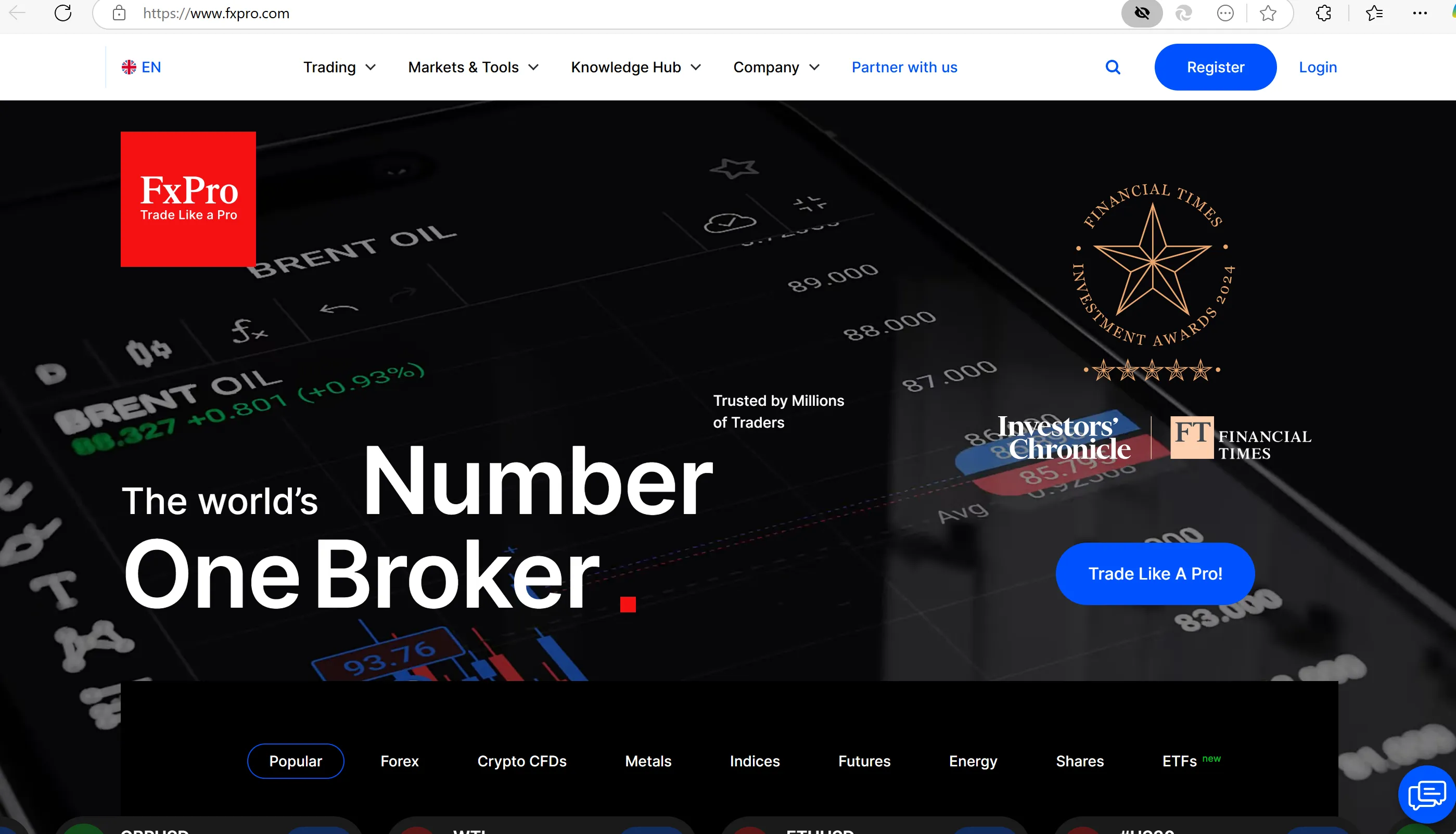
Founded in 2006, FxPro is a reputable UK-based broker, offering trading on forex, crypto CFDs, metals, indices, futures, energy, and shares via the popular MetaTrader 4 (MT4), MetaTrader 5 (MT5) and cTrader platforms, as well as its proprietary platform, FxPro WebTrader and FxPro Mobile App. In addition to its trading services, FxPro provides clients with a comprehensive knowledge hub, which contains all kinds of educational resources, friendly for both beginners and professionals.
Pros & Cons
| Pros | Cons |
|
|
|
|
| |
|
Is FxPro Legit?
Yes, FxPro is regulated by several reputable financial regulatory bodies in different jurisdictions where it operates. These regulatory bodies ensure that FxPro adheres to strict standards of financial stability, security, transparency, and fair trading practices.
| Regulated Country | Regulated by | Regulated Entity | License Type | License Number |
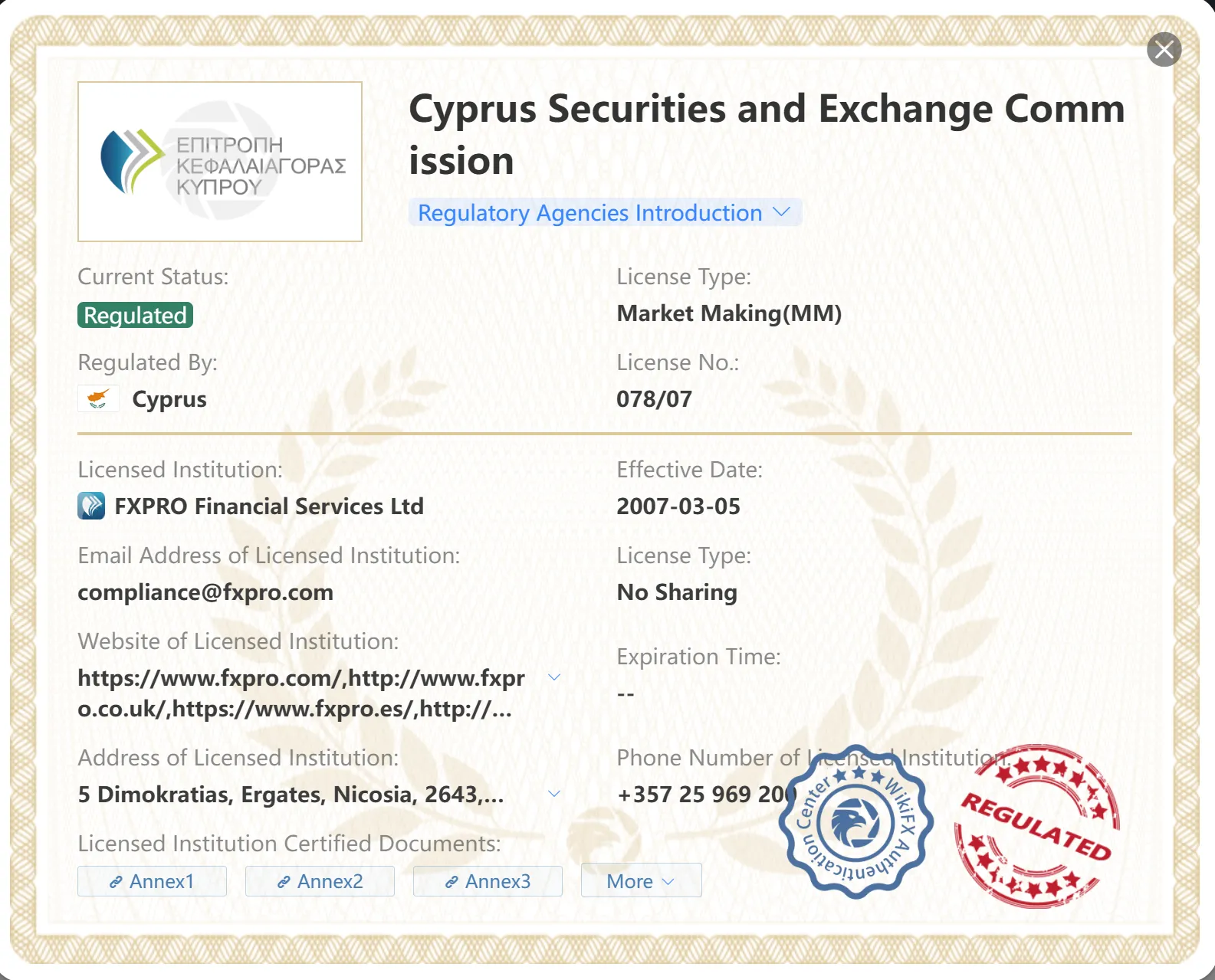
 | CySEC | FXPRO Financial Services Ltd | Market Making (MM) | 078/07 |
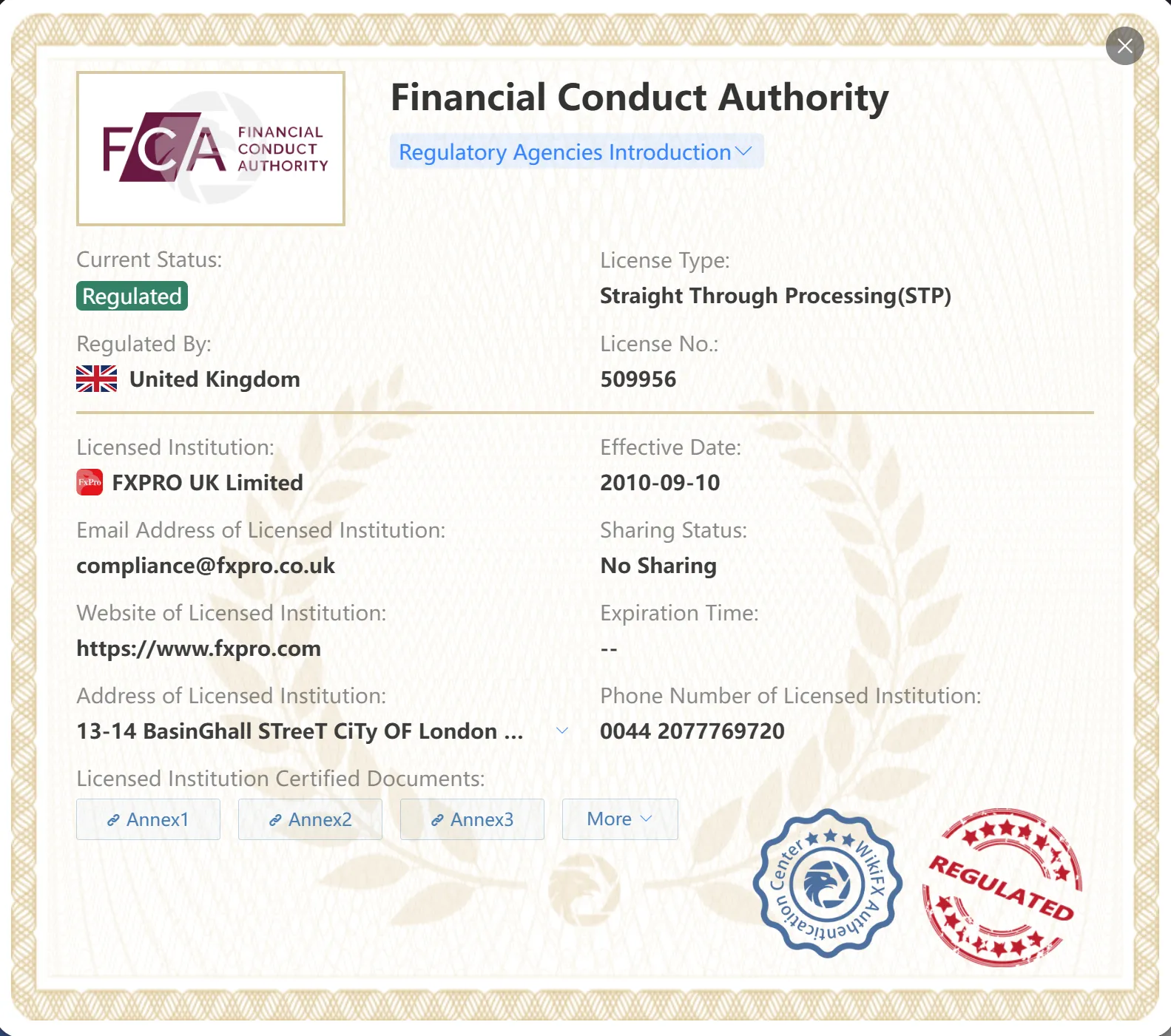
 | FCA | FXPRO UK Limited | Straight Through Processing (STP) | 509956 |
FxPro Financial Services Limited is authorized and regulated by the Cyprus Securities and Exchange Commission (CySEC) with license No. 078/07 and the Financial Conduct Authority (FCA) with license No. 509956.
Market Instruments
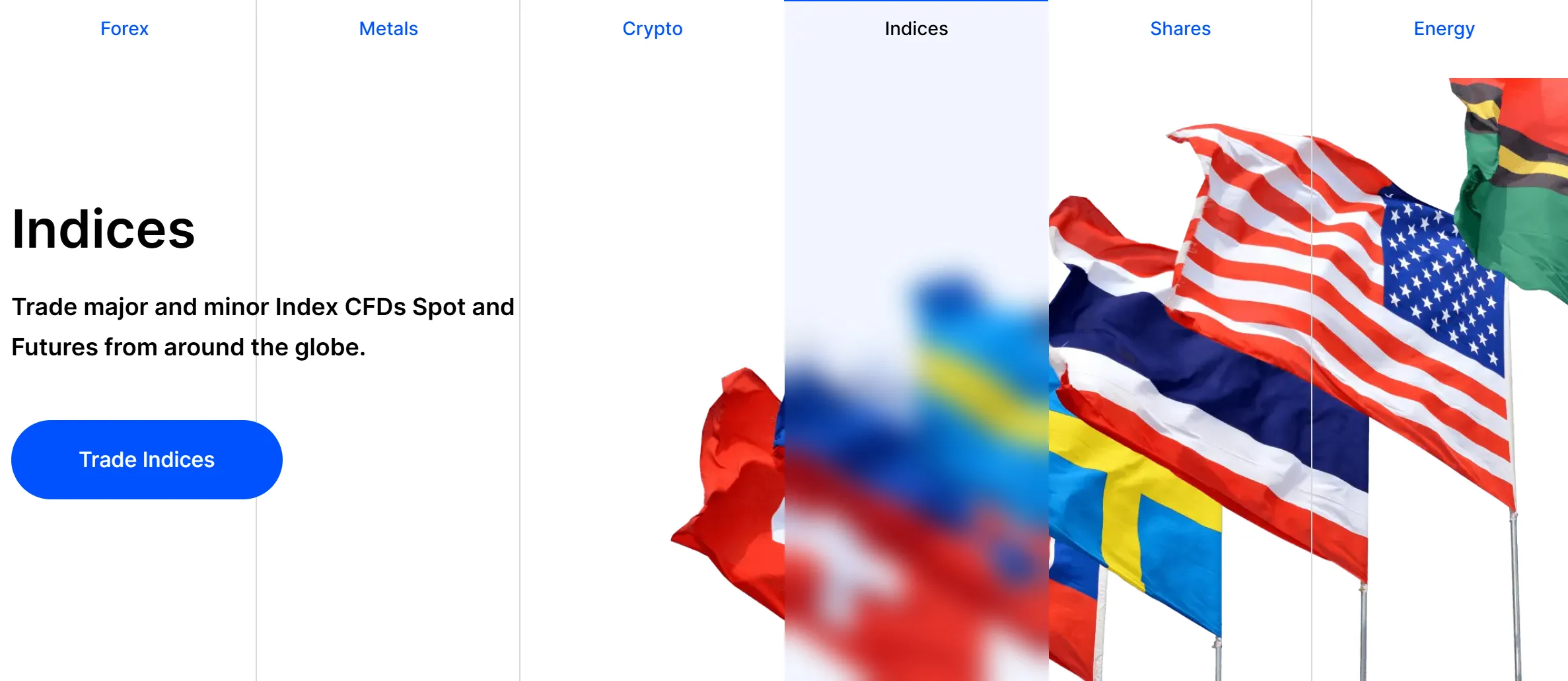
FXPro offers a diverse range of trading instruments, including forex, crypto CFDs, metals, indices, futures, energy, and shares.
| Trading Assets | Available |
| Forex | ✔ |
| Crypto CFDs | ✔ |
| Metals | ✔ |
| Indices | ✔ |
| Futures | ✔ |
| Energy | ✔ |
| Shares | ✔ |
| Bonds | ❌ |
| Options | ❌ |
| ETFs | ❌ |
Account Type/Fees
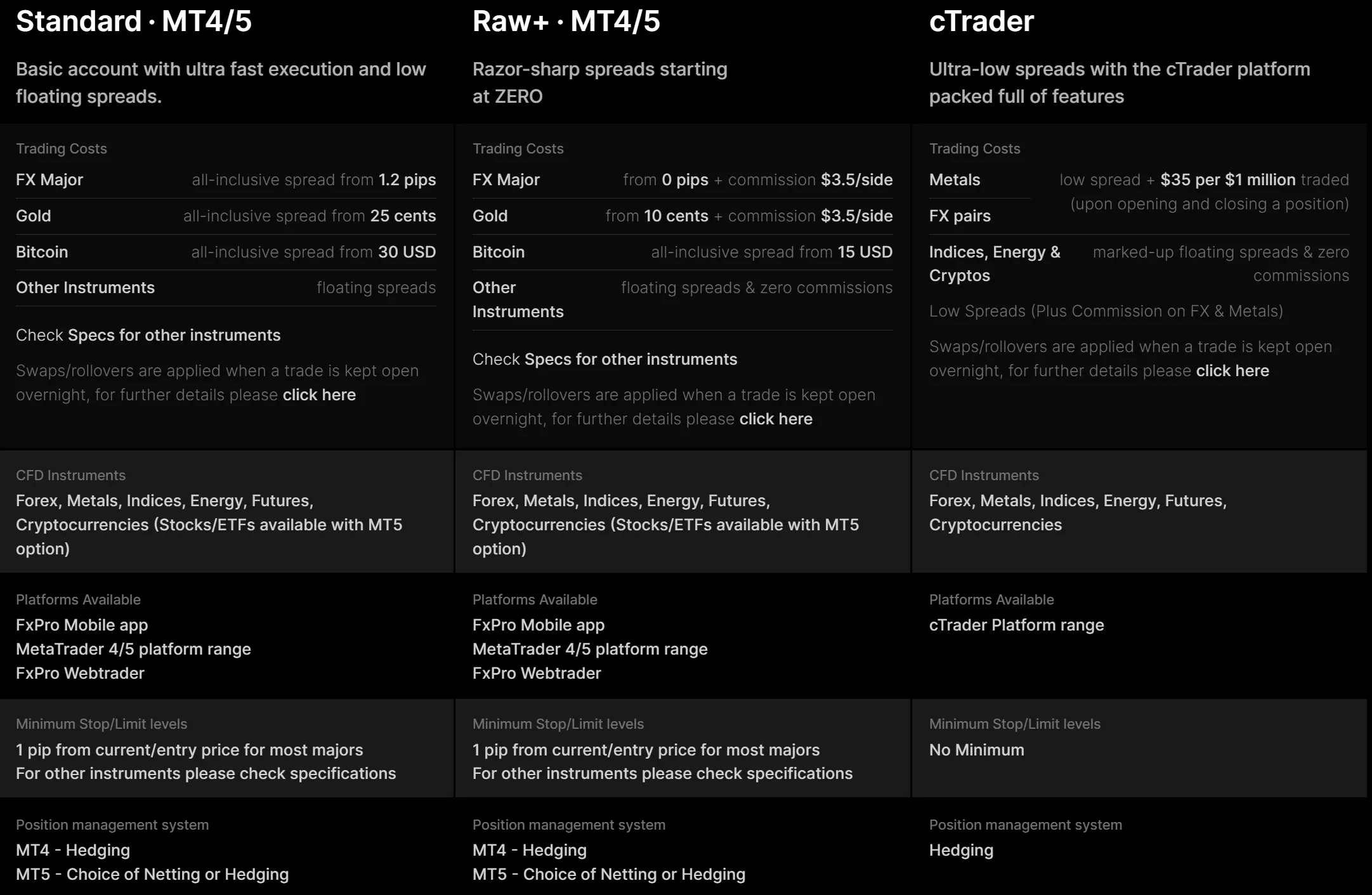
FXPRO offers three types of live accounts: Standard, Raw+, and cTrader accounts. Spreads and commissions vary be the account type and trading asset class. Find more detailed info about trading costs in the table below:
| Account Type | Asset Class | Spread | Commission |
| Standard | FX Major | From 1.2 pips | ❌ |
| Gold | From 25 cents | ❌ | |
| Bitcoin | From 30 USD | ❌ | |
| Other instruments | Floating | ❌ | |
| Raw+ | FX Major | From 0 pips | $3.5 per side |
| Gold | From 10 cents | ||
| Bitcoin | From $15 | ❌ | |
| Other instruments | Floating | ❌ | |
| cTrader | FX pairs/Metals | Low | $35 per $1 million traded |
| Indices/Energy/Cryptos | Floating | ❌ |
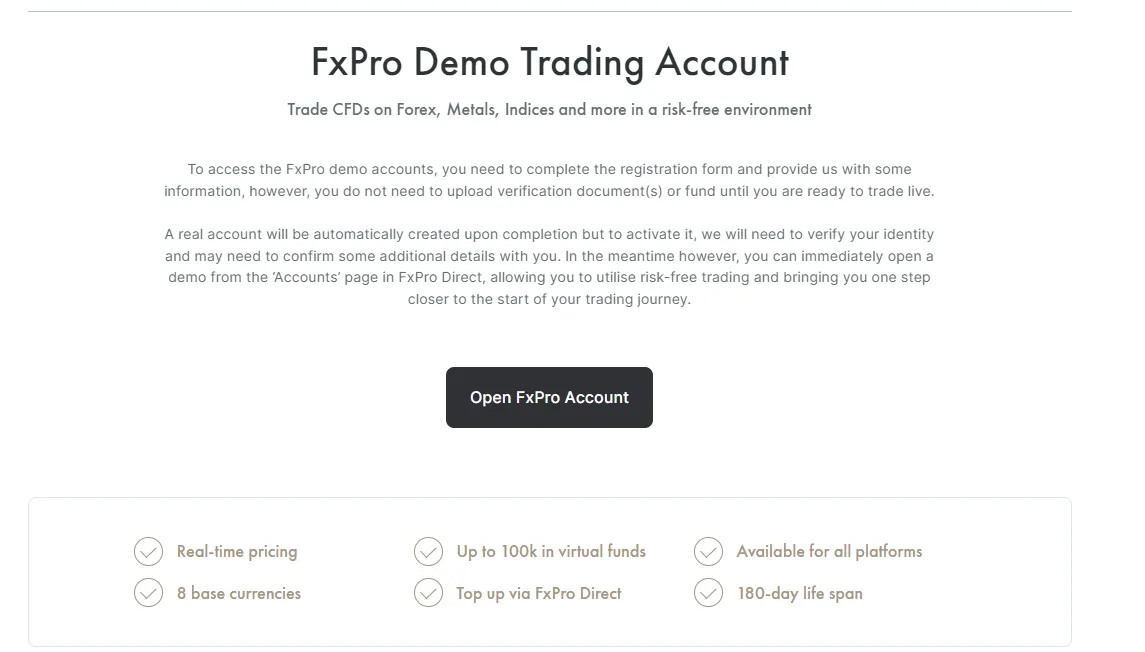
FXPro also offers a free and 180-day life span demo account with up to 100k in virtual funds that enables traders to test their trading strategies and get a feel for the platform's features and functionality without risking any real money.
How to Open an Account?
The process of opening an account with FXPro is a streamlined and uncomplicated endeavor, which aims to provide a smooth onboarding experience for traders.
Step 1: First, you need to visit the broker's website and click on the 'Register' button.

Step 2: Then, you will then be directed to a page where you need to fill out a registration form, including your country of residence, email address, and password.
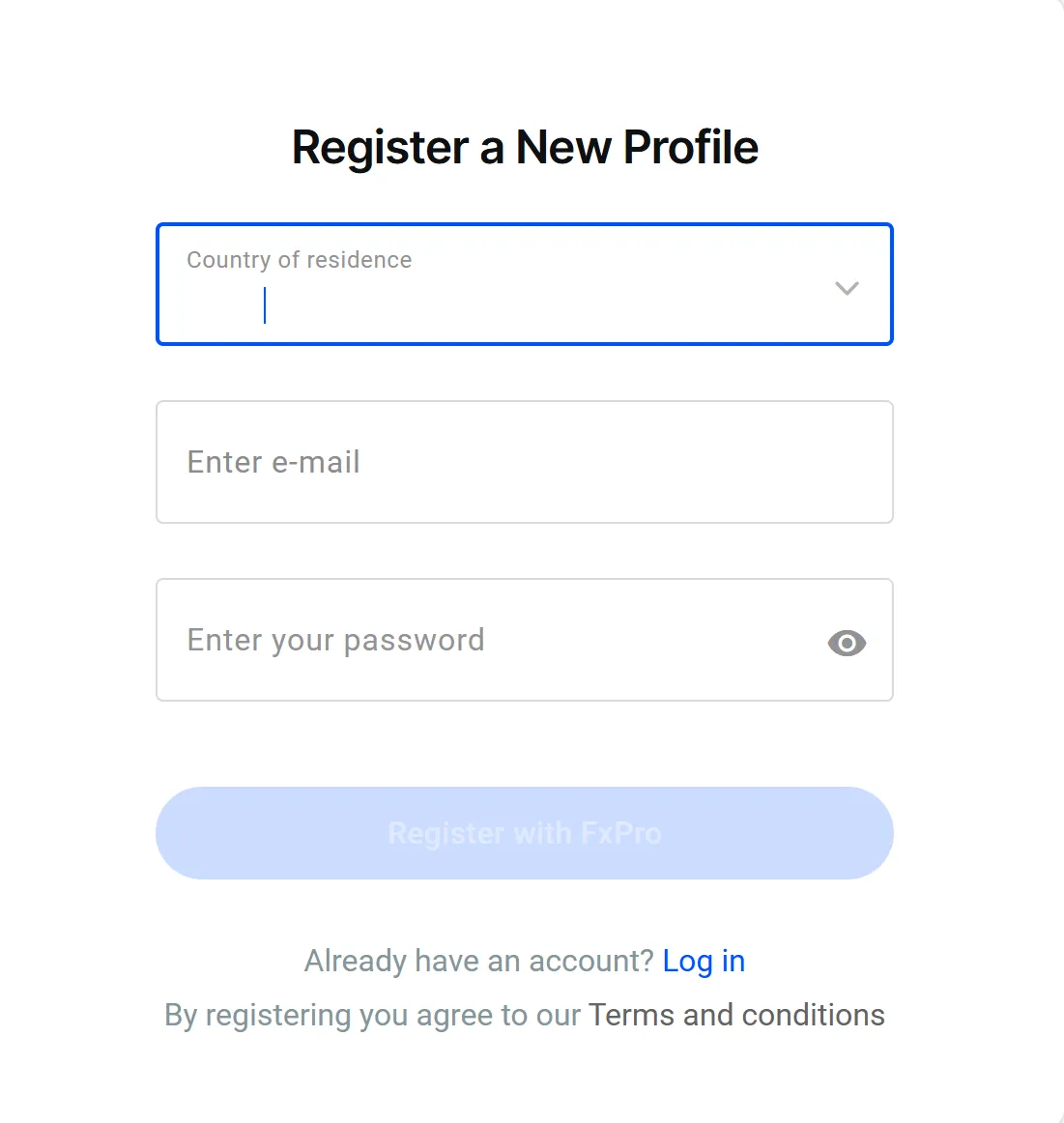
Step 3: Once you have submitted your registration form, you will be prompted to verify your email address by clicking on a verification link that will be sent to your inbox. After verifying your email, you can then proceed to complete the verification process by providing additional information, such as your ID and proof of address.
Step 4: Once your account has been verified, you can then proceed to fund it with the minimum required deposit.
Step 5: After funding your account, you can then start trading by logging into the FXPro trading platform with your account credentials. If you are new to trading, it is recommended that you first practice on the demo account to get a feel of how the platform works before risking your real money.
Leverage
FXPro offers competitive leverage ratios for different trading instruments to help traders maximize their trading potential.
For forex majors, forex minors, spot metals (Gold, Silver, Platinum and Palladium), spot major indices, spot energies, and futures energies, the broker offers a high leverage of up to 1:500.
For other instruments such as crypto and shares, the leverage ranges from 1:20 to 1:50, depending on the specific asset class. You can find more specific info in the screenshot below:
| Asset Class | Max Leverage |
| Forex Majors | 1:500 |
| Forex Minors | |
| Spot Metals (Gold, Silver, Platinum, Palladium) | |
| Spot Major Indices | |
| Spot Energies | |
| Futures Energies | |
| Spot Minor Indices | 1:100 |
| Futures Major Indices | 1:50 |
| Futures Commodities | |
| Spot Base Metals (Aluminium, Copper, Lead & Zinc) | 1:40 |
| Shares & ETFs | 1:25 |
Trading Platform
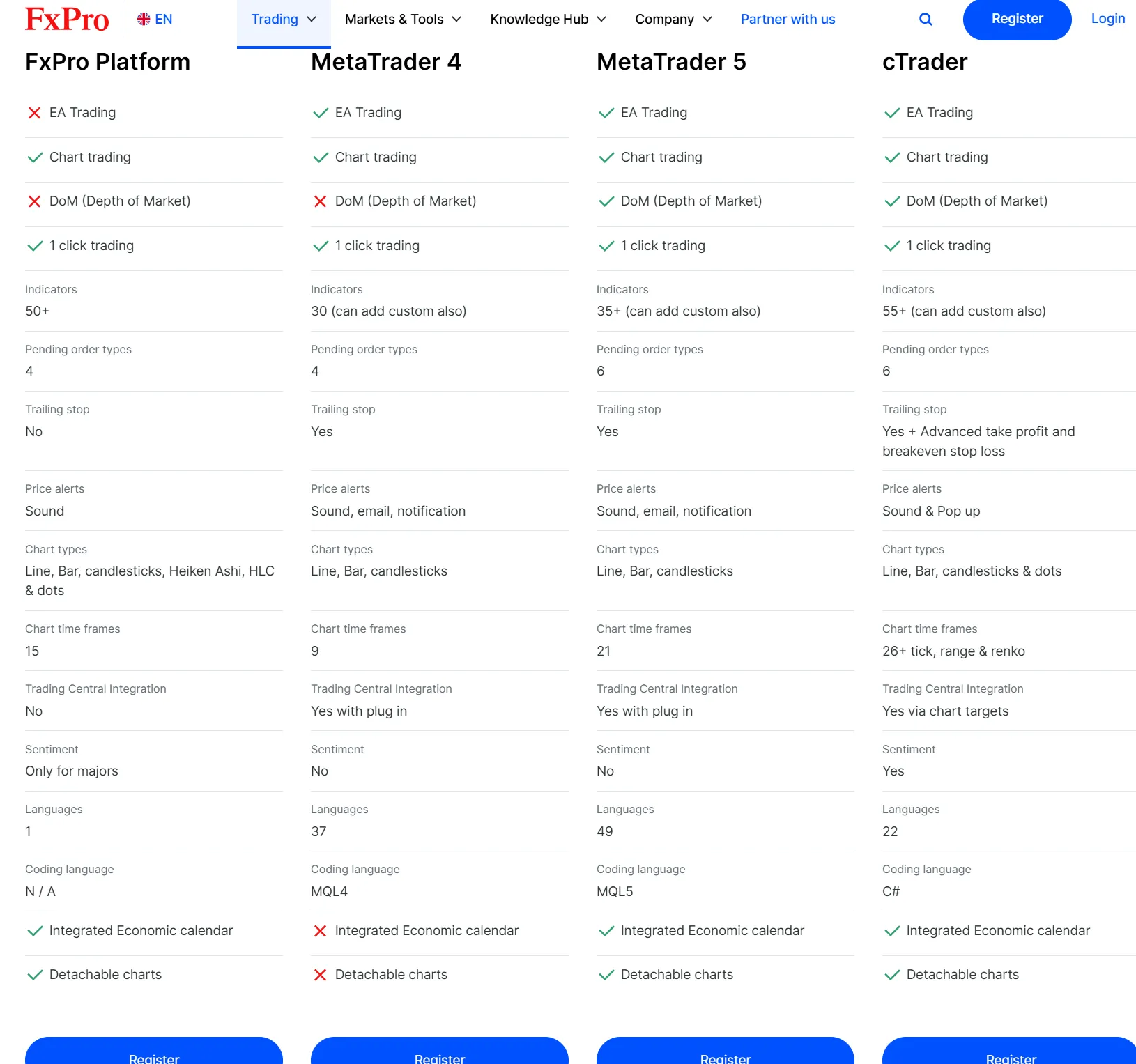
FXPro provides traders with a variety of robust and user-friendly trading platforms to choose from, including the popular MetaTrader 4 and 5 (MT4 and MT5) platforms, as well as their proprietary FXPro Trading Platform and the advanced cTrader platform.
MT4 and MT5 are widely recognized as the industry standard in forex trading platforms, providing traders with a comprehensive range of analytical tools, customizable indicators, and automated trading capabilities.
FXPro's proprietary trading platform, on the other hand, offers a user-friendly interface with advanced charting capabilities and built-in risk management tools.
For traders looking for a more advanced trading experience, cTrader offers a range of sophisticated features such as level 2 pricing, advanced order types, and algorithmic trading capabilities.
Educational Resources
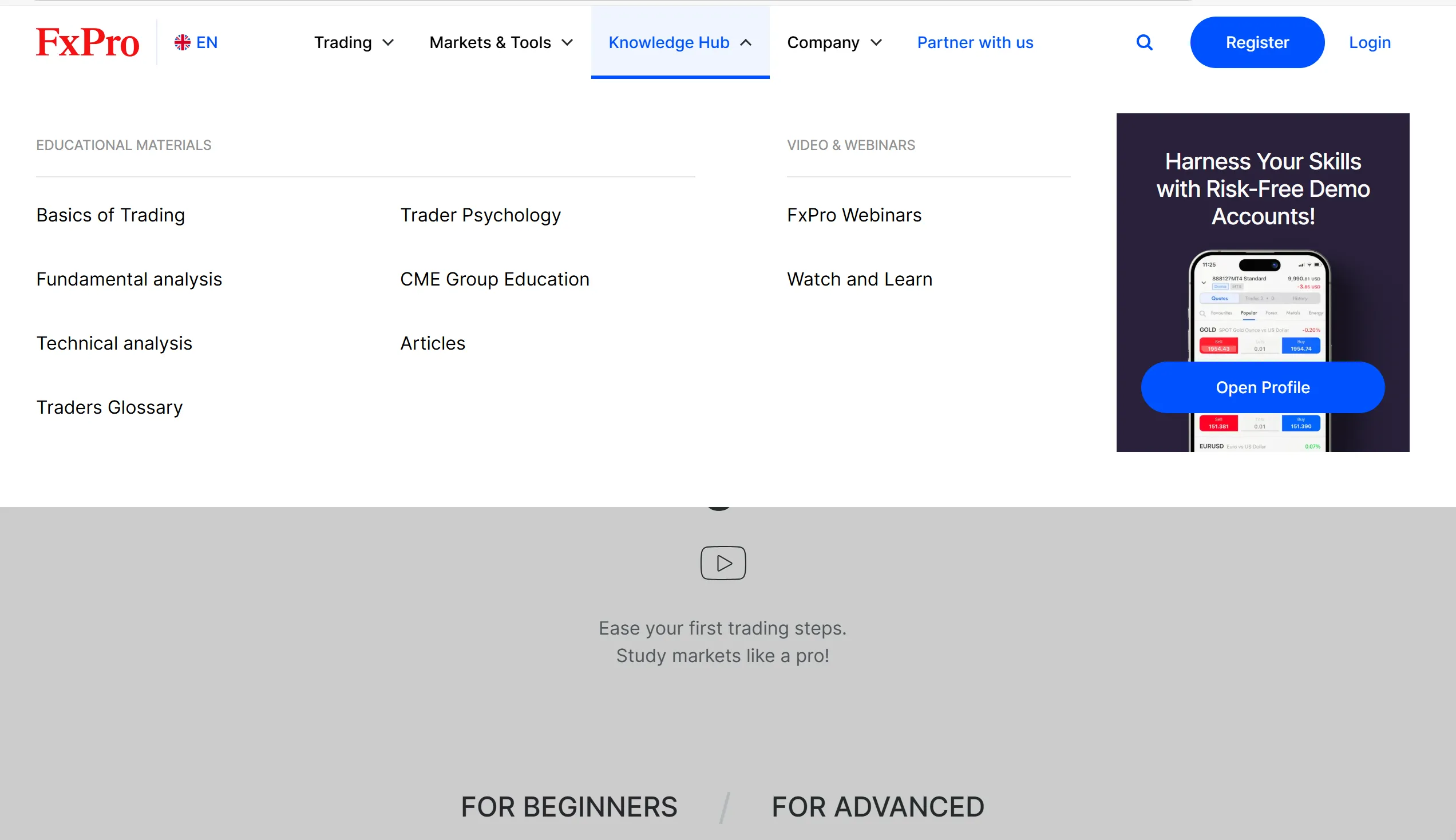
FXPro provides clients with a knowledge hub for basic and advanced education, fundamental and technical analysis, and more. So wether you are a beginner or a professional trader, you can learn here.
Customer Support
FXPRO offers 24/5 customer support to via live chat, call back form, phone: +44 ( 0) 203 151 5550, and email: info@fxpro.com.
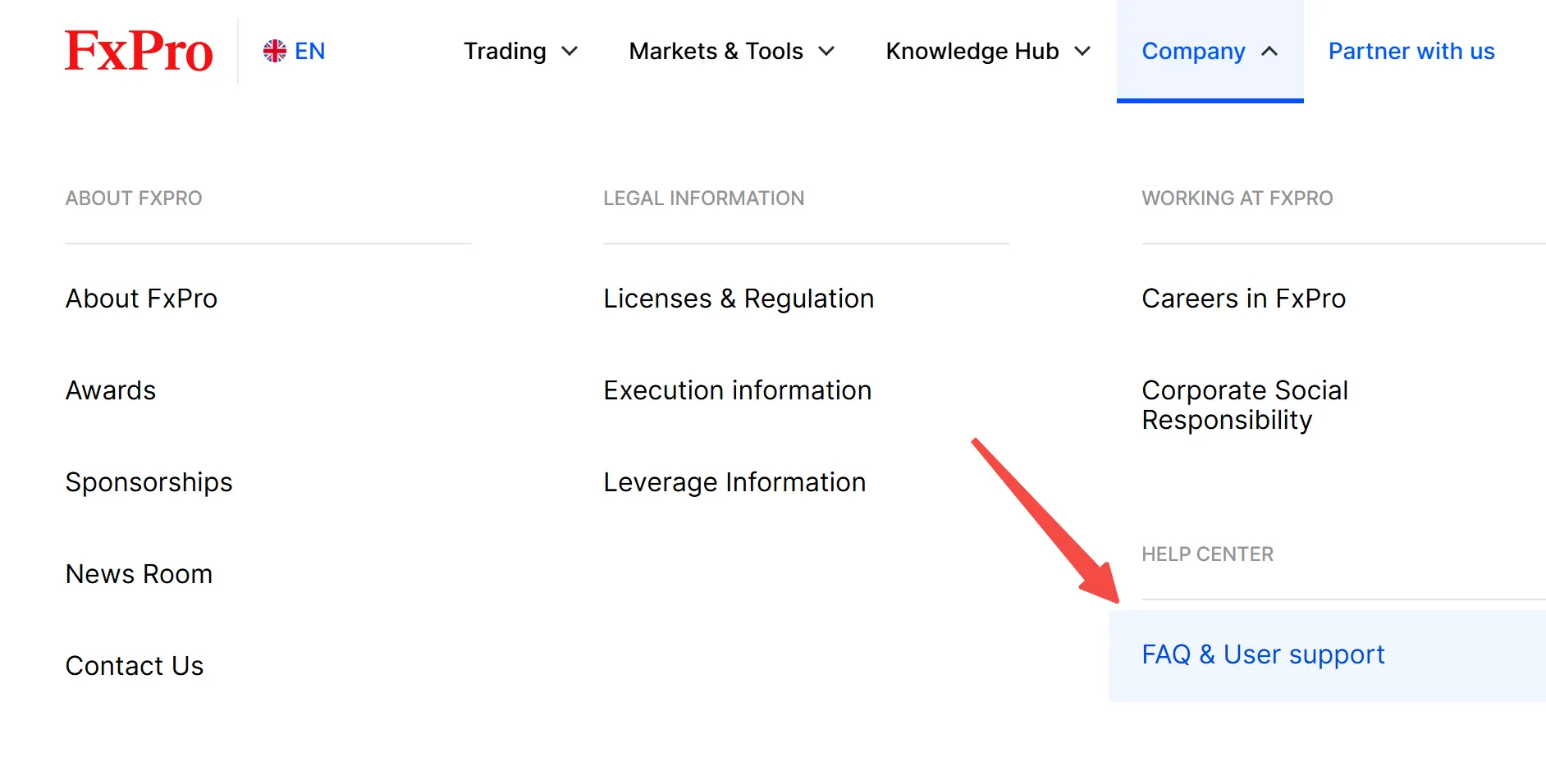
In addition to the above channels, FXPRO has an extensive FAQ section on its website that covers a wide range of topics related to trading, account management, and other services provided by the broker. Clients can access the FAQ section by clicking on the “FAQ & User support” tab on the broker's website.
FAQs
Is FXPro a regulated broker?
Yes, FXPro is a regulated broker. It is authorized and regulated by several top-tier financial authorities, including the Financial Conduct Authority (FCA) in the UK and the Cyprus Securities and Exchange Commission (CySEC).
What trading instruments are available at FXPro?
Forex, crypto CFDs, metals, indices, futures, energy, and shares,
Does FXPro offer demo accounts?
Yes, FXPro offers demo accounts with up to 100k in virtual funds and 180-day life span.
What trading platforms does FXPro offer?
FXPro offers FxPro Mobile App, FxPro WebTrader, MT4, MT5, and cTrader.
Risk Warning
Online trading carries substantial risk, potentially leading to the total loss of invested funds. It may not be appropriate for all traders or investors. It's crucial to fully comprehend the associated risks before engaging in trading activities.
binance-jex
| Aspect | Information |
| Registered Country/Area | China |
| Founded Year | 2-5 years |
| Company Name | BINANCE JEX |
| Regulation | No Regulation |
| Minimum Deposit | N/A |
| Maximum Leverage | N/A |
| Spreads | N/A |
| Trading Platforms | App (iOS and Android), Desktop Client, API integration |
| Tradable Assets | Cryptocurrencies, Spot, Options, Futures |
| Account Types | N/A |
| Customer Support | 24/7 Chat Support, Email Support, Twitter, Facebook |
| Payment Methods | P2P Trading, Credit/Debit Card, Bank Transfer, Third-Party Payment Channels |
| Trading Tools | Binance Convert, Conversion History, Futures Grid, Trading Bots, Spot Grid, Binance OTC |
General Information
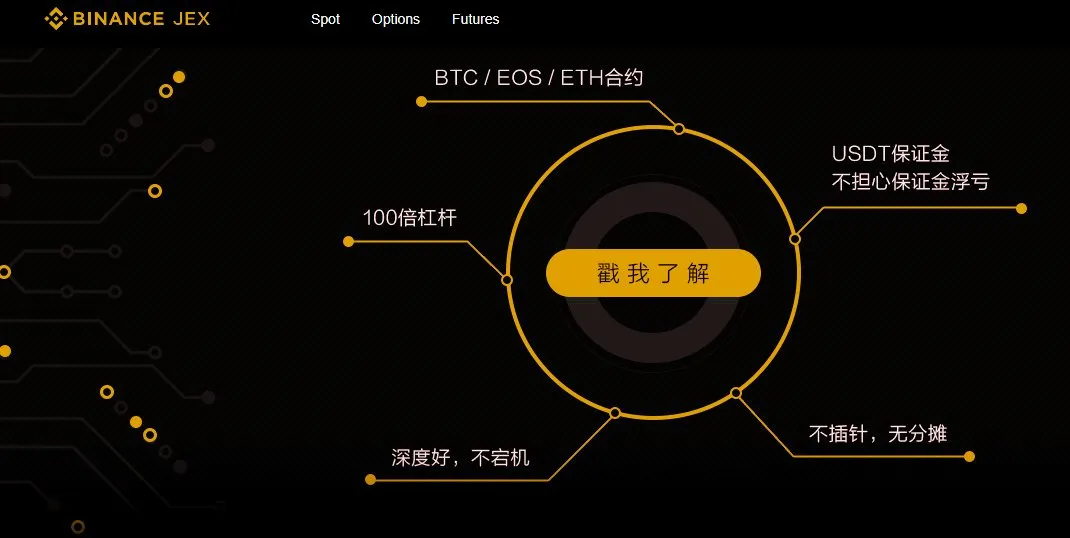
Binance JEX is an unregulated cryptocurrency exchange. The platform offers a range of market instruments for trading, with fees varying depending on the type of trading instrument and discounts available for JEX token holders. Binance JEX supports multiple payment methods, including P2P trading, credit/debit card payments, bank transfers, and third-party payment channels.
Binance JEX provides trading platforms for both mobile and desktop devices, allowing users to trade on the go and stay informed about market updates. The exchange also offers API integration for third-party trading applications. To enhance security, Binance JEX provides the Binance Authenticator for 2-Step verification. The platform offers various trading tools such as Binance Convert, Futures Grid, Trading Bots, Spot Grid, and an OTC trading service.
Pros and Cons
| Pros | Cons |
| Wide range of market instruments | Lack of regulatory oversight |
| Access to over 500 cryptocurrencies | Potential for market manipulation and fraudulent activities |
| Options, ETFs, and futures availability | Limited information on lesser-known cryptocurrencies |
| Ability to engage with buy/sell offers | Relatively low fee structure |
| Integration of JEX for expanded offerings | Limited customer protection and legal recourse options |
Is BINANCE JEX Legit?
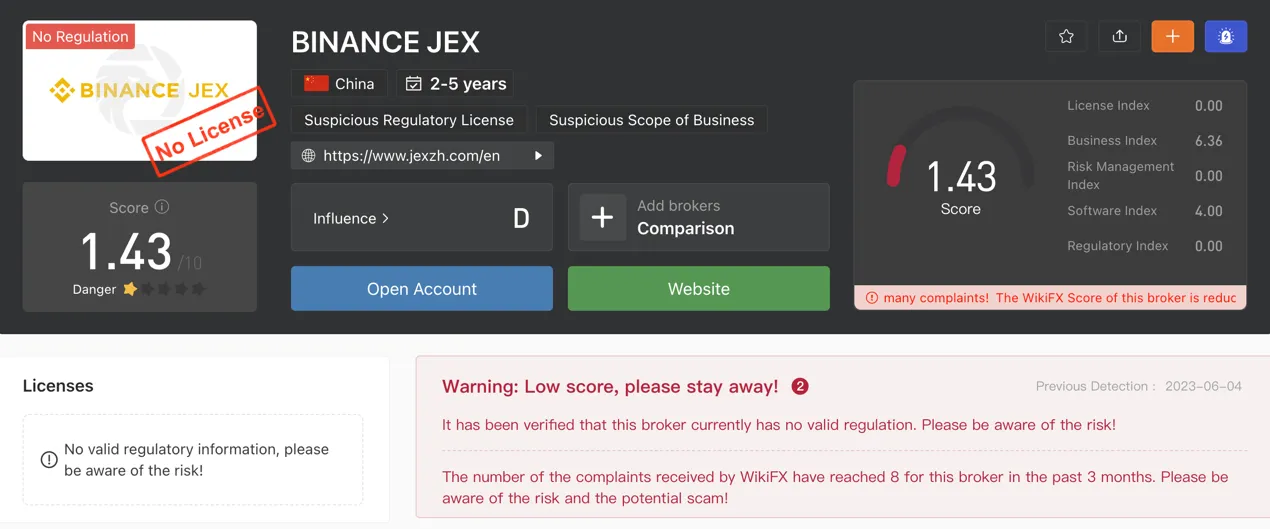
Binance JEX Exchange is currently not regulated by any valid regulatory authority.
Market Instruments
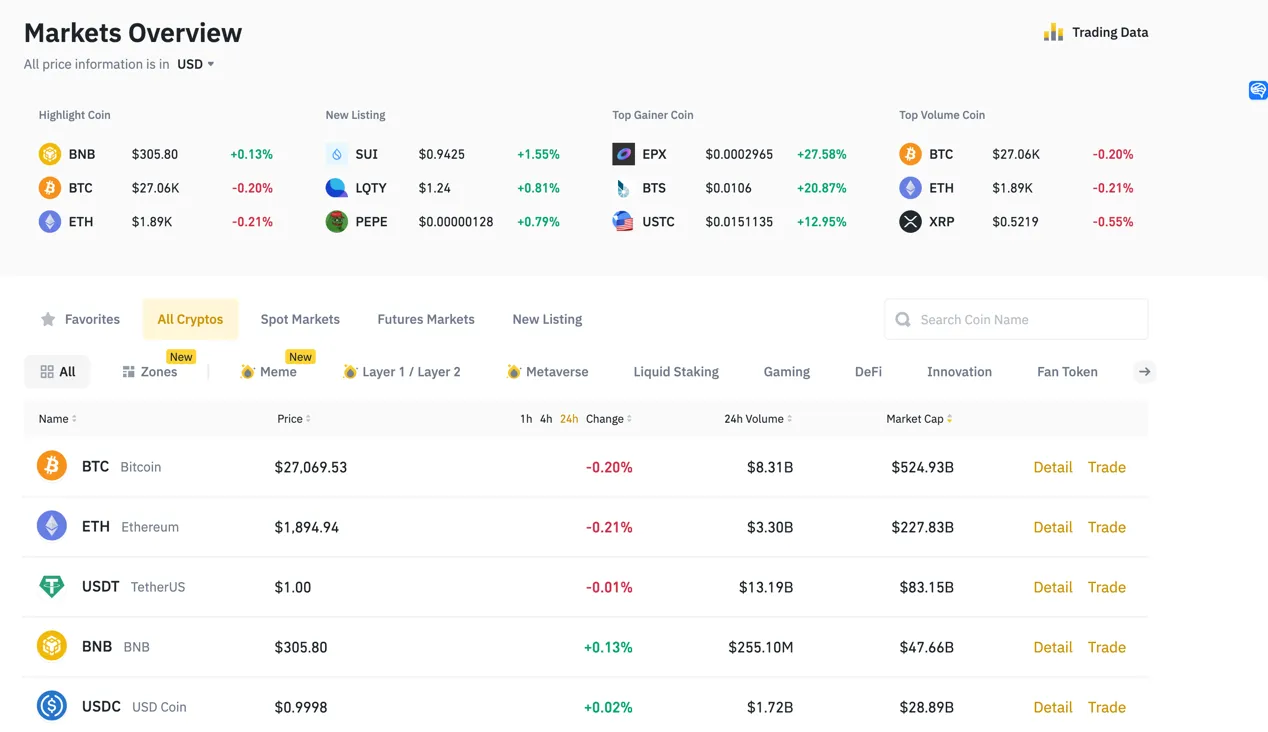
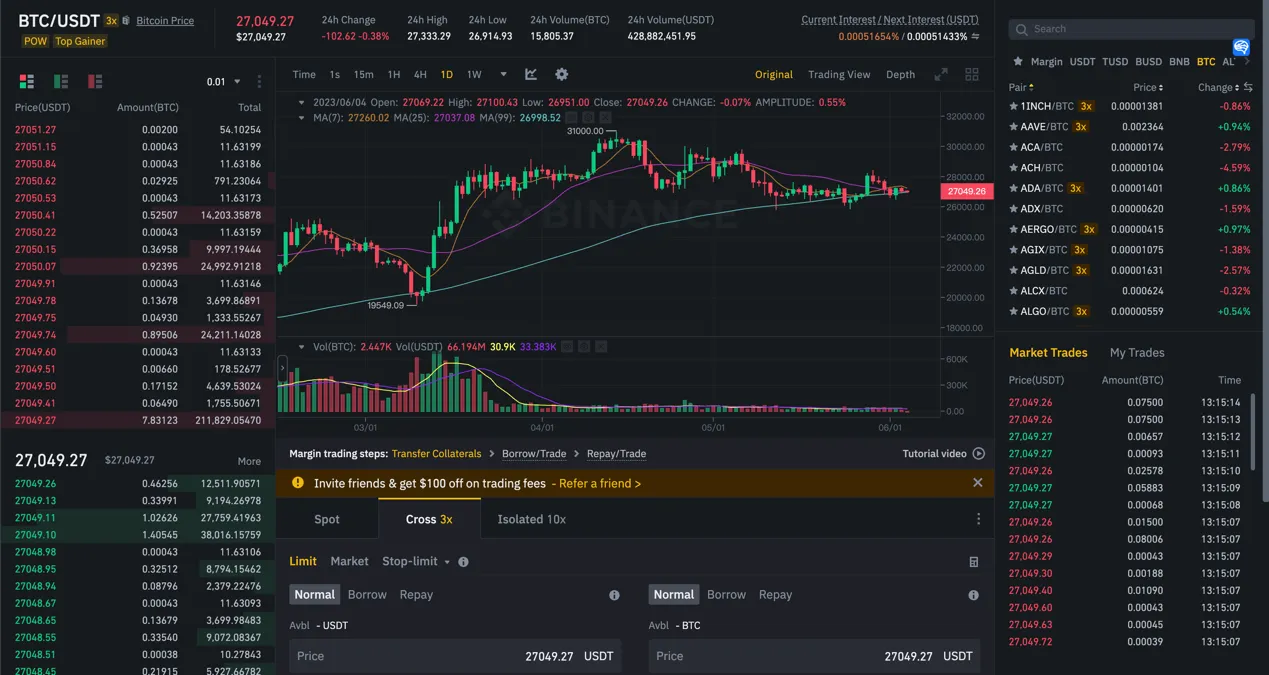
Binance JEX provides access to a range of market instruments, primarily focusing on cryptocurrency pairs. Traders can choose from over 500 cryptocurrencies, including popular options like BTC, ETH, and XRP, as well as lesser-known cryptos such as NEO, IOTA, and NavCoin.
The platform offers options for trading crypto coins like ETH/BTC, LTC/BTC, JEX/BTC, DASH/BTC, and others. Additionally, traders have access to options, ETFs, and futures. Binance JEX expanded its offerings through the acquisition of JEX, which is now integrated and rebranded as Binance Jex.
Transaction Fees
Binance JEX has a pricing schedule for transaction fees, which can be found on its website.
For crypto coin pairs like ETH/BTC, the maker fee is 0.10% and the taker fee is 0.10%. Users who hold JEX tokens receive a 50% discount on these fees.
When it comes to option trading, both makers and takers are charged a fee of 0.20%. Again, JEX token holders enjoy a 50% discount on these fees. The fees for ETF trading are the same as for options.
For futures trading, the fees differ based on the trading pairs. For BTCUSDT, the maker fee is 0.00% and the taker fee is 0.04%. For ETHUSDT, the maker fee is 0.01% and the taker fee is 0.06%.
Trading Platform
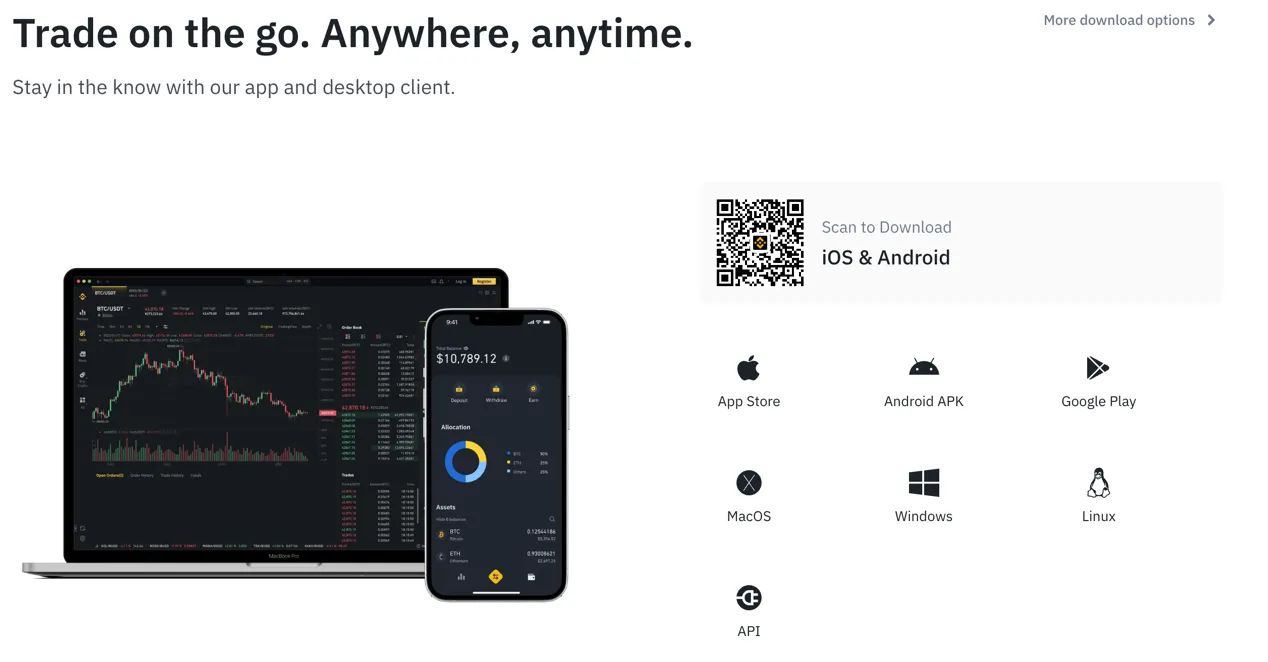
Users can trade on the go and stay informed about market updates with the Binance JEX app and desktop client.
For mobile trading, the Binance JEX app can be downloaded from the App Store for iOS devices or from Google Play for Android devices. The app allows traders to access all the features and functionality of Binance JEX on their smartphones or tablets.
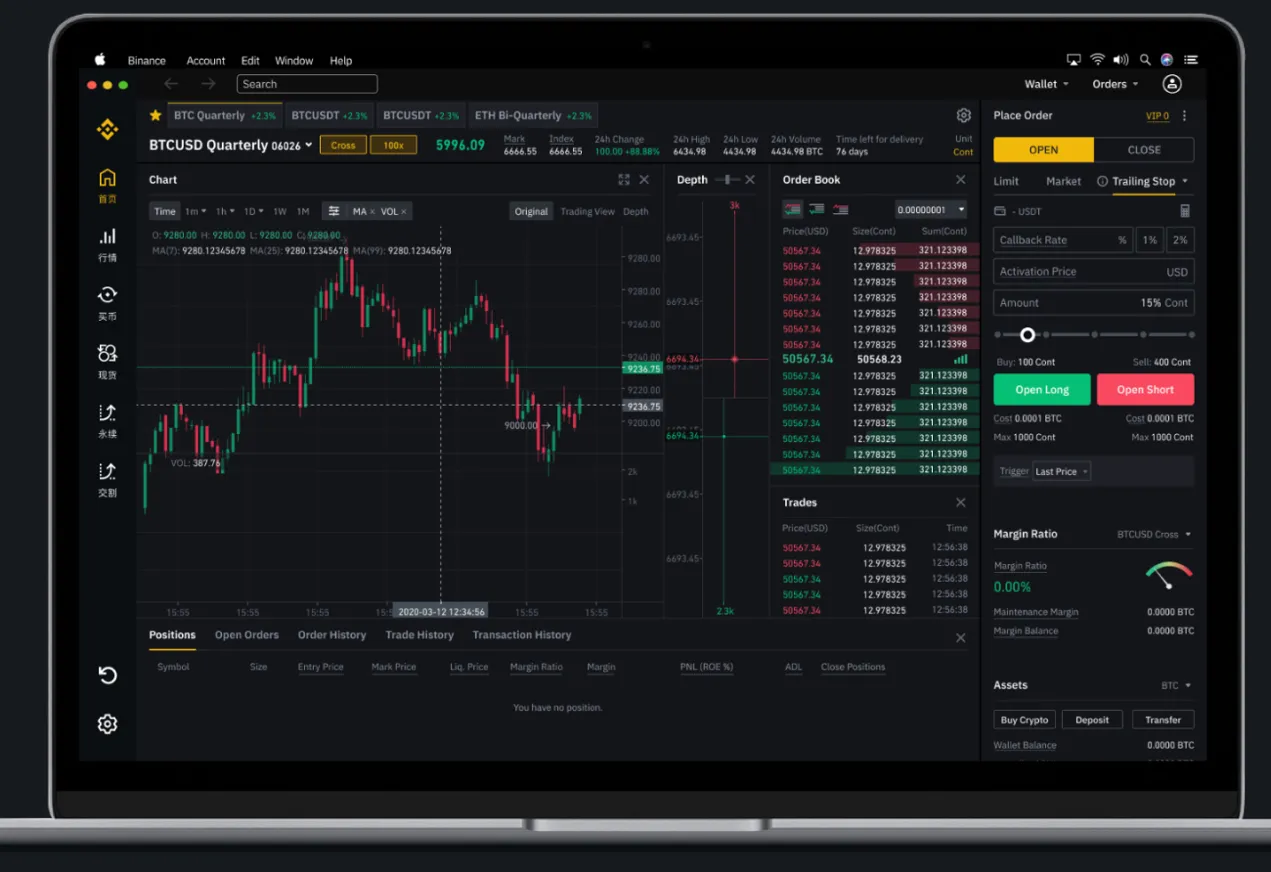
For desktop trading, Binance JEX provides a powerful crypto trading platform that is compatible with Windows, MacOS, and Linux.
Binance JEX also offers API integration, helping traders to connect their own trading applications to the platform. The Binance API is designed to provide a way to integrate trading functionality into third-party applications.
Trading Tools
Binance JEX offers a range of trading tools designed to enhance the trading experience and provide users with various strategies and options.
1. Binance Convert: Binance Convert allows users to instantly convert one cryptocurrency into another within their Binance JEX account. This tool helps exchange cryptocurrencies without the need for placing separate buy and sell orders.
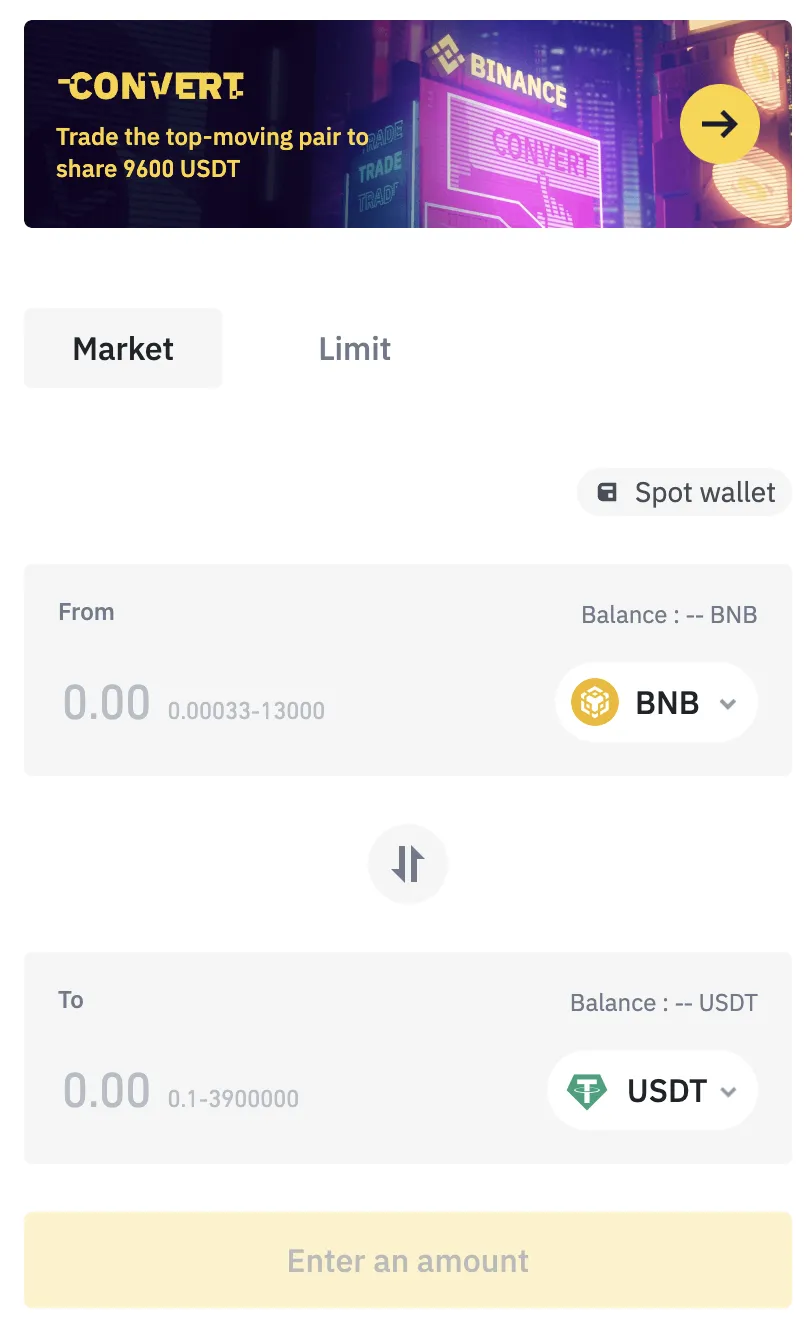
2. Conversion History: Binance JEX keeps a record of users' conversion history, allowing them to track their previous cryptocurrency conversions. This feature provides a reference for users to review their conversion transactions.
3. Futures Grid: Binance JEX offers Grid Trading applied to COIN-M and USD-M contracts in the futures market. Grid Trading enables users to amplify their purchasing power by deploying long/short strategies and taking advantage of sideways markets. This tool helps users automate their futures trading and potentially benefit from market fluctuations.
4. Trading Bots: Binance JEX provides automation tools for trading cryptocurrencies. Users can deploy trading bots to execute trades based on predefined strategies. These bots help users identify and replicate trending strategies and take advantage of the liquidity available on Binance JEX. By using trading bots, users can trade crypto like professional traders.
5. Spot Grid: Spot Grid is a tool that allows users to place buying and selling orders at set intervals across a configured price range. By automating trades using Spot Grid, users can take advantage of volatile markets and potentially optimize their trading outcomes.
6. Binance OTC: Binance JEX offers an over-the-counter (OTC) trading service. OTC trading allows users to trade large volumes of cryptocurrencies directly with Binance, without going through the traditional order book. The OTC trading service provides a more personalized way to execute large trades.
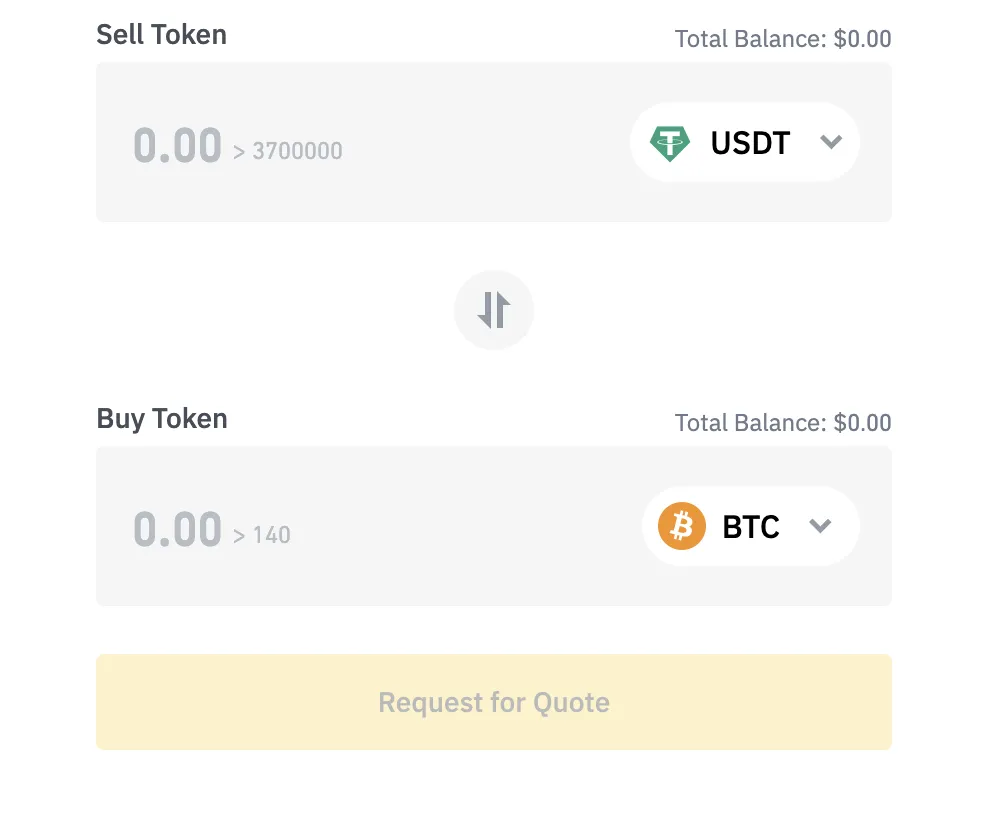
7. OTC Trading History: Binance JEX keeps a record of users' OTC trading history, allowing them to track their previous OTC transactions and review the details of their trades.
Payment Methods
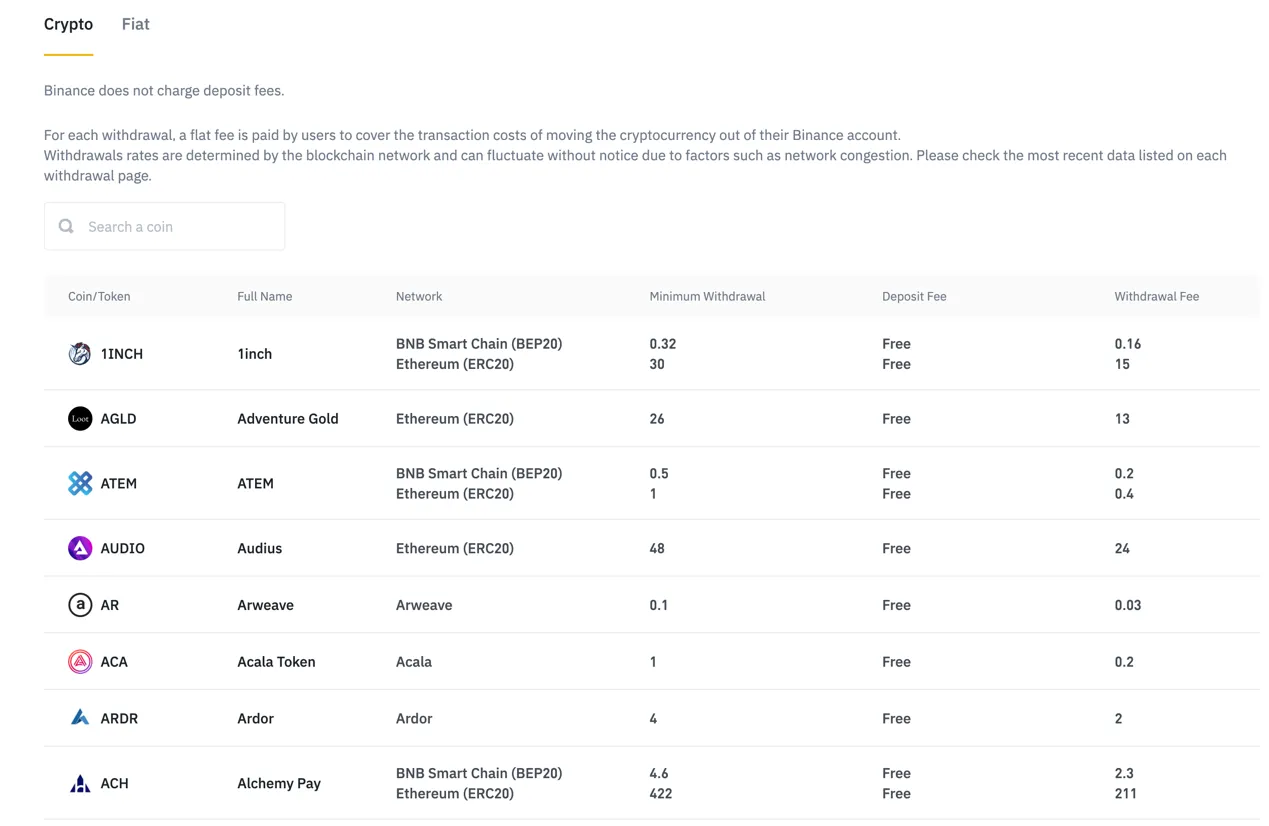
Binance JEX offers several payment methods for users to facilitate trading and transactions. These methods include:
1.P2P Trading: Binance JEX provides a peer-to-peer (P2P) trading platform where users can buy and sell cryptocurrencies directly with other users. P2P trading allows for the use of various payment methods, such as bank transfers, mobile payment apps, and online payment systems, depending on the preferences of the trading parties.
2. Credit/Debit Card: Binance JEX supports credit and debit card payments, allowing users to purchase cryptocurrencies using their cards. By linking their cards to their Binance JEX accounts, users can make instant purchases and quickly access the cryptocurrencies they desire.
3. Bank Transfer: Users can also make deposits and withdrawals on Binance JEX via bank transfers. This payment method enables users to transfer funds from their bank accounts to their Binance JEX accounts or vice versa.
4. Third-Party Payment Channels: Binance JEX may collaborate with third-party payment channels to provide additional payment options to its users. These channels can include various online payment systems, e-wallets, and mobile payment apps.
Customer Support
Users can also reach out to Binance JEX customer support by sending an email to service@email.jex.com.
FAQs
What trading platforms does Binance JEX offer?
Binance JEX offers a mobile app for iOS and Android devices, a desktop client for Windows, MacOS, and Linux, and API integration for connecting third-party trading applications.
What trading tools are available on Binance JEX?
Binance JEX offers tools such as Binance Convert for instant cryptocurrency conversion, Conversion History for tracking previous conversions, Futures Grid for automated futures trading, Trading Bots for executing predefined strategies, Spot Grid for automated trading in volatile markets, and Binance OTC for personalized large-volume trades.
What payment methods are accepted on Binance JEX?
Binance JEX supports P2P trading, credit/debit card payments, bank transfers, and may collaborate with third-party payment channels to offer additional options.
Do fxpro and binance-jex have lower transaction costs?
To compare transaction costs across different brokers, our experts analyze the transaction-specific fees (such as spreads) and non-trading fees (such as inactivity fees and payment costs).
To get a comprehensive understanding of how cheap or expensive fxpro and binance-jex are, we first considered common fees for standard accounts. On fxpro, the average spread for the EUR/USD currency pair is FX Major from 0 pips, while on binance-jex the spread is --.
Which broker between fxpro, binance-jex is safer?
To determine the safety of our top brokers, our experts will consider many factors. This includes which licenses the broker holds and the credibility of these licenses. We also consider the history of brokers, because long-term brokers are usually more reliable and trustworthy than new brokers.
fxpro is regulated by CYSEC,FCA,FSA. binance-jex is regulated by --.
Which broker between fxpro, binance-jex provides better trading platform?
When our experts review brokers, they will open their own accounts and trade through the broker's trading platform. This enables them to comprehensively evaluate the quality, ease of use, and function of the platform.
fxpro provides the Elite · MT4/5,Raw+ · MT4/5,Standard · MT4/5 platform with products like --; binance-jex offers the -- platform featuring assets including --.