Global Broker Regulation Inquiry App
About WikiFX

cTrader: CFD Trading & Charts
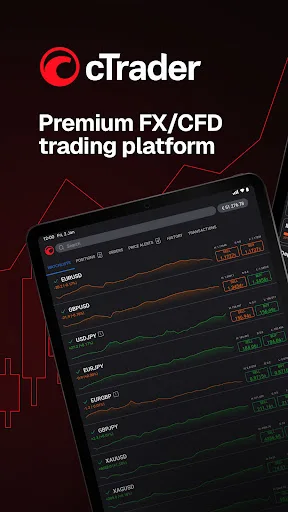
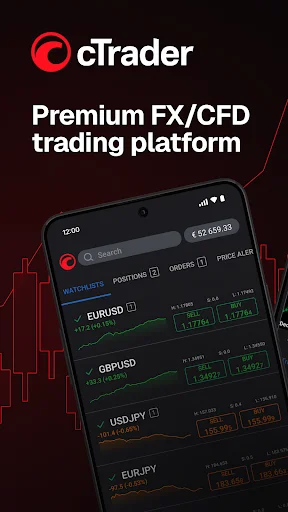
cTrader: CFD Trading & ChartsGet cTrader, a premium online trading platform for Gold, Indices, Forex & Stocks
Download
Download Index
11,089
Related BrokersEMAR MARKETS EMAR MARKETS
Featured Forex Tools
Status
Online
27525 Ratings
Active Index 0
App Size --
APP ID
com.spotware.ct
Compatibility 10

Software Screenshots
https://img.zy223.com/diandian/1778046277219/diandian1778046277219_341159.jpg_ddefault-webphttps://img.zy223.com/diandian/1778046277219/diandian1778046277219_580613.jpg_ddefault-webphttps://img.zy223.com/diandian/1778046277219/diandian1778046277219_549528.jpg_ddefault-webphttps://img.zy223.com/diandian/1778046277219/diandian1778046277219_905453.jpg_ddefault-webphttps://img.zy223.com/diandian/1778046277219/diandian1778046277219_508392.jpg_ddefault-webphttps://img.zy223.com/diandian/1778046277219/diandian1778046277219_784093.jpg_ddefault-webphttps://img.zy223.com/diandian/1778046277219/diandian1778046277219_380561.jpg_ddefault-webphttps://img.zy223.com/diandian/1778046277219/diandian1778046277219_113311.jpg_ddefault-webphttps://img.zy223.com/diandian/1778046277219/diandian1778046277219_670605.jpg_ddefault-webphttps://img.zy223.com/diandian/1778046277219/diandian1778046277219_875350.jpg_ddefault-webphttps://img.zy223.com/diandian/1778046277219/diandian1778046277219_540830.jpg_ddefault-webphttps://img.zy223.com/diandian/1778046277219/diandian1778046277219_907277.jpg_ddefault-webphttps://img.zy223.com/diandian/1778046277219/diandian1778046277219_193432.jpg_ddefault-webphttps://img.zy223.com/diandian/1778046277219/diandian1778046277219_957369.jpg_ddefault-webphttps://img.zy223.com/diandian/1778046277219/diandian1778046277219_165222.jpg_ddefault-webphttps://img.zy223.com/diandian/1778046277219/diandian1778046277219_643475.jpg_ddefault-webp
Software Description
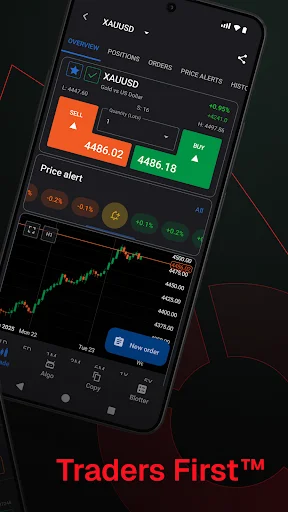
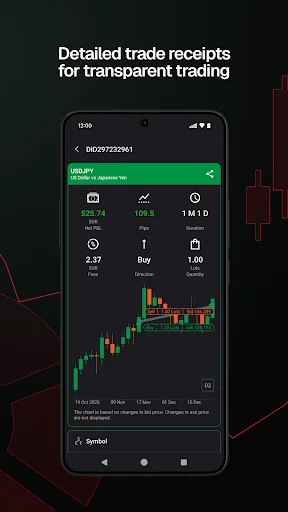
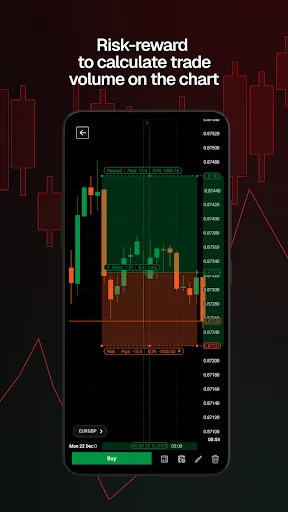
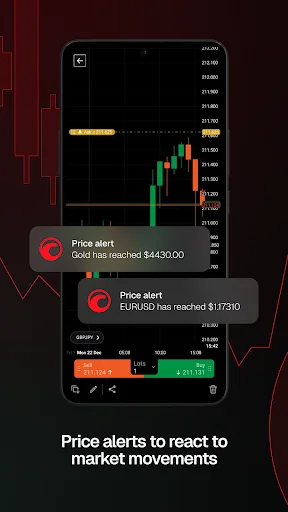
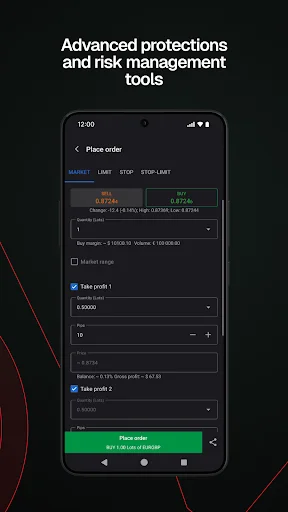
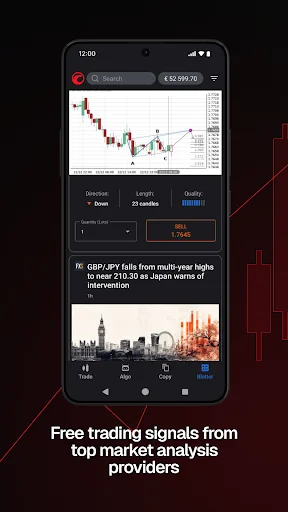
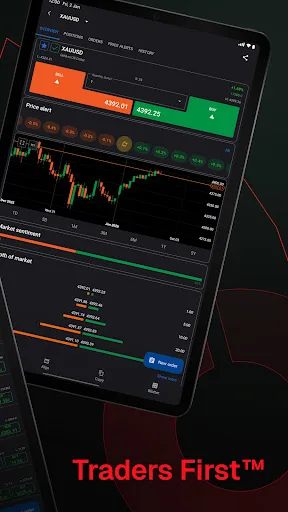
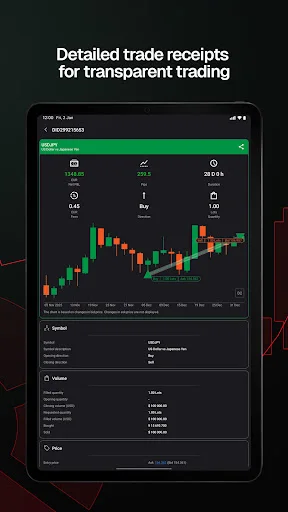
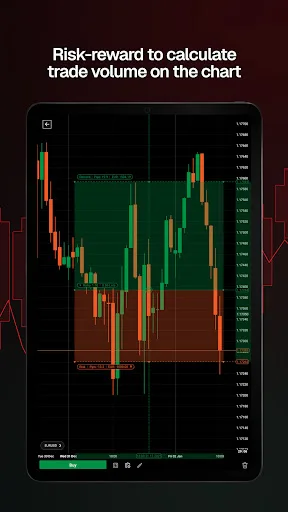
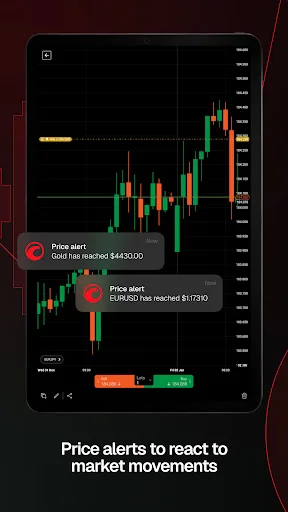
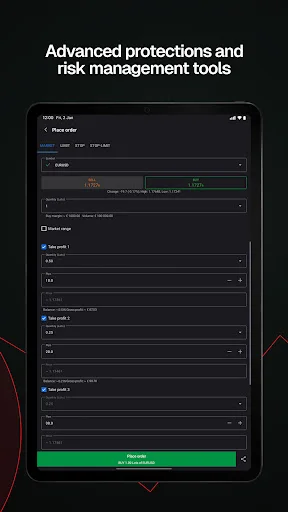
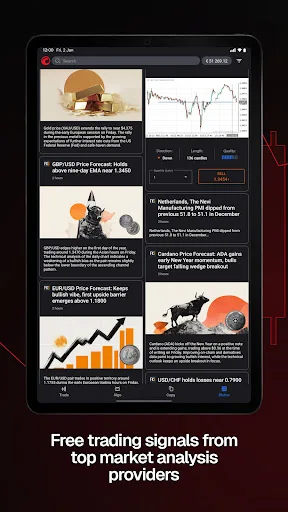
cTrader app provides a premium mobile trading experience: buy and sell global assets on Forex, metals, oil, Indices, Stocks and ETFs. Just log in with your Facebook and Google account or your cTrader ID and get access to a complete range of Order types, advanced technical analysis tools, price alerts, trade statistics, advanced Order management settings, symbol watchlists and a variety of other settings to customise the platform to your on-the-go trading requirements. Straight-through processing (STP) and No Dealing Desk (NDD) trading platform: • Detailed symbol information helps you to understand the assets you are trading. • Symbol trading schedules show you when the market is open or closed. • Links to news sources inform you about events that may affect your trading. • Fluid and responsive charts and Quick Trade mode allow for one-click trading. • Market sentiment indicator shows how other people are trading. Sophisticated technical analysis tools with advanced settings for all indicators and drawings: • 5 chart types: standard time frames, tick, Renko, range, Heikin Ashi • 5 chart view Options: candlestick, bar, line, dot, area • 16 chart drawing tools: horizontal, vertical, arrow and trend lines, ray, Fibonacci retracement, Fibonacci fan, Fibonacci time zones, Fibonacci expansion, Fibonacci arc, equidistant price channel, rectangle, triangle, ellipse, text, pitchfork (three Options) • 65 popular technical indicators Additional features: • Push and email alert configuration: choose which events you want to know about. • All accounts in one app: switch swiftly through your accounts with a simple click. • Trade statistics: review your strategies and trade performance in detail. • Price alerts: get notified when a price hits a specified level. • Symbol watchlists: group and save your favourite symbols. • Manage sessions: log off your other devices. • Dark theme: trade on the platform's popular and eye-friendly dark interface. • 23 languages: access all platform features translated into your native language.
Ratings & Reviews
1386
Comments
Positive
Neutral
Good
Poor
Negative
Need help locating the trade icon after update
Neutral
In a week
Rianne Djarik
Hello Spotware team. I'm a bit confused since the latest app update—where did the trade icon go on the charts? I can't seem to find it anymore.
Great App for New Traders Learning the Ropes
Good
In a week
Ali Khan Ali Khan
This app is perfect for those just starting out in trading. You can practice without risk and gradually become a profitable trader. The learning resources and simulated environment make it easy to get comfortable with the basics before venturing into real trades.
App Keeps Crashing & Drawings Off
Negative
In a week
Pietro Ross
App crashes like crazy—every 3-5 minutes! I’ve even had trades open, only for it to crash right before I could set a stop loss. The drawing lines are totally inaccurate on shorter time frames, too. They’re fine on 15-minute charts, but the smaller the time frame, the worse they get, leading to bad or missed trades. Also, those pop-ups on the chart for drawing and adjusting trades are so annoying—they just block my view.
App使用体验尚可
Positive
In a week
Jason_Tan
整体感觉还行,功能基本能满足日常使用需求,界面也比较简洁,没有太多复杂的操作,就是偶尔会遇到一些小卡顿,但影响不大。
App使用体验尚可
Positive
In a week
KAILASH SEERVI
整体感觉不错,功能和界面都比较流畅,用起来挺顺手的,没有太多让人不满意的地方。
使用体验超棒
Positive
In a week
RAJESH VASAVA
这个APP的功能很实用,界面也很简洁,用起来特别顺手,每次打开都感觉很顺畅,整体体验非常好,值得推荐给大家。
App Delight
Positive
In a week
Rahim Khan
This app has been a game-changer for me! The interface is intuitive, and I’ve found it incredibly helpful in [specific area/feature, e.g., managing my tasks, staying organized, or discovering new content]. Every interaction feels smooth, and it’s become an essential part of my daily routine.
App体验超棒
Positive
In a week
Vương
使用起来很流畅,界面也很简洁,功能都很实用,整体感觉很不错!
Android Risk Settings Bug Fix Needed
Neutral
In a week
Rough Rider
I need to fix the risk settings on my Android device. Literally, I can't adjust them properly because half of the settings interface is buggy on mobile.
Updates left me unimpressed
Neutral
In a week
Tony
I really don't like the latest changes—they've made the app harder to navigate and use smoothly.
Software Info
Developer
QUANTUM GLOBAL CAPITAL LLC Spotware
Post Date
2014-02-10
Last Updated
2026-04-21
APP ID
com.spotware.ct
Version
5.8.170
Compatibility
Available on Android
Supported Regions
Supports 171 countries and regions
Version History
2026years04Month21
cTrader: CFD Trading & Charts
Version:5.8.170
Update Log
cTrader Mobile 5.8 improves notifications and chart controls. Upgraded notifications – stay updated with reworked in-app notifications, including actionable ones. Order filled sound – receive audible alerts on Order fills if device sound is enabled. Redesigned chart controls – select periods, chart types, indicators and drawing tools from new bottom sheets. Enhanced crosshair – long press a chart to bring up the crosshair and use measure mode.
Select Country/Region
United States
※ WikiFX compiles data from publicly available sources and user contributions. While we endeavor to maintain its accuracy, we do not warrant the information's completeness, accuracy, or timeliness, as it may become outdated. Investors are strongly advised to verify critical details with official sources before making any decisions.
You are visiting the WikiFX website. WikiFX Internet and its mobile products are an enterprise information searching tool for global users. When using WikiFX products, users should consciously abide by the relevant laws and regulations of the country and region where they are located.
consumer hotline:006531290538
Official Email:support@wikifx.com;
Mobile Phone Number:234 706 777 7762;61 449895363
Telegram:+60 103342306
Whatsapp:+852-6613 1970;
License or other information error corrections, please send the information to:qa@wikifx.com
Cooperation:business@wikifx.com