

Global Broker Regulation Inquiry App
About WikiFX
English
简体中文
繁體中文
English
Pусский
日本語
ภาษาไทย
Tiếng Việt
Bahasa Indonesia
Español
हिन्दी
Filippiiniläinen
Français
Deutsch
Português
Türkçe
한국어
العربية
اردو
Tradeview , FXT Broker Comparison
Do you want to know which is the better broker between Tradeview and FXT ?
In the table below, you can compare the features of Tradeview , FXT side by side to determine the best fit for your needs.
- Rating
- Basic Information
- Trading Env.
- Account Info
- Related News
- Relevant Exposures
- Rating
- Basic Information
- Trading Env.
- Account Info
- Related News
- Relevant Exposures
2 forex brokers comparison in total
Rating
Score
Regulatory Status
WikiFX Guarantee
WikiFX Survey
Risk Evaluation
Exposure
Official Website
Basic Information
Est. Date (years)
Regulatory License
MT4
MT5
Crypto
Deposit/Withdrawal Methods
Trading Env.
Trading Environment Rating
Execution Speed
Trading Speed Rating
Average Execution Speed (ms)
Minimum Execution Latency (ms)
Minimum Open Latency (ms)
Minimum Close Latency (ms)
Maximum Execution Latency (ms)
Maximum Open Latency (ms)
Maximum Close Latency (ms)
Slippage
Slippage Rating
Average Slippage
Max Slippage
Maximum Positive Slippage
Maximum Negative Slippage
Trading Cost
Trading Cost Rating
- Average Trading Cost (USD/Lot)
Swap
Swap Rating
- Average Swap Cost (USD/Lot)
Disconnection Instances
Disconnection Rating
Avg. Disconnection Frequency (/day)
Avg. Reconnection Time (ms)
Account Info
Accounts
Account Name
Trading Instruments
Minimum Deposit
Maximum Leverage
Typical Spread
Stop-Out Level
Spread Types
Minimum Trade Size
Crypto
Lock Position
Scalping
EA Trading
Pin to Left
1.85
Unverified
Not Guaranteed
--
5-10 years
CIMA
Supported
Supported
--
--
--
--
--
--
--
--
--
--
--
--
--
--
--
--
--
--
--
--
--
Innovative Liquidity Connector,X Leverage Account
--
($25,000) Now $1000 until September 30
1:100
From 0 PIPS
--
--
0.1 lot
--
Pin to Left
8.67
Regulated
Not Guaranteed
--
--
20+ years
ASIC,VFSC
Supported
Supported
VISA,Paypal,MASTER,NETELLER,nab,UnionPay,Maybank,Google Pay,Apple Pay,DBS,USDT ERC20,Local Internet Banking,USDT TRC20,Korean Local Bank,Local Bank Transfer
AA
AA
294.5
164
164
164
440
440
438
AAA
--
-17
--
B
--
XAUUSD:18.93
A
EURUSD: -7.73 ~ 2.99
XAUUSD: -54.81 ~ 14.12
AAA
--
--
Raw Spread,Standard Pro,Standard,Standard Plus
Forex(FX), Metals, Energies, Cryptos, Indices, US Shares, HK Shares
$50 USD
1:2000
From 0.0
--
--
0.01
--
Score
Regulatory Status
Unverified
Regulated
Tradeview 、 FXT BrokerRelated News


Tradeview BrokerRelevant Exposures



Which broker is more reliable?
To evaluate a broker's reliability and trustworthiness, consider the following four factors:
1.Forex broker introduction。
2.Do tradeview and fxtrading-com have lower transaction costs?
3.Which broker is safer?
4.Which broker offers the best trading platform?
Based on these four factors, we can compare which is reliable. We have broken down the reasons as follows:
Forex broker introduction
tradeview
| Tradeview Review Summary | |
| Found | 2004 |
| Registered Country/Region | Cayman Islands |
| Regulation | LFSA |
| Market Instrument | 1,000+, forex & CFDs, stocks, futures, commodities, indices |
| Account Type | Forex trading: ILC, XLev, cTrader |
| Stocks trading: Sterling, Lightspeed, MT5, DAS, Takion | |
| Futures trading: MT5, CQG | |
| Demo Account | ✅ |
| Maximum Leverage | 1:500 |
| Spread (EUR/USD) | Floating around 0.1 pips |
| Trading Platform | MT4, MT5, cTrader |
| Minimum Deposit | $100 |
| Deposit & Withdrawal Method | 20+, Accentpay, ADVcash, banregio, BBVA, BCP, BMO, DBS, FairPay, Fasapay, pix, Google Pay, Interac, Jpay, Connect, Proven, Skrill, Sticpay, UnionPay, uphold, Neteller, etc. |
| Customer Support | 24/5 support |
| Tel: +1 (345) 945 6271 | |
| Email: support@tvmarkets.com | |
Tradeview Information
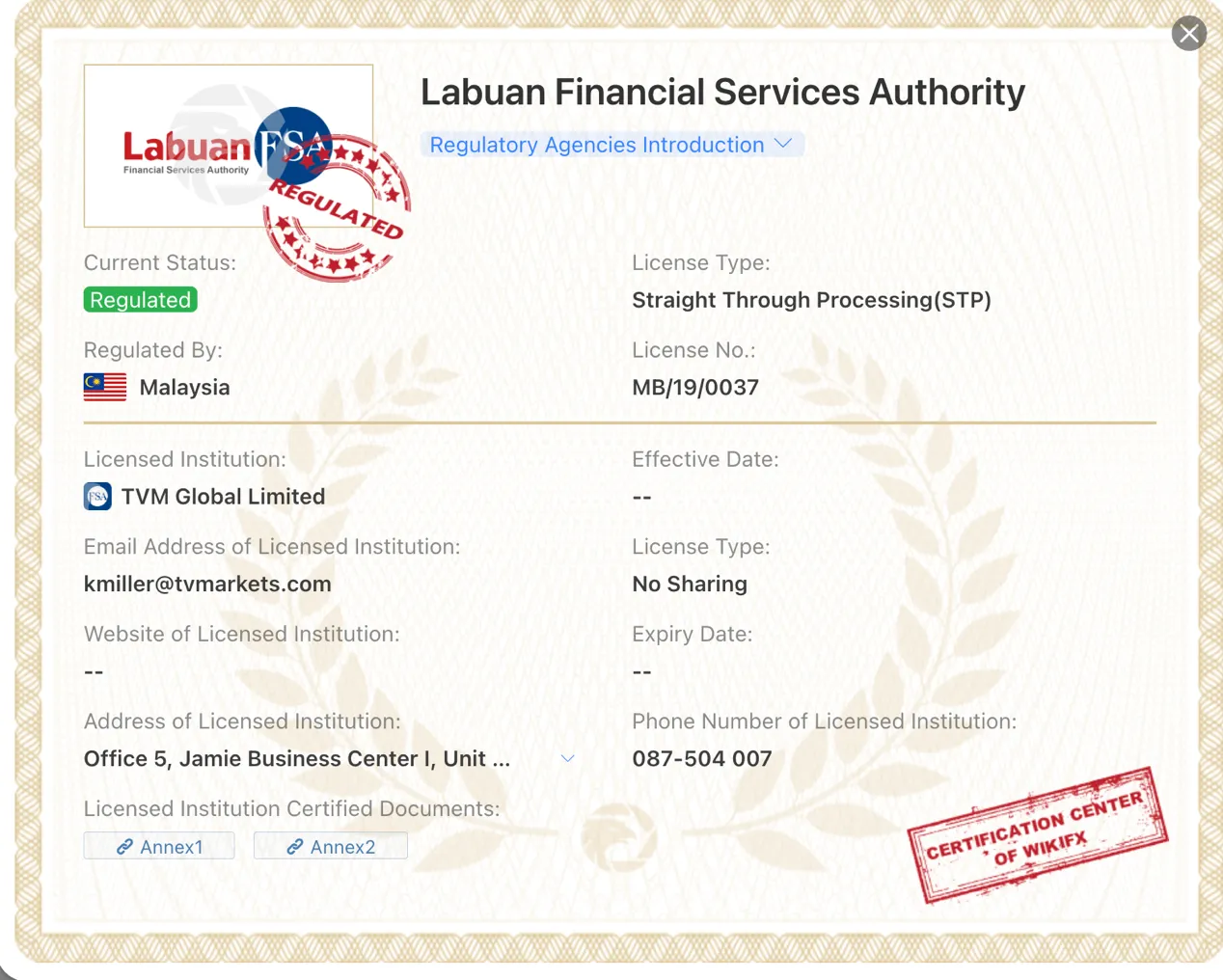
Founded in 2004, Tradeview is a regulated brokerage firm operating in the Cayman Islands and regulated by LFSA in Malaysia. The company offers straight-through processing (STP) and holds a full license for MT4/5, providing traders with access to various financial markets, such as forex, stocks, futures, etc. Tradeview's account settings are different from most brokers, read this article to have a comprehensive understanding of Tradeview's accounts.
Pros and Cons
| Pros | Cons |
| Diverse range of market instruments | Limited info on deposits and withdrawals |
| Access to multiple trading platforms | No 24/7 customer support |
| Demo account available for practice trading | Weak regulation (CIMA license is exceeded) |
| Social/copy trading | |
| Wide range of deposit options | |
| Multiple security measures |
Is Tradeview Legit?
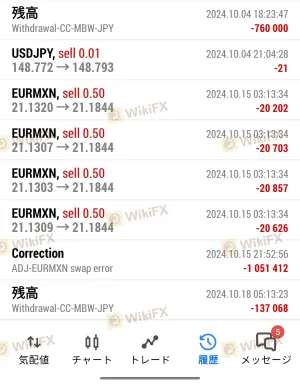
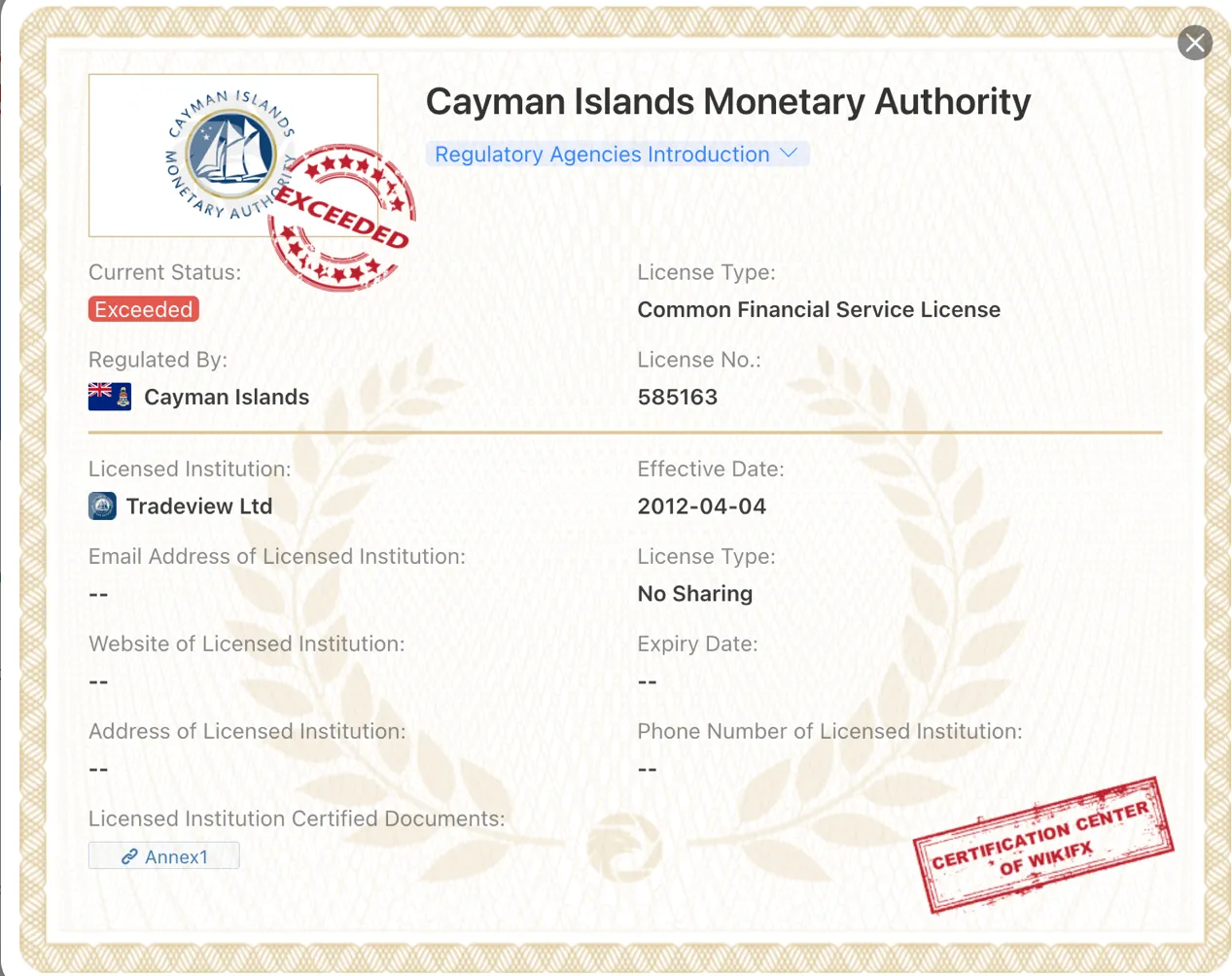
Tradeview Ltd is regulated by the Cayman Islands Monetary Authority (CIMA) with license number 585163. However, the provided information indicates that Tradeview Ltd has exceeded its business scope regulated by CIMA and has received a risk alert from WikiFX. The alert suggests that Tradeview Ltd is operating with a license that does not cover its current business activities.
Market Instruments
Tradeview currently offers investors trading in 1,000+ trading instruments, including forex & CFDs, stocks, futures, commodities, and indices.
| Trading Assets | Supported |
| Forex & CFD | ✔ |
| Stocks | ✔ |
| Futures | ✔ |
| Commodities | ✔ |
| Indices | ✔ |
| Bonds | ❌ |
| Options | ❌ |
| ETFs | ❌ |
Account Types
Tradeview offers different account types for different trading assets. Specifically, for forex trading, Tradeview offers ILC, XLev, and cTrader accounts. For stocks trading, Tradeview offers Sterling, Lightspeed, MT5, DAS, and Takion accounts. For futures tradinbg, Tradeview offers MT5 and CQG accounts.
The minimum deposit to open a forex account is $100, which sounds quite reasonable for most regular traders to have a try.
Tradeview also offers free demo accounts where users can trade across MT4, MT5, cTrader platforms. Users can learn to trade in real-time, and practice trading strategies with technical indicators while avoiding money risks.
Leverage
Tradeview advertises on their homepage that the maximum leverage is up to 1:500.
It is important to keep in mind that the greater the leverage, the greater the risk of losing your deposited capital. The use of leverage can both work in your favour and against you.
Spreads & Commissions
All spreads with Tradeview are a floating type and scaled with the asset class. For example, the EUR/USD spread is floating around 0.1 pips.
Besides, commission fees vary on the trading asset and account type, see details in the table below:
| Trading Asset | Account Type | Spread | Commission |
| Forex | ILC | From 0.0 pips | $2.50 per standard lot per side |
| XLev | Competitive | ❌ | |
| cTrader | From 0.0 pips | $2.50 commission per lot | |
| Stocks | Sterling | - | From $0.05 per share |
| Lightspeed | - | ||
| MT5 | - | From $0.1 per share | |
| DAS | - | From $0.05 per share | |
| Takion | - | ||
| Futures | MT5/CQG | - | Standard contracts: $0.99 per contract per side |
| Micro contracts: $0.49 per contract per side |
Trading Platforms
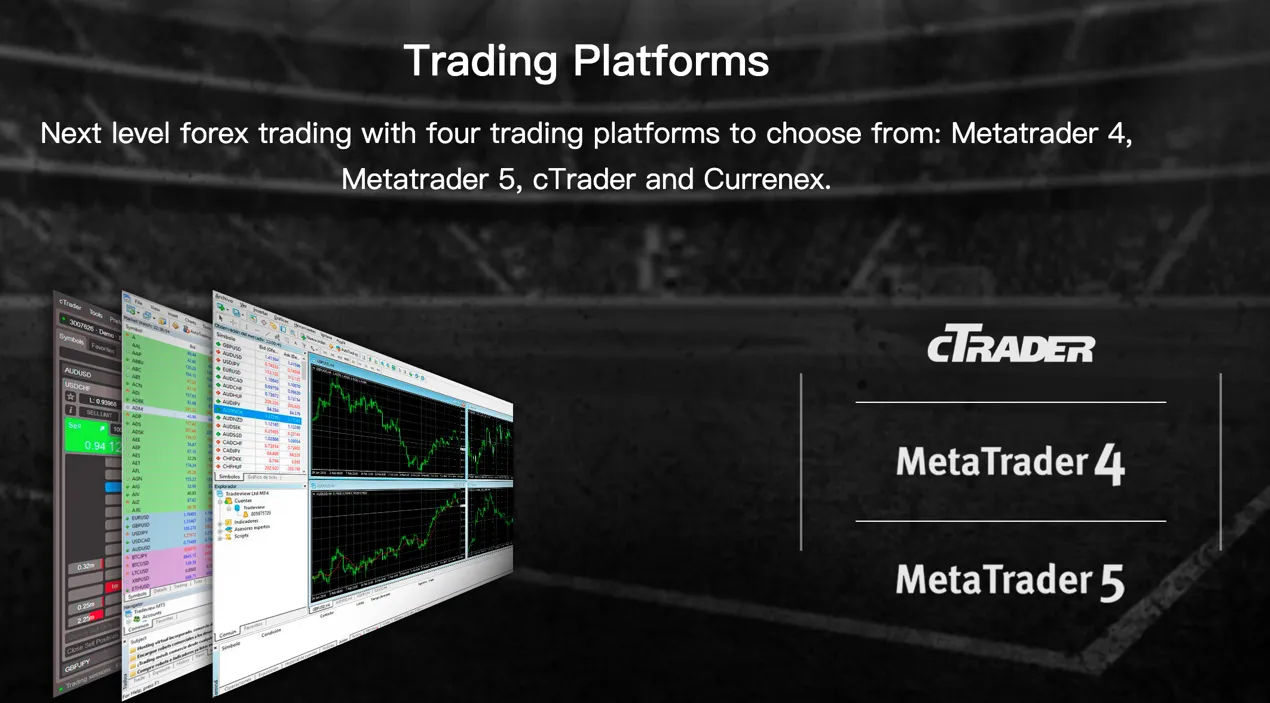
Tradeview offers four trading platforms to choose from: Metatrader 4, Metatrader 5, and cTrader. These platforms provide traders with advanced tools and features to enhance their forex trading experience.
Metatrader 4 (MT4) is a widely recognized platform in the forex industry. It offers a user-friendly interface, extensive charting capabilities, and a wide range of technical indicators. Traders can execute trades, set up automated trading strategies, and access a vast marketplace of third-party plugins and expert advisors.
Metatrader 5 (MT5) is the successor to MT4 and offers enhanced features and functionality. It provides an improved trading environment, additional order types, advanced analytical tools, and more options for customization. MT5 also allows traders to access various financial markets, including cryptocurrencies.
cTrader is a powerful and innovative trading platform known for its advanced order execution capabilities and comprehensive charting tools. It provides direct market access (DMA) and enables traders to execute trades quickly. cTrader also offers a range of features such as depth of market (DOM), detachable charts, and customizable layouts.
Deposit & Withdrawal
Tradeview supports 20+ payment methods, including Accentpay, ADVcash, banregio, BBVA, BCP, BMO, DBS, FairPay, Fasapay, pix, Google Pay, Interac, Jpay, Connect, Proven, Skrill, Sticpay, UnionPay, uphold, Neteller, etc.
Note that losses can exceed the initial amount invested. Third-party payments will NOT be accepted. All deposits MUST be from the original account owner.
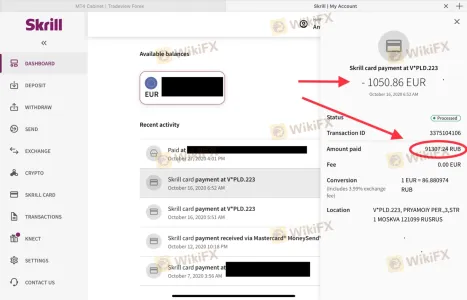
Withdrawals are only released via the same method in which the payment was originally submitted. Tradeview does not charge fees for withdrawals. To submit a request for withdrawals, users have to complete a form on the website with supporting documentation.
Frequently Asked Questions (FAQs)
Is Tradeview regulated?
Yes. It is regulated by LFSA.
Does Tradeview offer demo accounts?
Yes.
Does Tradeview offer the industry-standard MT4 & MT5?
Yes. Tradeview supports MT4, MT5, and cTrader.
What is the minimum deposit for Tradeview?
The minimum initial deposit to open an account is $100.
Is Tradeview a good broker for beginners?
Yes. Tradeview is a good choice for beginners because it is regulated well and offers various trading instruments with competitive trading conditions on the leading MT4 and MT5 platforms. Also, it offers demo accounts that allow traders to practice trading without risking any real money.
Risk Warning
Online trading involves significant risk, and you may lose all of your invested capital. It is not suitable for all traders or investors. Please ensure that you understand the risks involved and note that the information contained in this article is for general information purposes only.
fxtrading-com
| FXT Review Summary in 10 Aspects | |
| Founded | 2014 |
| Headquarters | Australia |
| Regulation | ASIC |
| Market Instruments | Forex (FX), Metals, Energies, Cryptos, Indices, US Shares, HK Shares |
| Demo Account | Available |
| Leverage | 2000:1 |
| EUR/USD Spread | From 0.0 pips |
| Trading Platforms | MT4, MT5, WebTrader |
| Minimum deposit | $50 |
| Customer Support | 24/5 live chat, phone, email |
What is FXT?
FXT is an online brokerage firm that offers trading services for various financial instruments such as forex, cryptocurrencies, shares, commodities, spot metals, energies, and indices. The company was established in 2014 and is headquartered in Australia. FXT is regulated by the Australian Securities and Investments Commission (ASIC). The broker provides its clients with a range of trading platforms including MetaTrader4 (MT4), MetaTrader5 (MT5)and WebTrader. It offers several trading tools and educational resources. FXT also has a 24/5 customer support team that can be reached via phone, email, and live chat.

Pros & Cons
| Pros | Cons |
| • Regulated by ASIC | • Clients from the USA, Ontario Province inside Canada, North Korea, Iran and New Zealand are not accepted |
| • Wide range of trading instruments | |
| • Multiple trading platforms and tools available | |
| • Comprehensive education resources | |
| • Variety of payment methods | |
| • 24/7 AI customer support |
Is FXT Legit?
FXT is a regulated and licensed broker.
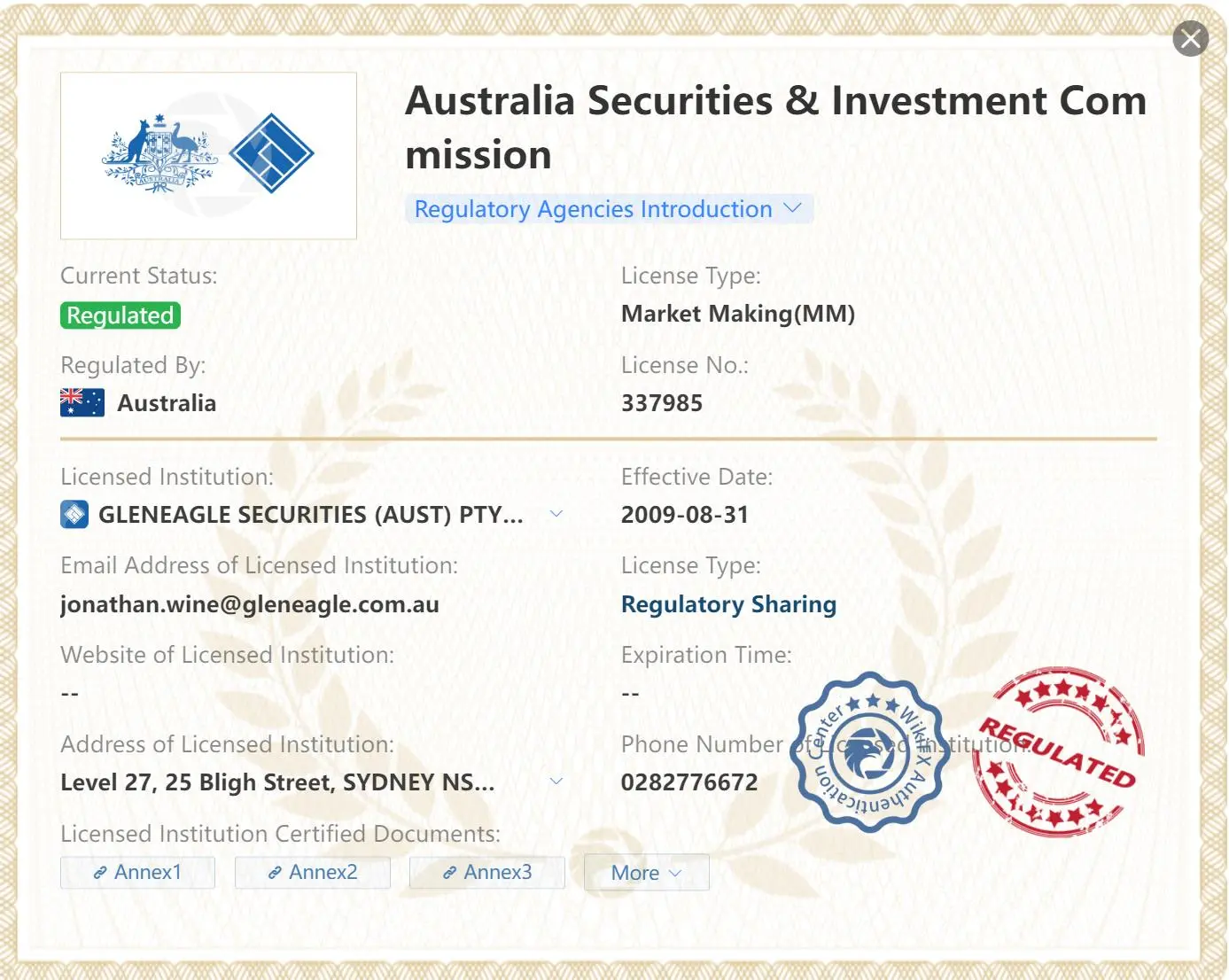
GLENEAGLE SECURITIES (AUST) PTY LIMITED is authorized and regulated by the Australia Securities & Investment Commission (ASIC), holding a Market Making license under license no. 337985.
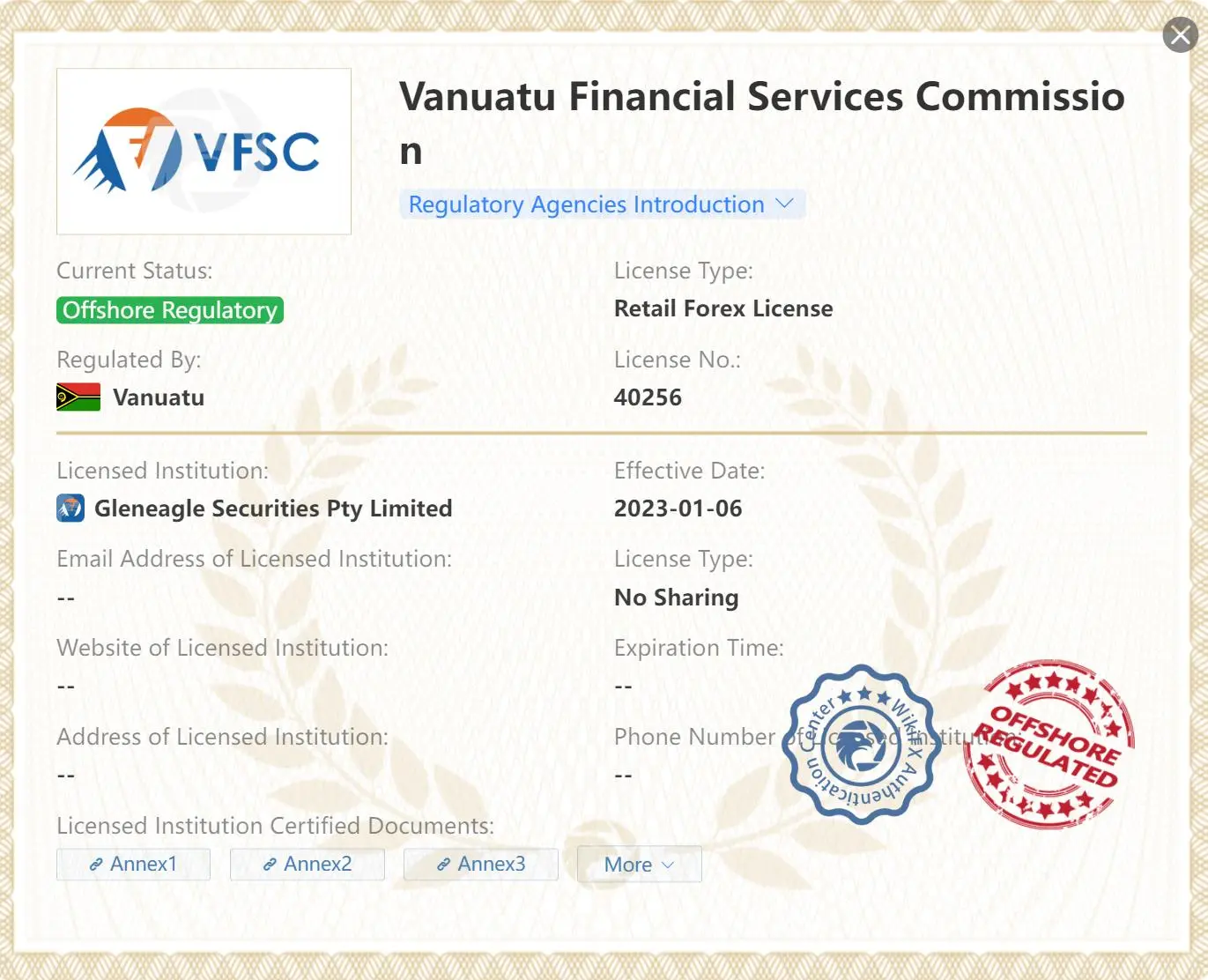
Gleneagle Securities Pty Limited, is authorized and regulated by the Vanuatu Financial Services Commission (VFSC), holding a Retail license under license no.40256.
Market Instruments
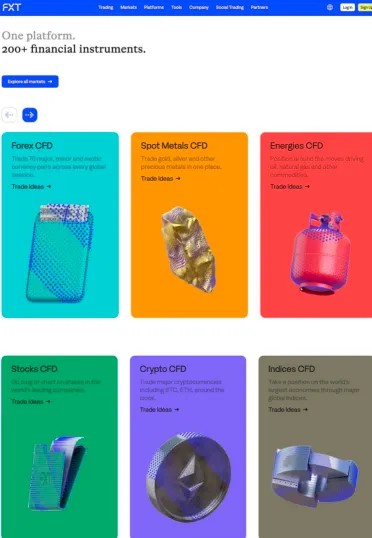
FXT offers clients access to more than 200 tradable instruments, covering forex, cryptocurrency CFDs, U.S. stocks, Hong Kong stocks, commodities, spot precious metals, energy products, and global indices.
Clients can trade a wide range of major and cross currency pairs, choose popular cryptocurrencies and CFDs on shares of globally recognized companies, as well as trade precious metals such as gold and silver, energy products including crude oil and natural gas, and key indices from global markets.
Account Types
FXT provides five account types—Standard, Standard Plus, Standard Pro, Zero account and Raw Spread account—each designed for different trader profiles while maintaining consistent competitive features. All accounts charge no commission, support leverage up to 1:2000, allow trading from 0.01 to 200 lots, permit unlimited positions, apply no margin on hedged positions, set margin call at 100% and stop out at 50%, use market execution, and offer competitive swap rates.
Spreads & Commissions
At FXT, spreads and commissions differ across five account types, allowing traders to choose a pricing structure that best supports their strategy, volume, and trading goals. Our Standard accounts—Standard, Standard Plus, and Standard Pro—offer commission-free trading with spreads starting from 0.2, 0.3, and 0.1 pips respectively, providing a simple and cost-effective option for traders who prefer zero-fee pricing. For those seeking tighter spreads, our Pro accounts deliver professional-grade conditions: the Zero Account offers raw spreads from 0.0 pips with commissions from $0.40 per side per lot, while the Raw Spread Account features spreads from 0.1 pips with commissions up to $3.50 per side per lot. These choices cater to a wide range of trading styles, from casual traders to high-volume professionals and algorithmic strategies.
Trading Platforms
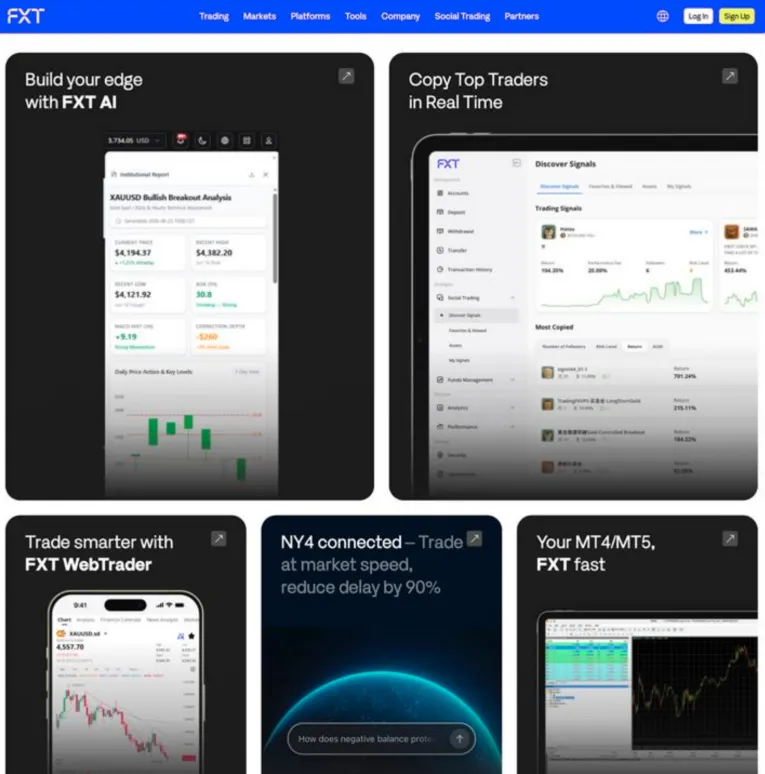
FXT offers a comprehensive suite of trading platforms designed to meet the needs of every trader, including our fully in-house FXT Trading App for seamless mobile trading, account management, social trading, and fund management, as well as our browser-based FXT WebTrader, which provides instant access to the markets without any downloads. For traders who prefer traditional tools, we also support MetaTrader 4 (MT4) and MetaTrader 5 (MT5) on all major devices, offering advanced charting, technical indicators, and automated trading through Expert Advisors. Together, these platforms deliver fast execution, modern interfaces, and flexible trading solutions across desktop, web, and mobile.
Trading Tools
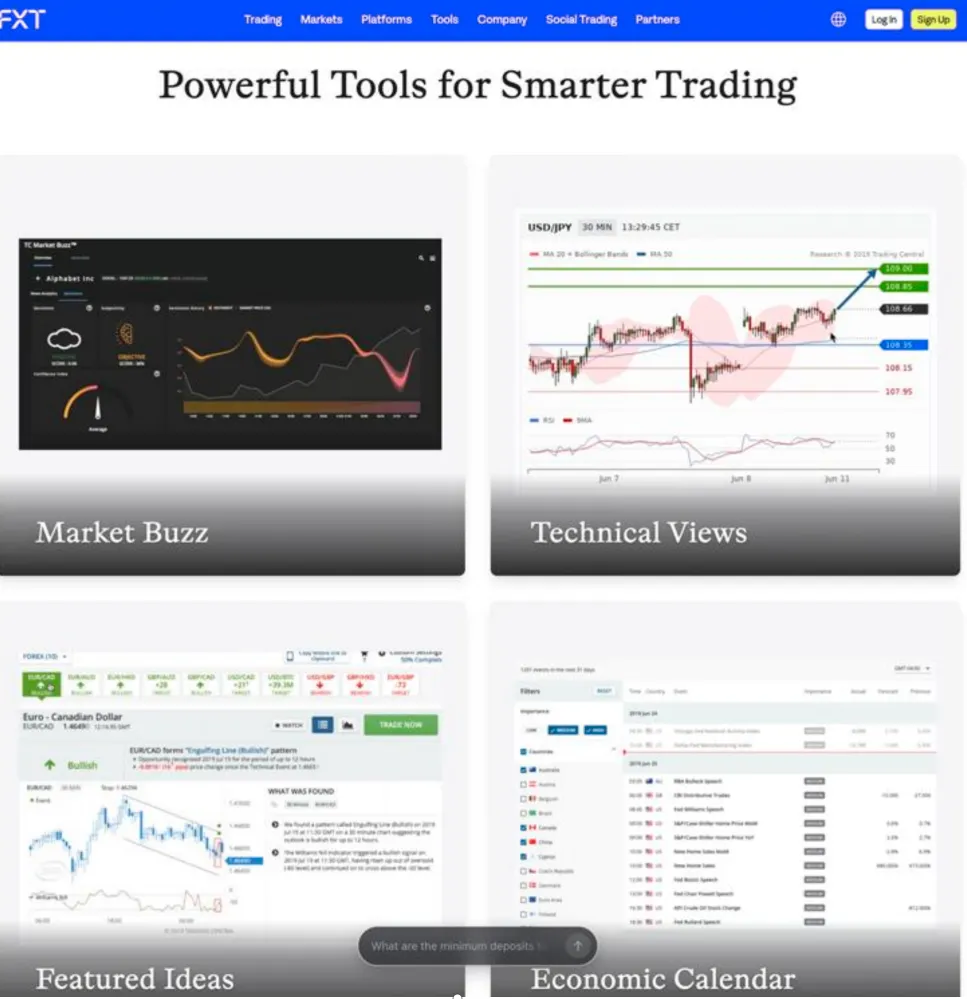
FXT provides traders with a suite of powerful trading tools designed to enhance analysis, execution, and strategy planning. Our Trading Central delivers AI-powered insights, trade ideas, and professional technical analysis. The Trading Calculator helps you quickly estimate margin, pip value, swaps, and potential profit/loss before placing a trade. With our Economic Calendar, you can track major global events and data releases that may influence market movements. For algorithmic and automated traders, our VPS Hosting ensures ultra-low-latency performance and stable 24/5 connectivity—ideal for running EAs and advanced strategies with confidence.
Deposits & Withdrawals
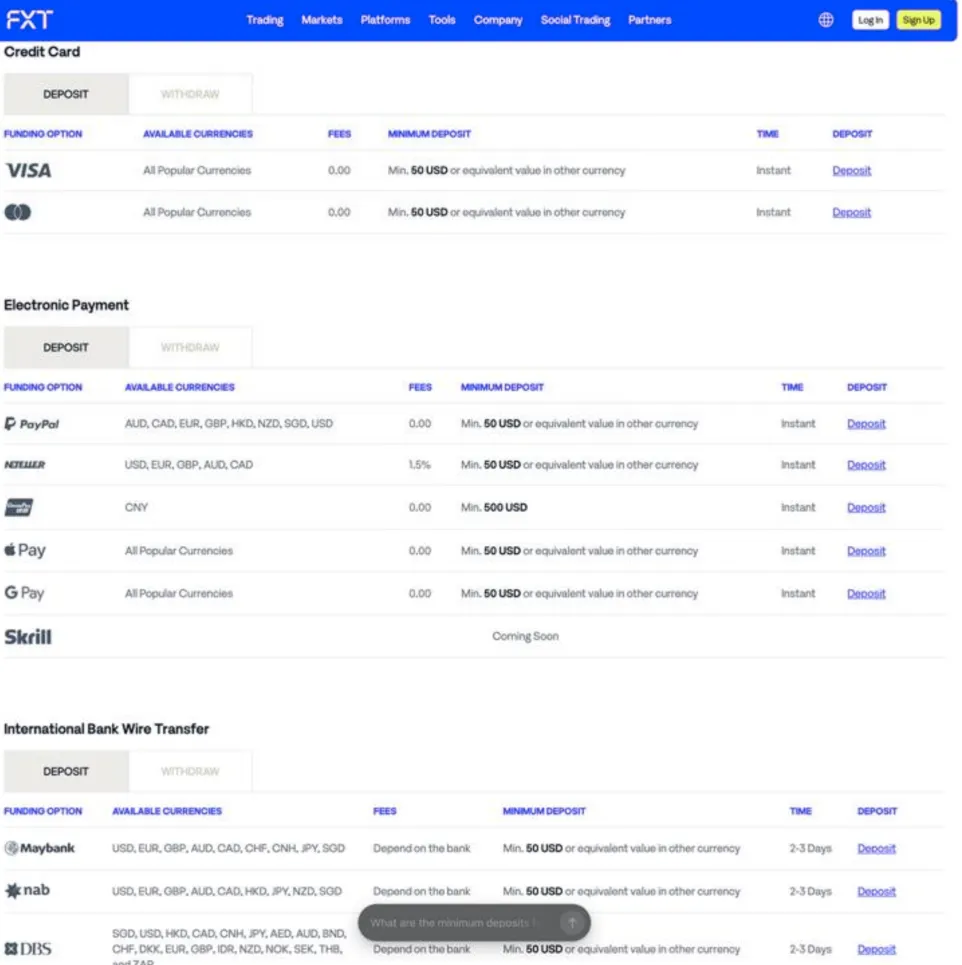
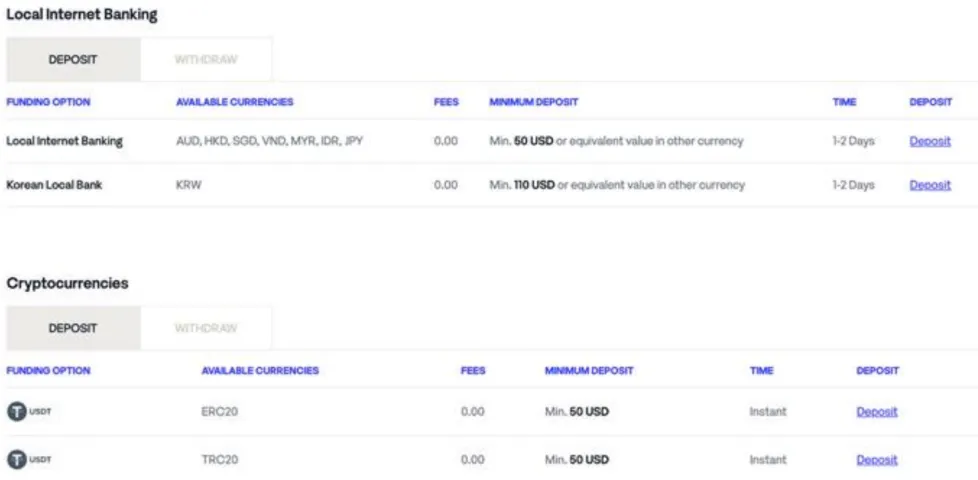
In terms of deposit and withdrawal, like many good brokers, FXT provides a detailed form with important information about currency, payment method, minimum amount, arrival date, fees, etc. Deposits include PayPal, VISA, MasterCard, Neteller, UnionPay, Local Internet Banking, Apply Pay, Google Pay, International Bank Wire Transfer and Local Bank Transfer.
Customer Service
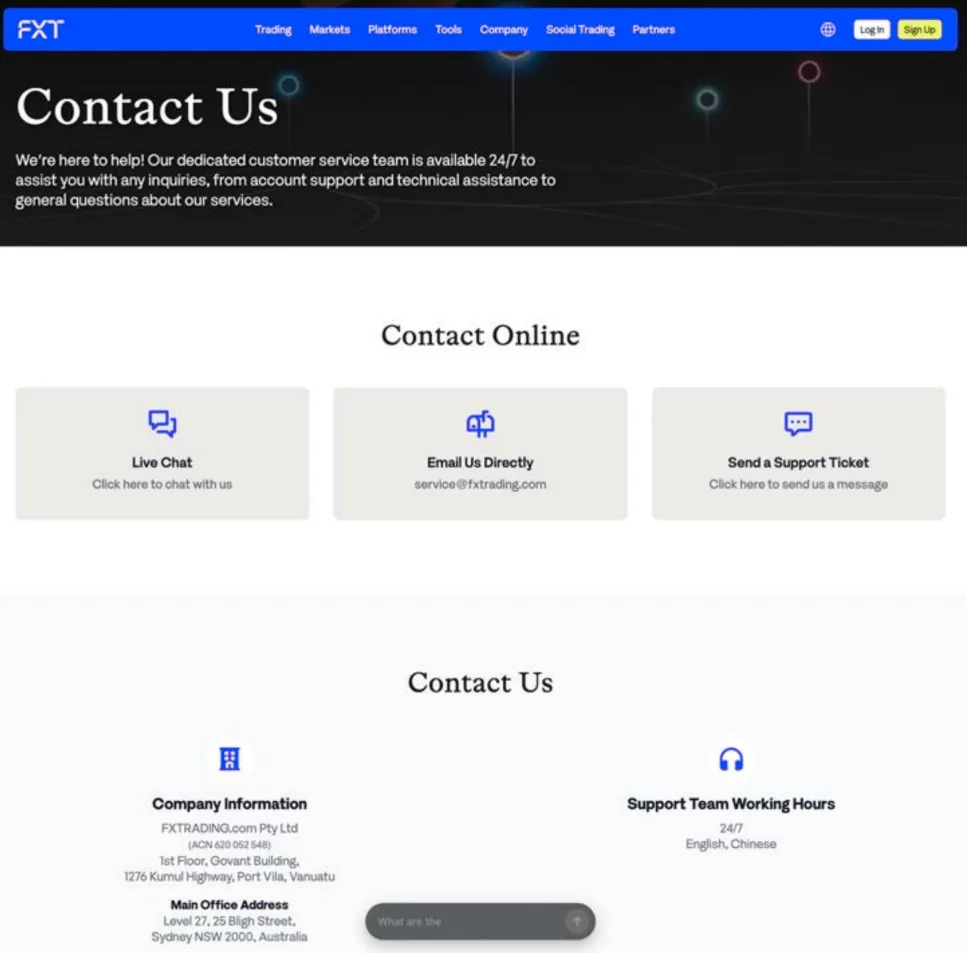
FXT offers customer support 24/5 support. It supports both English and Chinese. Their website also includes a FAQ section with answers to commonly asked questions. You can also follow them on some social networks including Facebook, Twitter, LinkedIn, Instagram and Twitter.
Frequently Asked Questions (FAQs)
Is FXT legit?
Yes. It operates legally under regulations of ASIC and VFSC.
At FXT, are there any regional restrictions for traders?
Yes. Restricted Countries: the USA, Ontario Province inside Canada, North Korea, Iran and New Zealand.
Does FXT offer the industry-standard MT4 & MT5?
Yes. It supports MT4 and MT5.
What is the minimum deposit for FXT?
The minimum initial deposit to open an account is $50.
Do tradeview and fxtrading-com have lower transaction costs?
To compare transaction costs across different brokers, our experts analyze the transaction-specific fees (such as spreads) and non-trading fees (such as inactivity fees and payment costs).
To get a comprehensive understanding of how cheap or expensive tradeview and fxtrading-com are, we first considered common fees for standard accounts. On tradeview, the average spread for the EUR/USD currency pair is From 0 PIPS pips, while on fxtrading-com the spread is From 0.0.
Which broker between tradeview, fxtrading-com is safer?
To determine the safety of our top brokers, our experts will consider many factors. This includes which licenses the broker holds and the credibility of these licenses. We also consider the history of brokers, because long-term brokers are usually more reliable and trustworthy than new brokers.
tradeview is regulated by CIMA. fxtrading-com is regulated by ASIC,VFSC.
Which broker between tradeview, fxtrading-com provides better trading platform?
When our experts review brokers, they will open their own accounts and trade through the broker's trading platform. This enables them to comprehensively evaluate the quality, ease of use, and function of the platform.
tradeview provides the Innovative Liquidity Connector,X Leverage Account platform with products like --; fxtrading-com offers the Raw Spread,Standard Pro,Standard,Standard Plus platform featuring assets including Forex(FX), Metals, Energies, Cryptos, Indices, US Shares, HK Shares.