Global Broker Regulation Inquiry App
About WikiFX
English
简体中文
繁體中文
English
Pусский
日本語
ภาษาไทย
Tiếng Việt
Bahasa Indonesia
Español
हिन्दी
Filippiiniläinen
Français
Deutsch
Português
Türkçe
한국어
العربية
اردو
MONEY SQUARE , GMO CLICK Broker Comparison
Do you want to know which is the better broker between MONEY SQUARE and GMO CLICK ?
In the table below, you can compare the features of MONEY SQUARE , GMO CLICK side by side to determine the best fit for your needs.
- Rating
- Basic Information
- Trading Env.
- Account Info
- Rating
- Basic Information
- Trading Env.
- Account Info
2 forex brokers comparison in total
Rating
Score
Regulatory Status
WikiFX Guarantee
WikiFX Survey
Risk Evaluation
Exposure
Official Website
Basic Information
Est. Date (years)
Regulatory License
MT4
MT5
Crypto
Deposit/Withdrawal Methods
Trading Env.
Trading Environment Rating
Execution Speed
Trading Speed Rating
Average Execution Speed (ms)
Minimum Execution Latency (ms)
Minimum Open Latency (ms)
Minimum Close Latency (ms)
Maximum Execution Latency (ms)
Maximum Open Latency (ms)
Maximum Close Latency (ms)
Slippage
Slippage Rating
Average Slippage
Max Slippage
Maximum Positive Slippage
Maximum Negative Slippage
Trading Cost
Trading Cost Rating
- Average Trading Cost (USD/Lot)
Swap
Swap Rating
- Average Swap Cost (USD/Lot)
Disconnection Instances
Disconnection Rating
Avg. Disconnection Frequency (/day)
Avg. Reconnection Time (ms)
Account Info
Accounts
Account Name
Trading Instruments
Minimum Deposit
Maximum Leverage
Typical Spread
Stop-Out Level
Spread Types
Minimum Trade Size
Crypto
Lock Position
Scalping
EA Trading
Pin to Left
7.52
Regulated
Not Guaranteed
--
--
10-15 years
FSA
Not Supported
Not Supported
--
--
--
--
--
--
--
--
--
--
--
--
--
--
--
--
--
--
--
--
--
--
--
--
--
--
--
--
--
--
--
--
--
--
Pin to Left
7.99
Regulated
Not Guaranteed
--
--
15-20 years
FSA
Not Supported
Not Supported
--
--
--
--
--
--
--
--
--
--
--
--
--
--
--
--
--
--
--
--
--
--
--
--
--
--
--
--
--
--
--
--
--
--
Score
Regulatory Status
Regulated
Regulated
Which broker is more reliable?
To evaluate a broker's reliability and trustworthiness, consider the following four factors:
1.Forex broker introduction。
2.Do money-square and gmo-click have lower transaction costs?
3.Which broker is safer?
4.Which broker offers the best trading platform?
Based on these four factors, we can compare which is reliable. We have broken down the reasons as follows:
Forex broker introduction
money-square
| MONEY SQUARE Review Summary | |
| Founded | 2015 |
| Registered Country/Region | Japan |
| Regulation | FSA |
| Market Instruments | Forex, CFDs |
| Demo Account | ✅ |
| Leverage | Up to 1:25 |
| Spread | From 0.1 pips |
| Trading Platform | Proprietary platform |
| Min Deposit | 0 |
| Customer Support | Tel: +81 03-3470-5050 |
| X, YouTube, LINE, Instagram | |
MONEY SQUARE Information
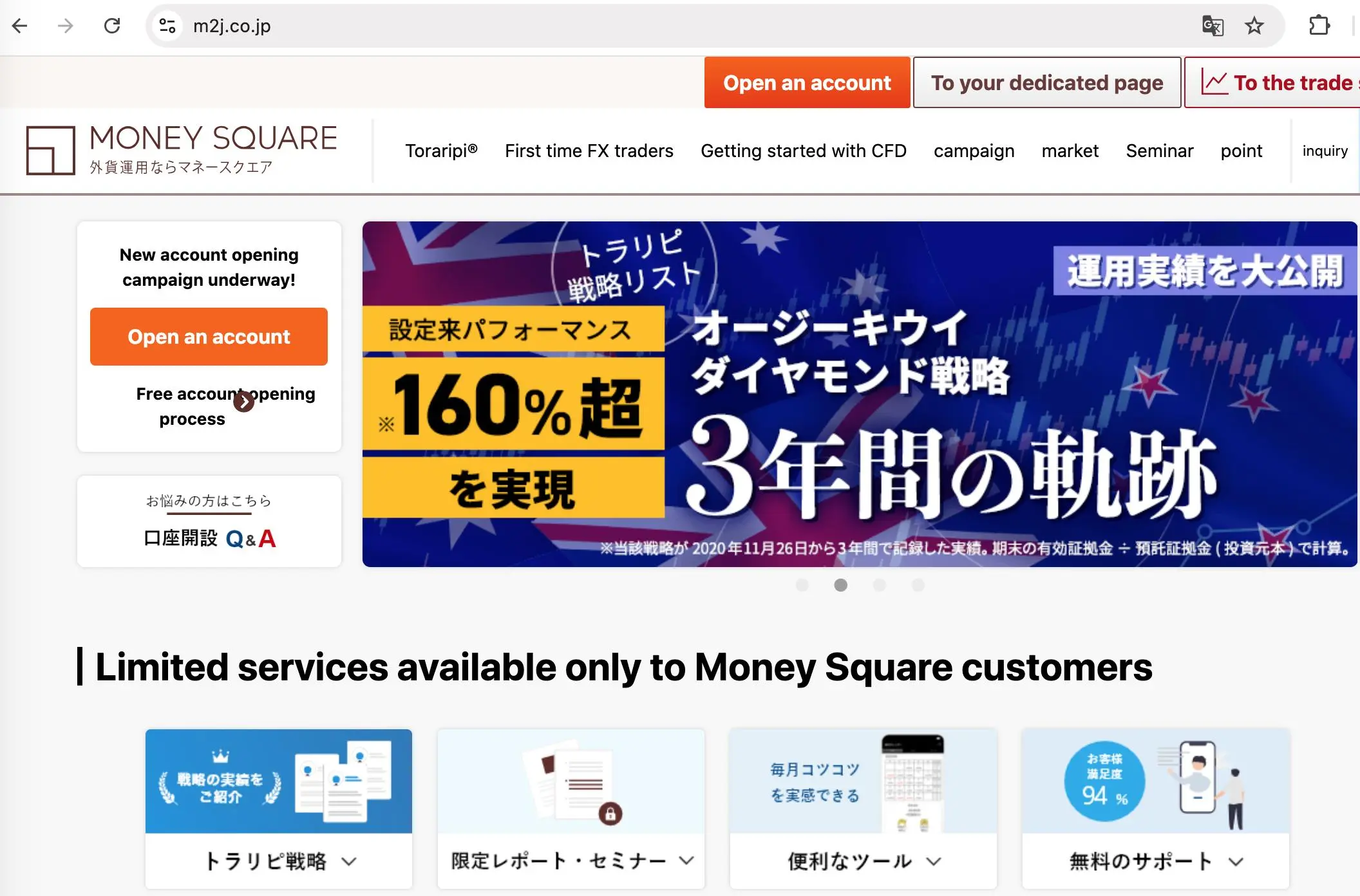
Founded in 2015, MONEY SQUARE is a regulated broker registered in Japan, offering trading on forex and CFDs with leverage up to 1:25 and spread from 0.1 pips through a proprietary trading platform. Demo accounts are available and there is no minimum deposit requirement.
Pros and Cons
| Pros | Cons |
| FSA-regulated with long establishment | Limited trading products |
| Demo accounts | No MT4/MT5 platform |
| No minimum deposit | Limited payment options |
| Only accept Japanese Yen for deposits and withdrawals |
Is MONEY SQUARE Legit?
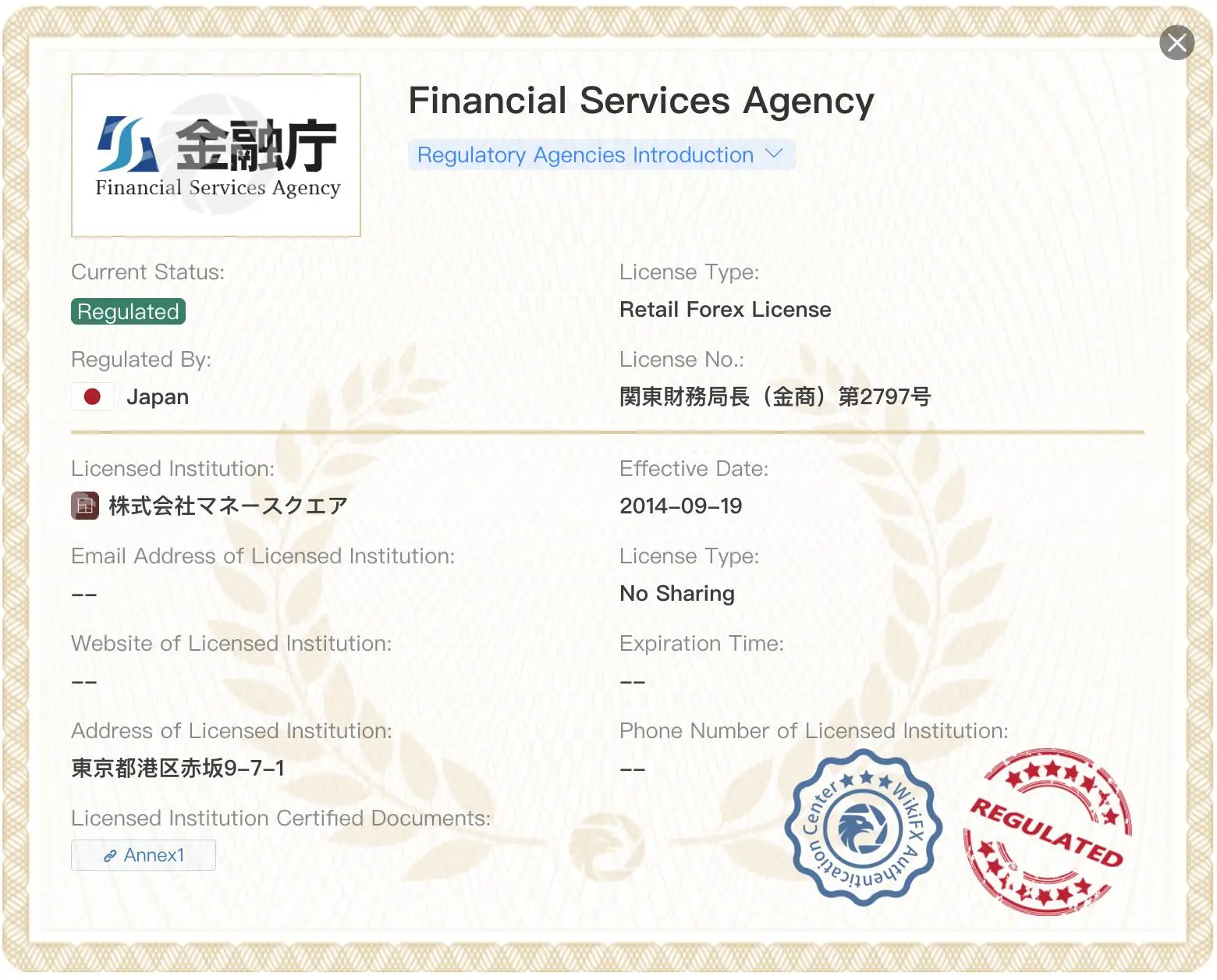
Yes. MONEY SQUARE is regulated by Financial Services Agency (FSA).
| Regulated Country | Regulator | Current Status | Regulated Entity | License Type | License No. |
 | Financial Services Agency (FSA) | Regulated | 株式会社マネースクエア | Retail Forex License | 関東財務局長(金商)第2797号 |
What Can I Trade on MONEY SQUARE?
| Tradable Instruments | Supported |
| Forex | ✔ |
| CFDs | ✔ |
| Bonds | ❌ |
| Options | ❌ |
| ETFs | ❌ |
Leverage
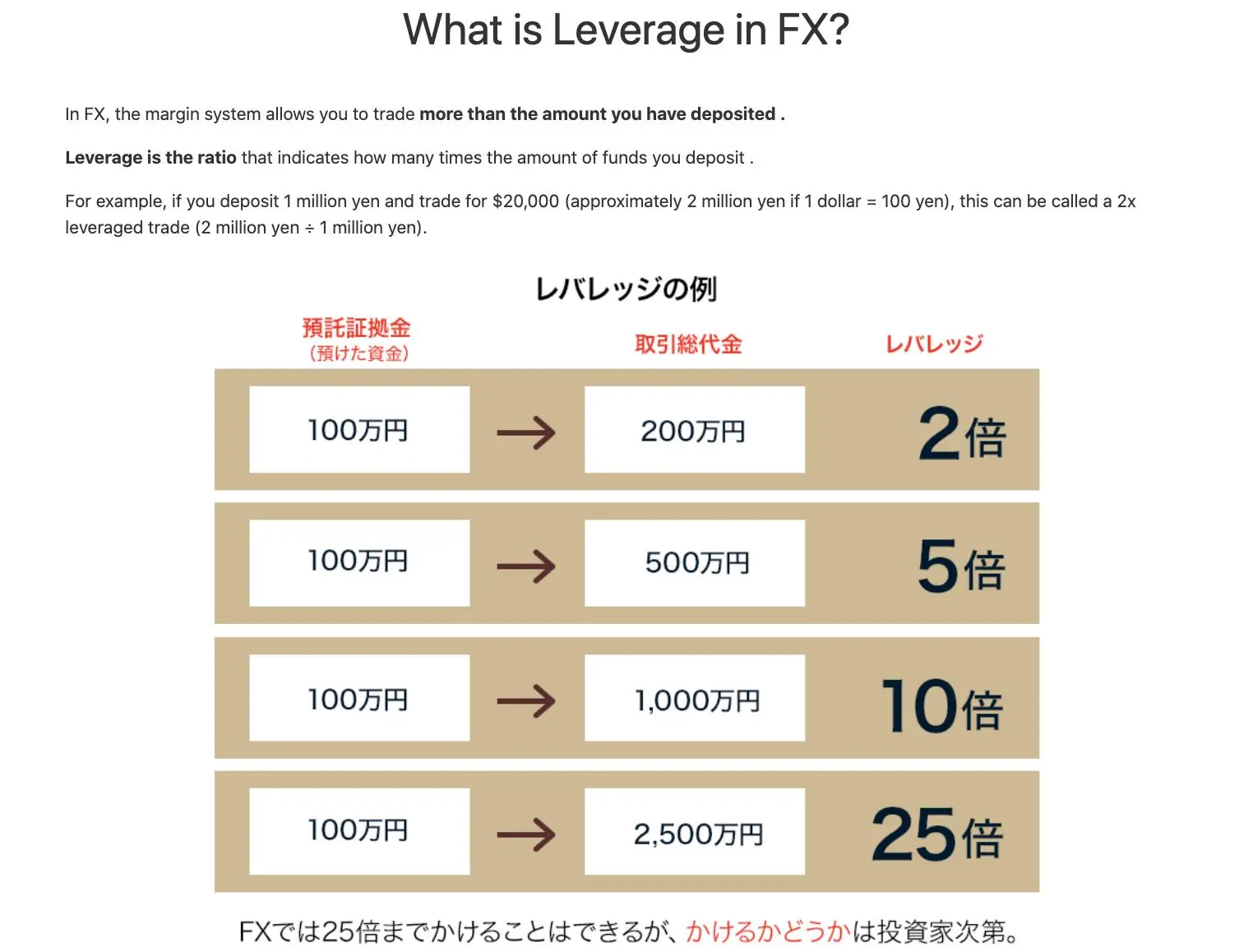
The broker offers max leverage of 1:25. The use of leverage can both work in your favour and against you. Leverage magnifies the returns from favorable movements in a currency's exchange rate.
MONEY SQUARE Fees
MONEY SQUARE does not set transaction fees for users, but charges a certain amount of spreads, for example, from 0.1 pips for USD/JPY, 0.1 pips for GBP/JPY and 0.1 pips for NZD/JPY.
No commission fee is required. Depending on the interest rate situation in each country, swaps may change from “receipt” to “payment”, or payments may be made on both buy and sell positions.
Trading Platform
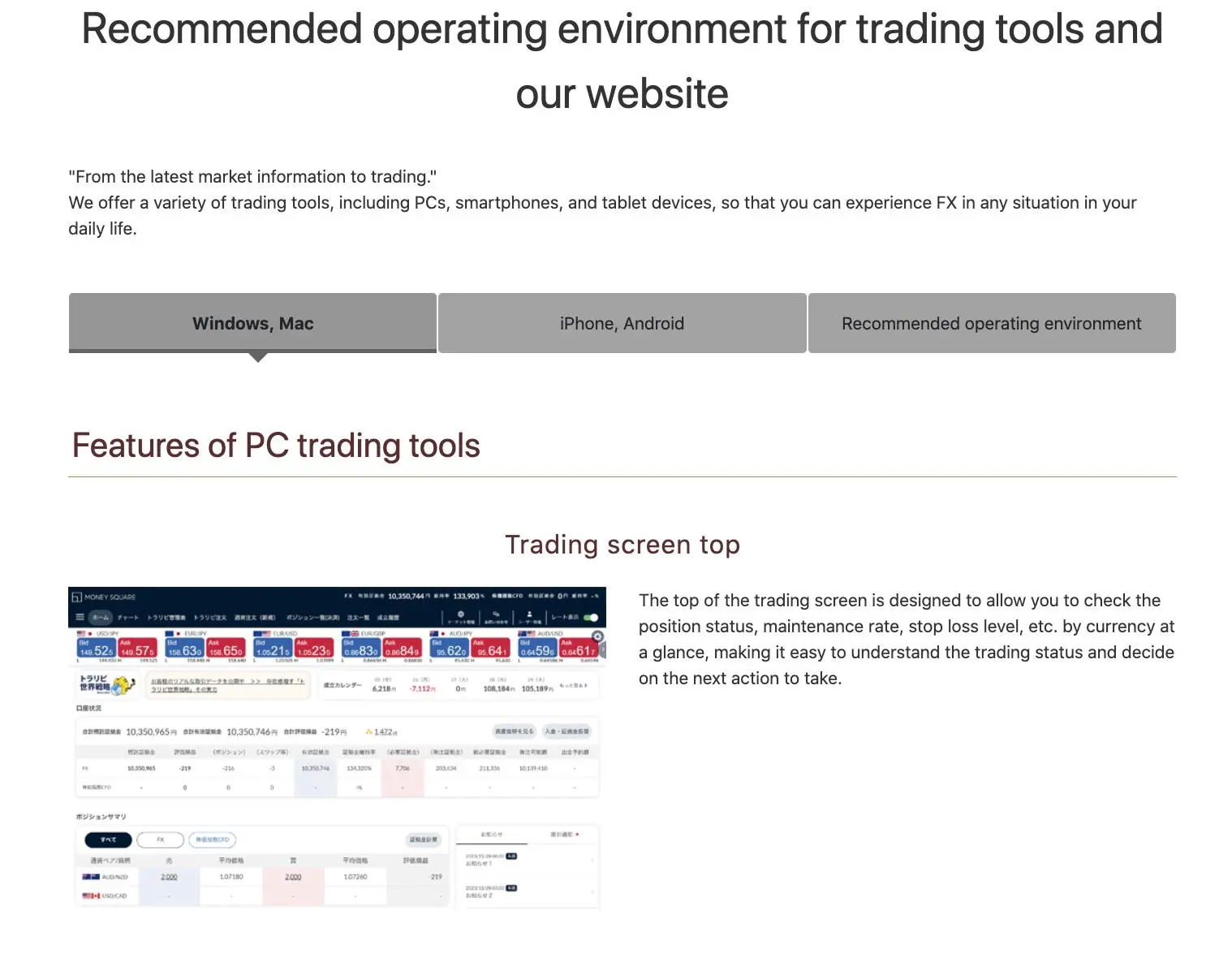
| Trading Platform | Supported | Available Devices | Suitable for |
| Proprietary platform | ✔ | Windows, Mac, iPhone, Android | / |
| MT4 | ❌ | / | Beginners |
| MT5 | ❌ | / | Experienced traders |
Deposit and Withdrawal
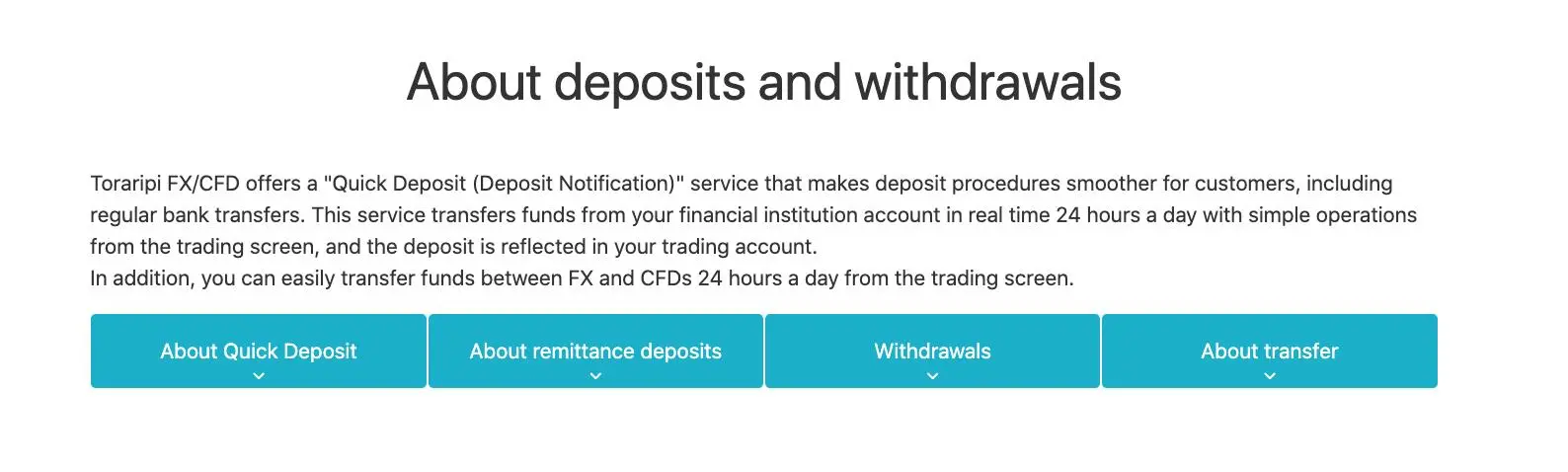
The broker accepts payments via both quick deposit and transfer payments. MONEY SQUARE recommends the former because it is instant and free of charge, while the latter requires the client to bear the transfer fees. Note that MONEY SQUARE only accepts Japanese Yen for deposits and withdrawals.
gmo-click
| GMO CLICK Review Summary | |
| Founded | 2005 |
| Registered Country | Japan |
| Regulation | FSA |
| Trading Products | Stocks, investment trusts, forex, CFDs, stock indexes, bonds |
| Demo Account | / |
| Leverage | / |
| Spread | / |
| Trading Platform | 13 platforms (GMO Click FX, Hatchu-kun FX Plus, PLATINUM CHART, etc.) |
| Minimum Deposit | / |
| Customer Support | Landline: 0120-727-930 |
| Mobile: 03-6221-0190 | |
GMO CLICK Information
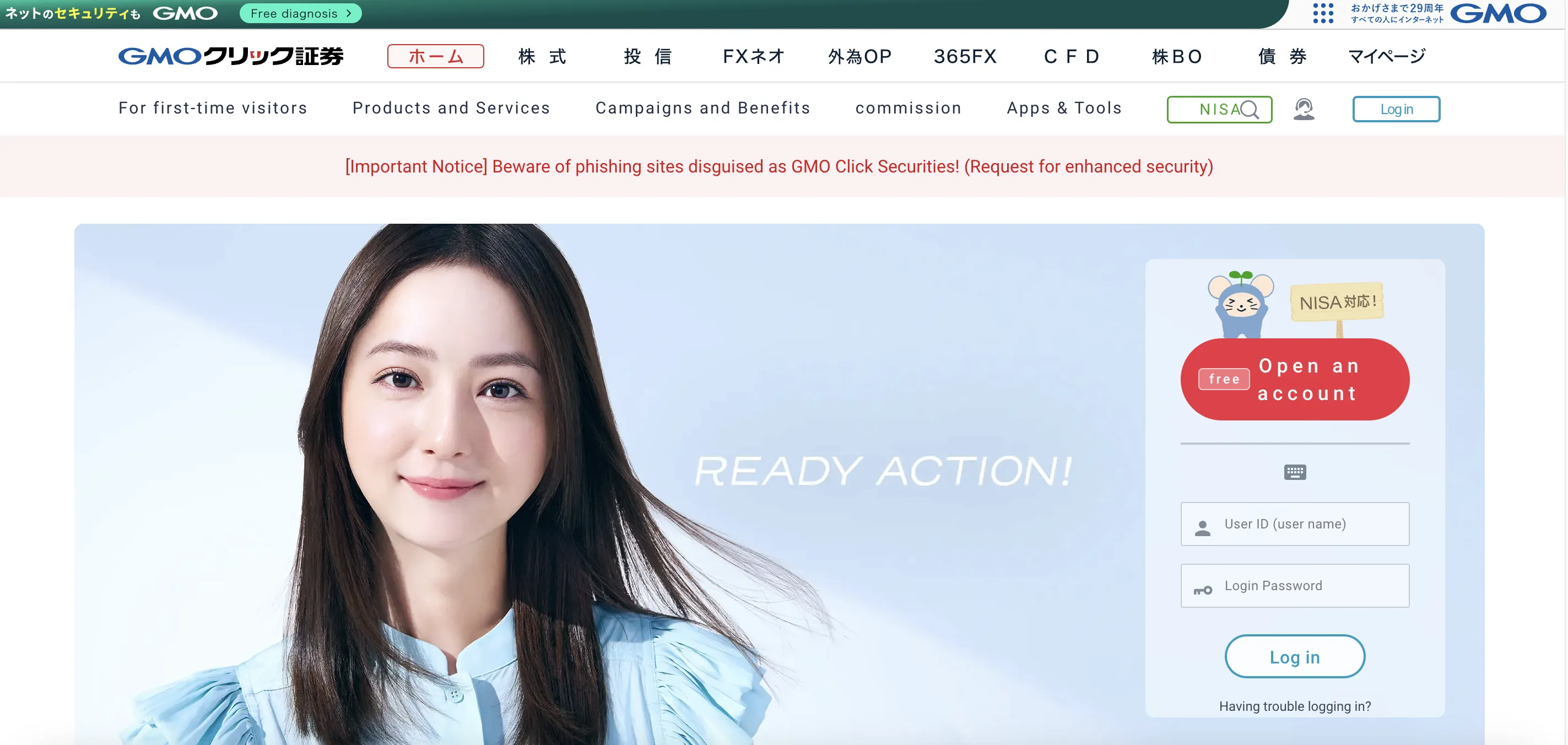
Founded in 2005, GMO Click Securities is a licensed and controlled financial services firm under Japan's FSA. Among its many investing options are FX, equities, CFDs, and tax-advantaged NISA accounts. The firm runs several trading systems designed for anyone from novices to experienced traders.
Pros and Cons
| Pros | Cons |
| Regulated by Japan FSA | Some platform details scattered |
| Very low trading fees, especially for FX and CFDs | Foreign currency withdrawal fee applies |
| Free account management & no inactivity fee | |
| Long operation time | |
| Various trading platforms |
Is GMO CLICK Legit?
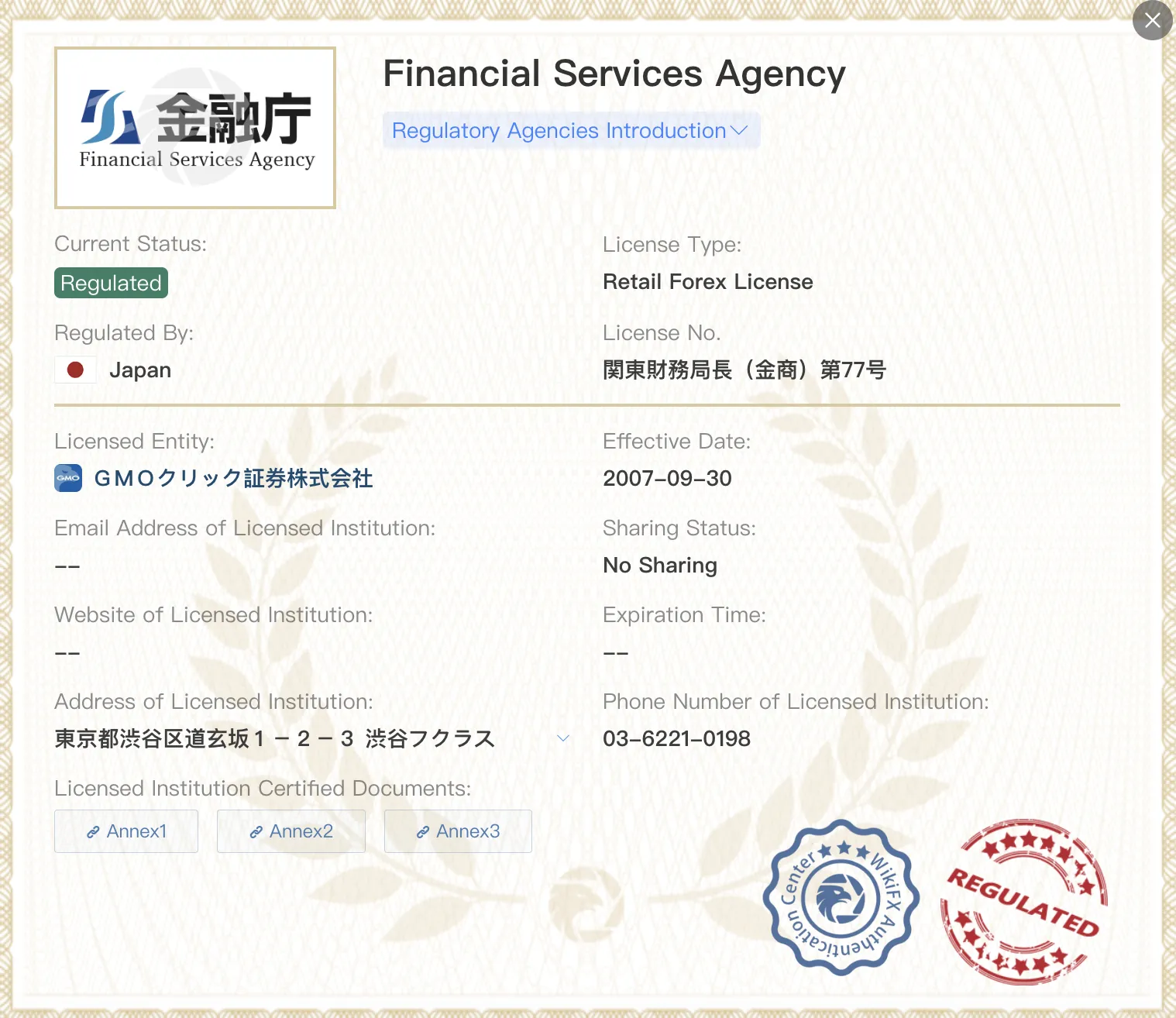
Yes, GMO CLICK is a legal, regulated financial institution. It is authorized by the Financial Services Agency (FSA) of Japan with a Retail Forex License, under license number 関東財務局長(金商)第77号, effective since September 30, 2007.
What Can I Trade on GMO CLICK?
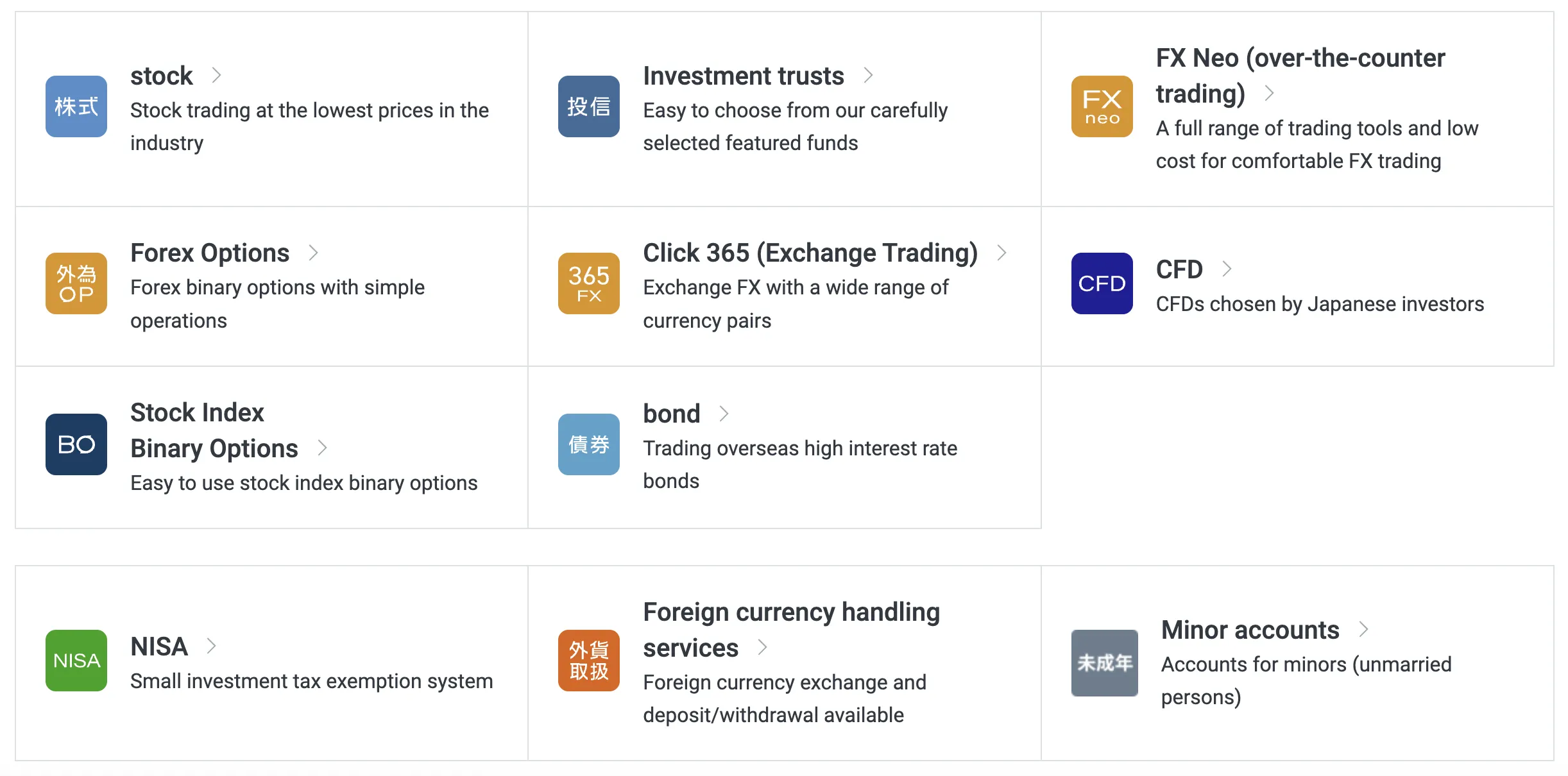
Among its many investment and trading tools, GMO Click Securities provides stocks, FX, options, CFDs, bonds, and others. Its products are suited for ordinary investors as well as those looking for modest accounts with tax benefits.
| Trading Instruments | Supported |
| Stocks | ✔ |
| Investment Trusts | ✔ |
| Forex | ✔ |
| CFDs | ✔ |
| Stock Indexes | ✔ |
| Bonds | ✔ |
| Options | ❌ |
| ETFs | ❌ |
GMO CLICK Fees
GMO Click is known for offering some of the lowest fees in the industry, especially for FX, CFD, and stock trading, with zero commissions on many products and tight spreads.
| Trading Product | Fees |
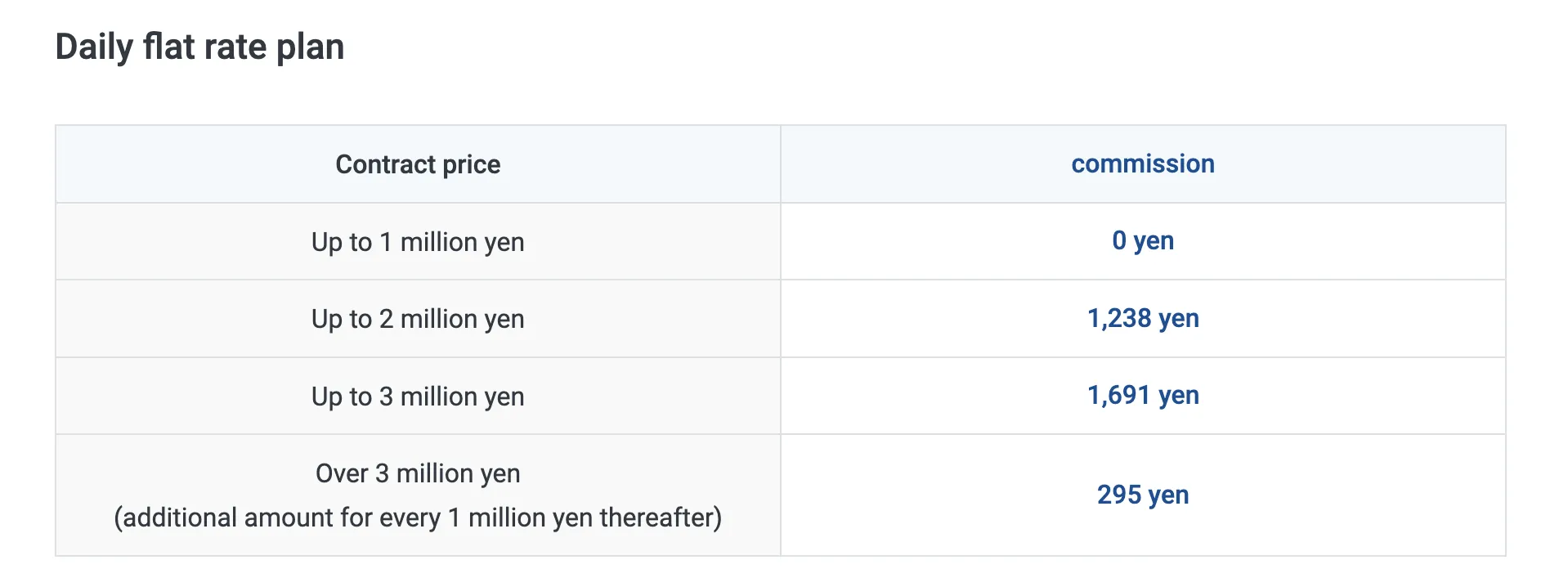
| Spot Stock | Daily Flat Plan: ¥0 (up to ¥1M/day), then scaled |
| Per Trade Plan: From ¥50 | |
| Margin Stock | Flat Plan: ¥0 (up to ¥1M), then scaled |
| Per Trade Plan: From ¥97 | |
| FX Neo | 0, spreads apply |
| Forex Options | 0 |
| Click365 | 0 for standard contracts; ¥770–990/ticket for Click365 Large |
| CFD | 0 |
| Stock Index Binary Options | 0 |
| Bonds | 0 |
Swap Rates
| Type | Annual Rate |
| Buyer's Interest (General) | 2.00% |
| Seller's Interest | 0.00% |
| Stock Lending Fee (General Credit - Short Term) | 3.85% |
| VIP Plan (Institutional Buyer) | 1.80% |
Non-Trading Fees
| Fee Type | Amount |
| Deposit Fee | 0 (Instant deposits); ATM/bank fees apply |
| Withdrawal Fee | 0 (JPY) ¥1,500 for FX foreign currency withdrawals |
| Inactivity Fee | 0 |
| Call Center Order Fee | 0.11% of trade amount (min ¥3,520, max ¥220,000) |
| Fractional Share Sales | 2.2% of contract price |
| Odd Lot Purchase Fee | ¥1,100/brand |
| Account Management Fees | 0 |
| Document Issuance Fee | ¥1,100 (reports, personal data, etc.) |
Trading Platform
| Platform/App | Supported | Available Devices | Suitable for |
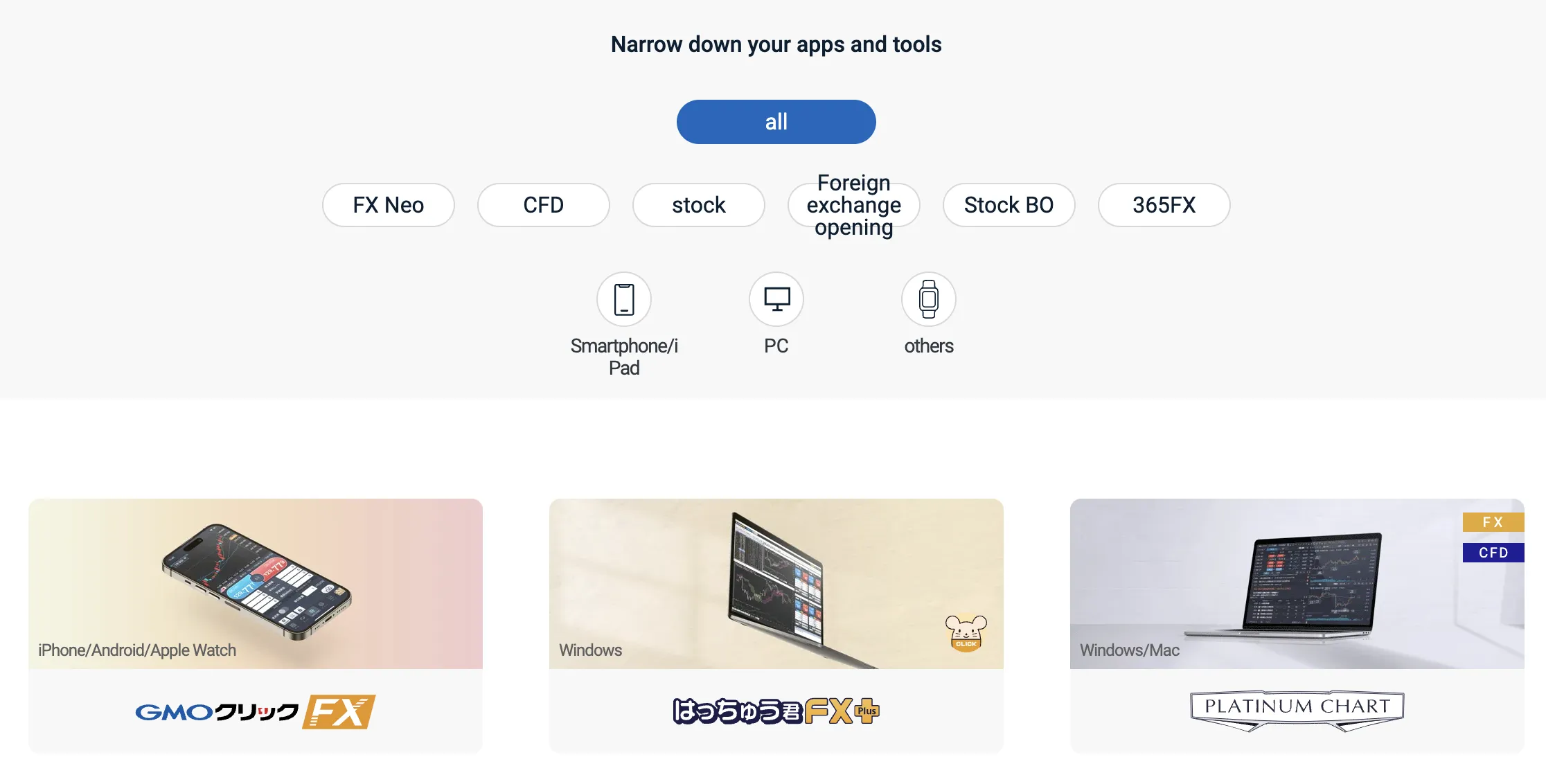
| GMO Click FX | ✔ | iPhone / Android / Apple Watch | FX traders (all levels) |
| Hatchu-kun FX Plus | ✔ | Windows | FX traders needing advanced functions |
| PLATINUM CHART | ✔ | Windows / Mac | FX & CFD technical chart users |
| FX Watch! | ✔ | Wear OS | FX alerts on smartwatches |
| GMO Click CFD | ✔ | iPhone / Android / Apple Watch | CFD traders |
| Hatchu-kun CFD | ✔ | Windows / Mac | CFD traders needing PC-based tools |
| GMO Click Stock | ✔ | iPhone / Android | Stock traders (mobile access) |
| GMO Click Stocks for iPad | ✔ | iPad / Mac | Stock traders preferring tablets |
| Super Hatchu-kun | ✔ | Windows | Stock traders requiring desktop trading |
| iClick Forex | ✔ | iPhone / Android | FX beginners or on-the-go traders |
| GMO Click Stock BO | ✔ | iPhone / Android | Stock Binary Options traders |
| iClickFX365 | ✔ | iPhone | FX365 traders (mobile) |
| FXroid365 | ✔ | Android | FX365 traders (mobile) |
Do money-square and gmo-click have lower transaction costs?
To compare transaction costs across different brokers, our experts analyze the transaction-specific fees (such as spreads) and non-trading fees (such as inactivity fees and payment costs).
To get a comprehensive understanding of how cheap or expensive money-square and gmo-click are, we first considered common fees for standard accounts. On money-square, the average spread for the EUR/USD currency pair is -- pips, while on gmo-click the spread is --.
Which broker between money-square, gmo-click is safer?
To determine the safety of our top brokers, our experts will consider many factors. This includes which licenses the broker holds and the credibility of these licenses. We also consider the history of brokers, because long-term brokers are usually more reliable and trustworthy than new brokers.
money-square is regulated by FSA. gmo-click is regulated by FSA.
Which broker between money-square, gmo-click provides better trading platform?
When our experts review brokers, they will open their own accounts and trade through the broker's trading platform. This enables them to comprehensively evaluate the quality, ease of use, and function of the platform.
money-square provides the -- platform with products like --; gmo-click offers the -- platform featuring assets including --.