Global Broker Regulation Inquiry App
About WikiFX
English
简体中文
繁體中文
English
Pусский
日本語
ภาษาไทย
Tiếng Việt
Bahasa Indonesia
Español
हिन्दी
Filippiiniläinen
Français
Deutsch
Português
Türkçe
한국어
العربية
اردو
Mitrade , Central Tanshi Broker Comparison
Do you want to know which is the better broker between Mitrade and Central Tanshi ?
In the table below, you can compare the features of Mitrade , Central Tanshi side by side to determine the best fit for your needs.
- Rating
- Basic Information
- Trading Env.
- Account Info
- Related News
- Rating
- Basic Information
- Trading Env.
- Account Info
- Related News
2 forex brokers comparison in total
Rating
Score
Regulatory Status
WikiFX Guarantee
WikiFX Survey
Risk Evaluation
Exposure
Official Website
Basic Information
Est. Date (years)
Regulatory License
MT4
MT5
Crypto
Deposit/Withdrawal Methods
Trading Env.
Trading Environment Rating
Execution Speed
Trading Speed Rating
Average Execution Speed (ms)
Minimum Execution Latency (ms)
Minimum Open Latency (ms)
Minimum Close Latency (ms)
Maximum Execution Latency (ms)
Maximum Open Latency (ms)
Maximum Close Latency (ms)
Slippage
Slippage Rating
Average Slippage
Max Slippage
Maximum Positive Slippage
Maximum Negative Slippage
Trading Cost
Trading Cost Rating
- Average Trading Cost (USD/Lot)
Swap
Swap Rating
- Average Swap Cost (USD/Lot)
Disconnection Instances
Disconnection Rating
Avg. Disconnection Frequency (/day)
Avg. Reconnection Time (ms)
Account Info
Accounts
Account Name
Trading Instruments
Minimum Deposit
Maximum Leverage
Typical Spread
Stop-Out Level
Spread Types
Minimum Trade Size
Crypto
Lock Position
Scalping
EA Trading
Pin to Left
8.59
Regulated
Not Guaranteed
--
--
15-20 years
ASIC,CYSEC,FSCA
Not Supported
Not Supported
--
--
--
--
--
--
--
--
--
--
--
--
--
--
--
--
--
--
--
--
--
--
--
--
--
--
--
--
--
--
--
--
--
--
Pin to Left
7.65
Regulated
Not Guaranteed
--
--
15-20 years
FSA
Not Supported
Not Supported
--
--
--
--
--
--
--
--
--
--
--
--
--
--
--
--
--
--
--
--
--
--
--
--
--
--
--
--
--
--
--
--
--
--
Score
Regulatory Status
Regulated
Regulated
BrokerRelated News



BrokerRelevant Exposures
Which broker is more reliable?
To evaluate a broker's reliability and trustworthiness, consider the following four factors:
1.Forex broker introduction。
2.Do mitrade and central-tanshi-fx have lower transaction costs?
3.Which broker is safer?
4.Which broker offers the best trading platform?
Based on these four factors, we can compare which is reliable. We have broken down the reasons as follows:
Forex broker introduction
mitrade
| Broker Name | MiTRADE |
| Founded | 2010 |
| Registered Country | Australia |
| Regulation | ASIC, CySEC |
| Market Instruments | Forex, indices, commodities, shares, ETFs |
| Demo Account | Available |
| Leverage | Up to 1:200 |
| EUR/USD Spread | From 1 pip |
| Commission | $0 |
| Trading Platform | Mitrade Mobile App, Desktop, WebTrader |
| Minimum Deposit | Not mentioned |
| Customer Support | 24/5 live chat, contact form, email: cs@mitrade.com |
What is MiTrade?
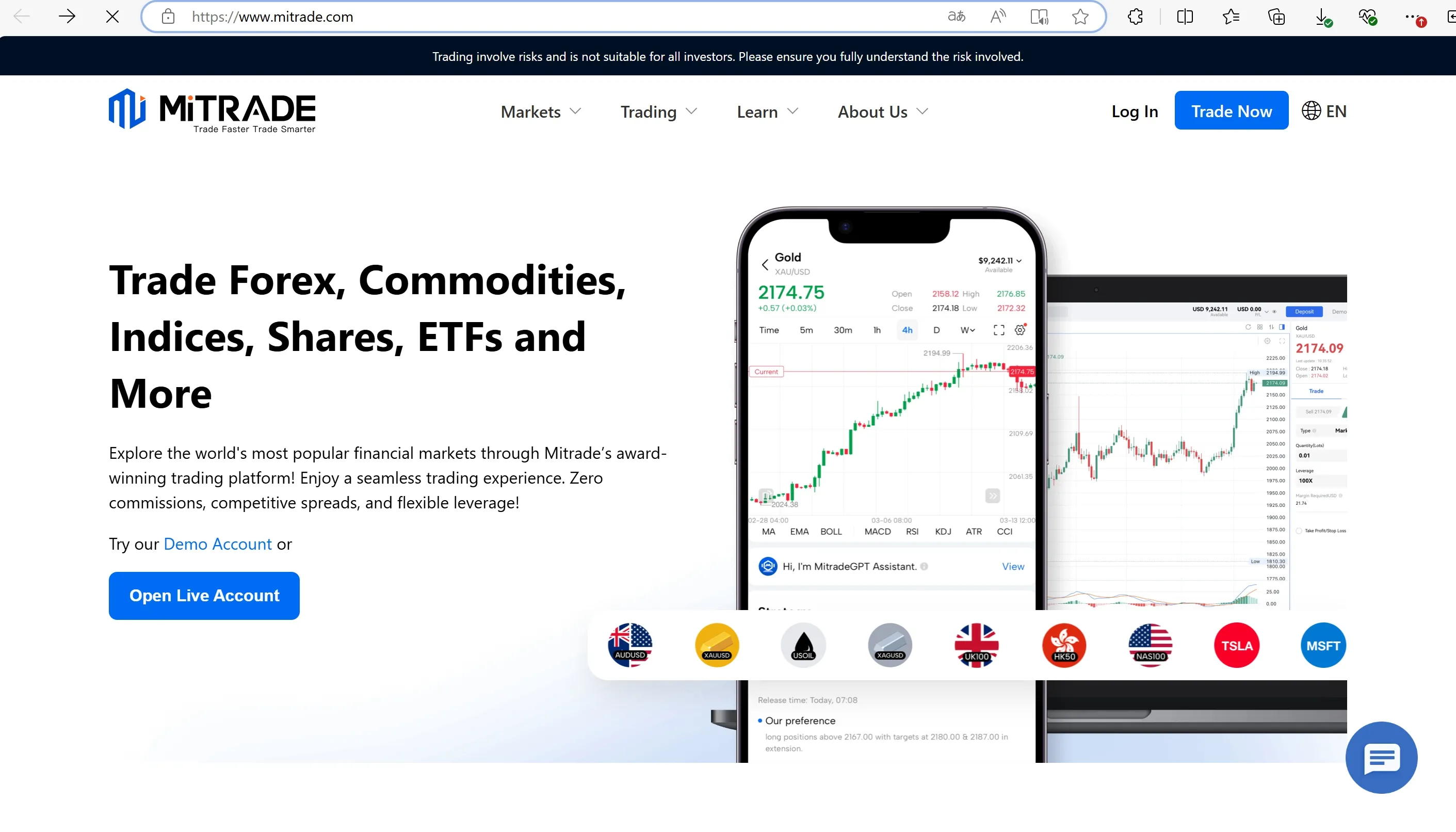
MiTRADE, based in Australia and regulated by ASIC, offers a range of features and services to its clients. The broker provides a proprietary trading platform that allows traders to access the financial markets with competitive spreads starting from 0.0 pips. Tradable assets include forex, indices, shares, and commodities, and ETFs. MiTRADE offers both demo and live accounts. For those seeking an Islamic account, MiTRADE provides that option as well. Customer support is available 24/5 through various channels, including live chat, contact form and email.
Pros & Cons
| Pros | Cons |
|
|
|
|
|
|
|
|
Is MiTRADE legit?
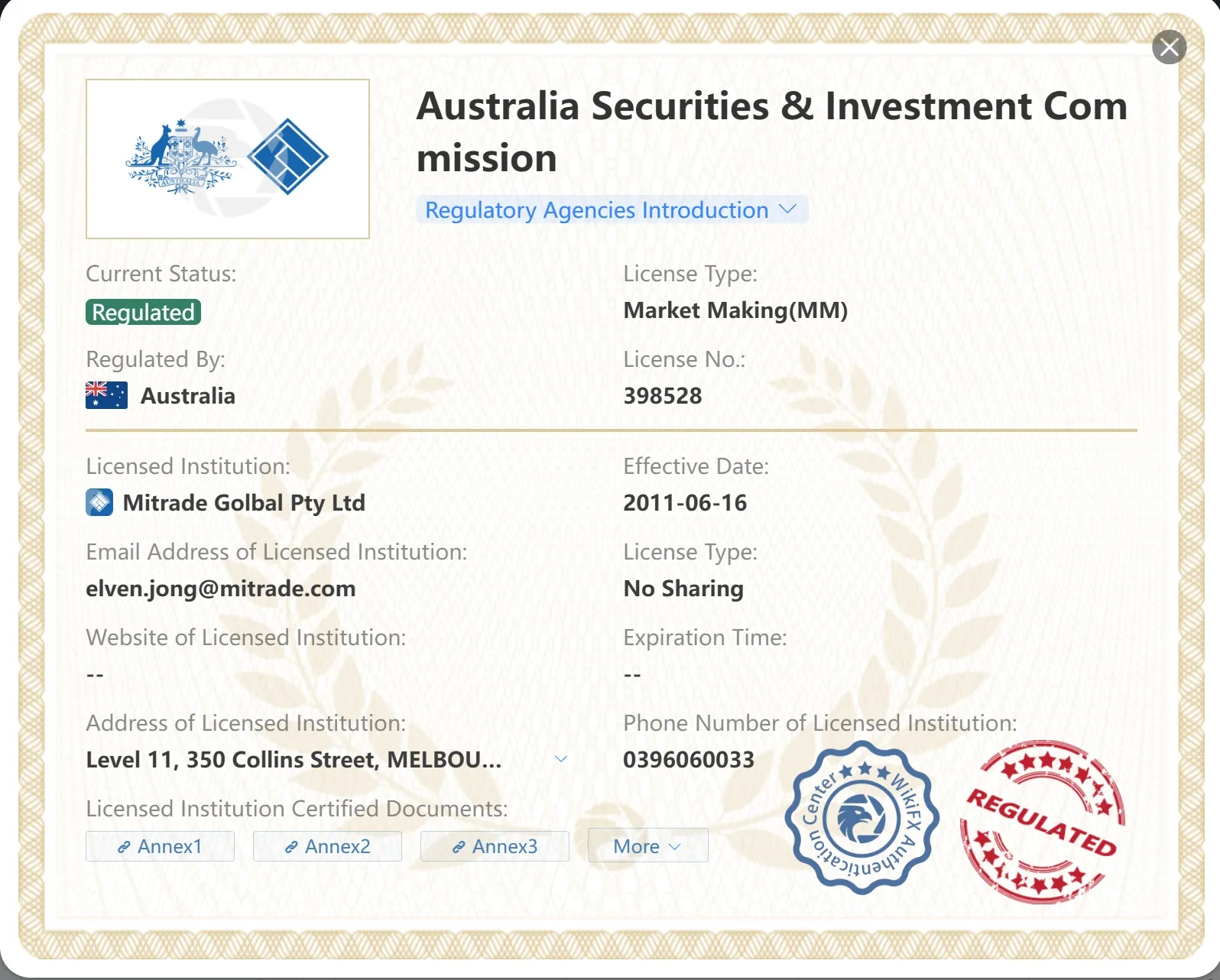
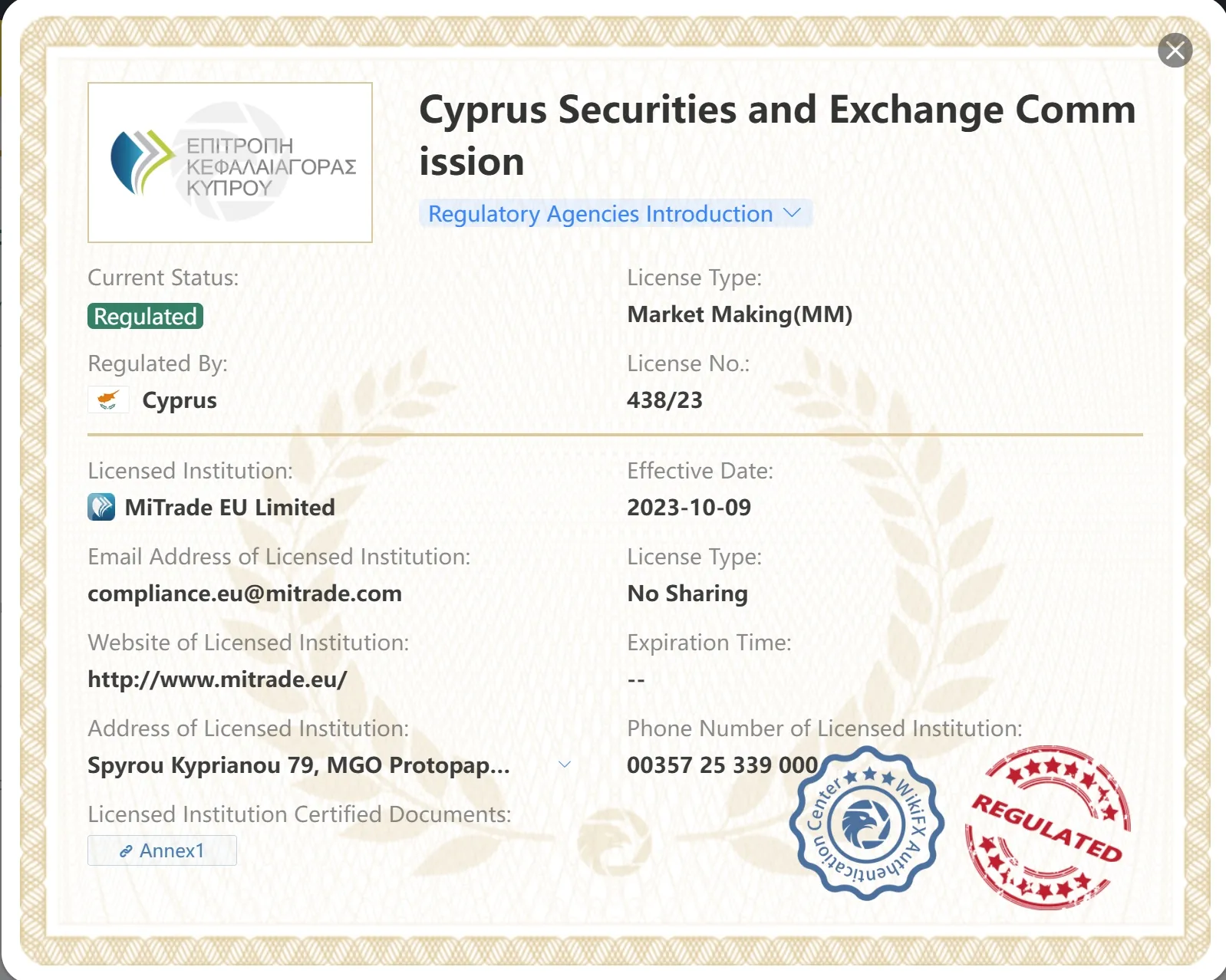
MiTRADE is a broker that operates under the regulation of the Australia Securities & Investment Commission (ASIC), with an Market Making (MM) license under license no. 398528; and the Cyprus Securities and Exchange Commission (CySEC), with an Market Making (MM) license under license no. 438/23.
Market Instruments
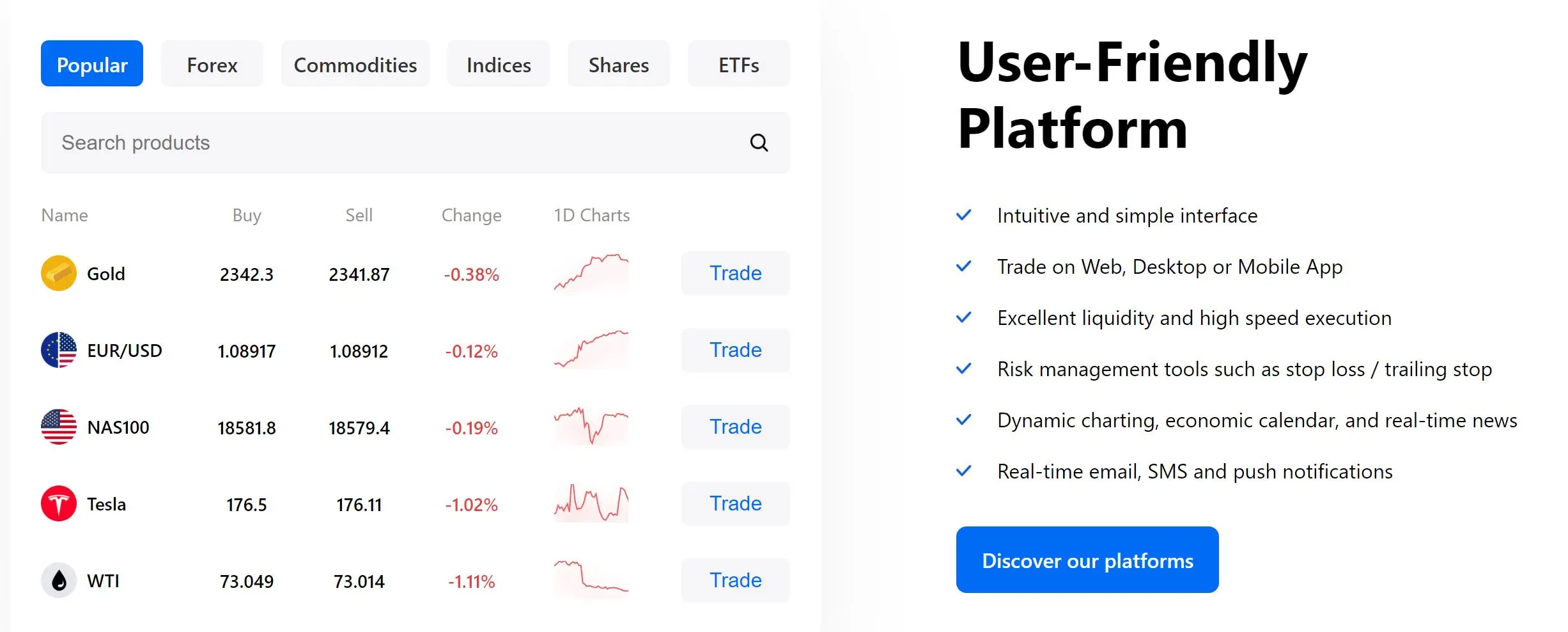
MiTRADE offers access to various financial markets, including forex, indices, shares, commodities and ETFs.
Traders can engage in forex trading, speculating on the price movements of different currency pairs. Additionally, they can trade popular indices, giving them exposure to the performance of a basket of stocks from specific markets. MiTRADE also offers the opportunity to trade shares, allowing clients to invest in individual company stocks. Moreover, traders can participate in commodity trading, taking positions on the price fluctuations of commodities such as gold, oil, and agricultural products.
Account Types
MiTRADE offers two types of accounts for traders: a live account and a demo account.
The live account is designed for real trading with actual funds, allowing traders to participate in the financial markets and execute trades using their own capital. The minimum deposit for opening a live account with MiTRADE is undisclosed. This broker offers USD or AUD as a base currency for their trading accounts.
On the other hand, the demo account is a simulated trading environment that provides users with virtual money to practice trading strategies and explore the platform's features. Each demo account is initialized with a generous amount of USD50,000 or AUD50,000 virtual money, enabling traders to gain hands-on experience without any financial risk.
How to Open an Account?
To open an account with MiTRADE, you can follow a simple process:
- Visit the MiTRADE website: Go to the official MiTRADE website using a web browser. Click on “Open Account” or “Register”: Look for the “Open Account” or “Register” button on the homepage or the main navigation menu.
- Fill in the Registration Form: Provide the required information in the registration form. This usually includes personal details such as your name, email address, phone number, and country of residence. You may also need to create a username and password for your account.
- Complete the Verification Process: MiTRADE may require you to verify your identity and address by submitting supporting documents. This could include a copy of your identification document (such as a passport or driver's license) and proof of address (such as a utility bill or bank statement).
- Review and Agree to Terms and Conditions: Read through the terms and conditions of MiTRADE's services carefully. Make sure you understand and agree to the terms before proceeding.
- Fund Your Account: Once your account is successfully registered and verified, you can proceed to fund your trading account. MiTRADE typically offers various deposit methods such as bank transfer, credit/debit card, or online payment systems. Choose the method that is most convenient for you and follow the instructions provided.
- Start Trading: After your account is funded, you can access the MiTRADE trading platform using your login credentials. Explore the platform, familiarize yourself with its features, and start trading the available financial instruments, such as forex, indices, commodities, or cryptocurrencies.
Leverage
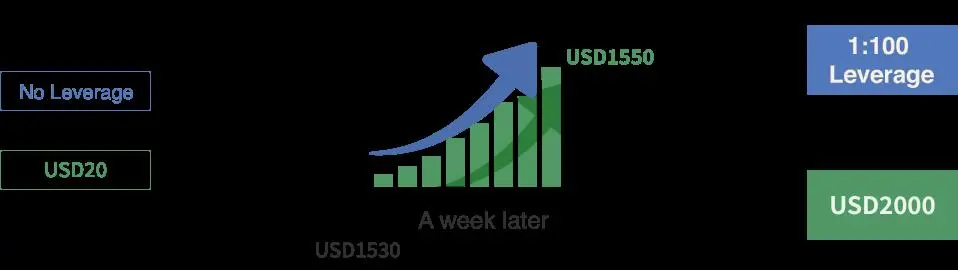
MiTRADE offers trading leverage of up to 1:200. It is crucial to understand that high leverage can amplify both potential profits and risks. While it may be appealing to experienced traders who are familiar with managing leverage effectively, inexperienced traders are advised to exercise caution and carefully consider their risk tolerance.
Spreads & Commissions
MiTRADE offers floating spreads for various trading instruments. The spread on the popular EURUSD currency pair starts from 1 pip, providing traders with a competitive option for trading this major pair. The EURGBP pair has a spread starting from 1.4 pips, while UKOIL and USOIL (Crude Oil) have spreads of approximately 0.06 pips, offering traders a tight spread option for energy commodities. For precious metals, the XAUUSD (Gold) pair has a spread starting from 0.44 pips, and the XAGUSD (Silver) pair has a spread starting from 0.3 pips.
Notably, MiTRADE does not charge any commissions on trades, which can be advantageous for traders seeking cost-effective trading options.
Non-Trading Fees
- Product Quotes, Technical Indicators, Market Analysis: Free
- Bid-Ask Spread: Charged as service compensation, not fixed.
- Deposit and Withdrawal Fees: No charges from Mitrade, but third-party fees may apply (e.g., bank or currency conversion fees).
- Overnight Holding Costs: Applied if positions are held past 10:00 PM GMT.
- Other Expenses: No hidden fees.
Trading Platform
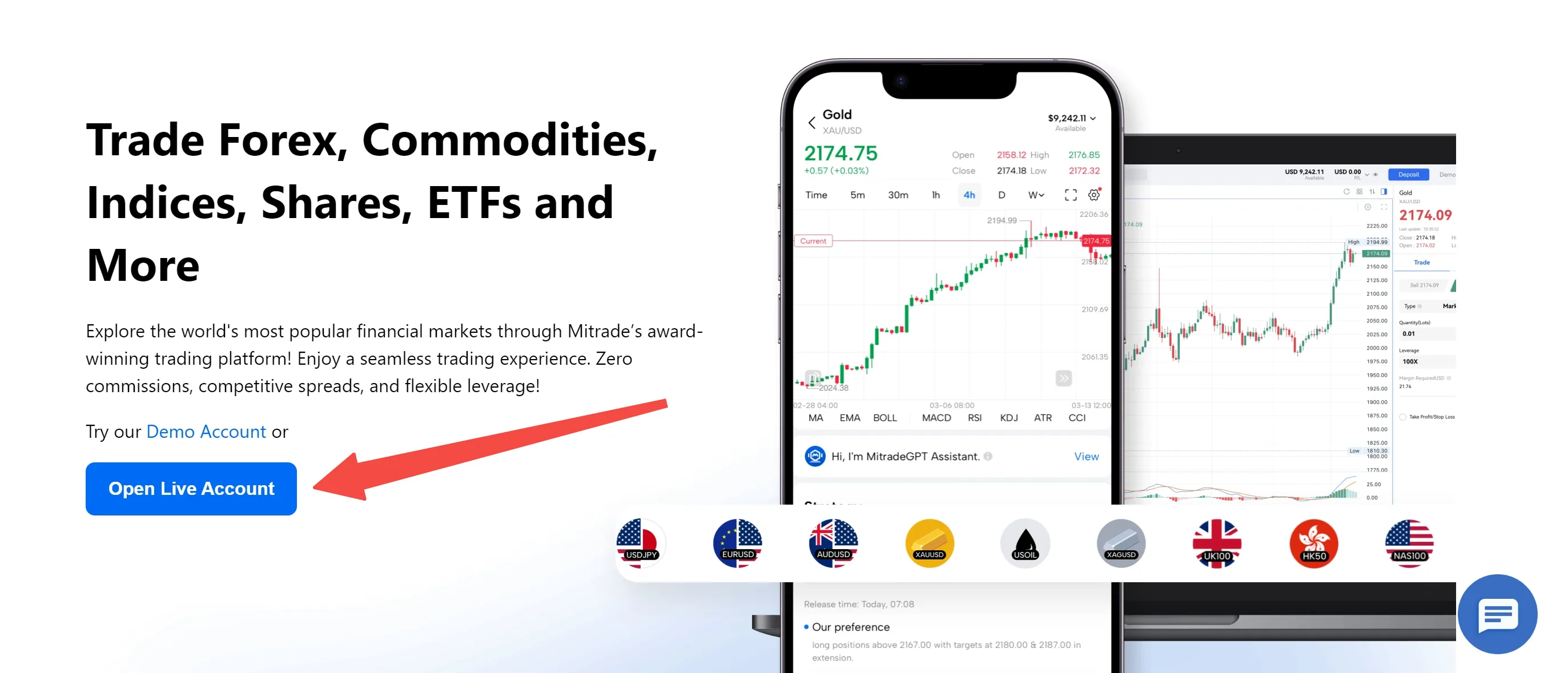
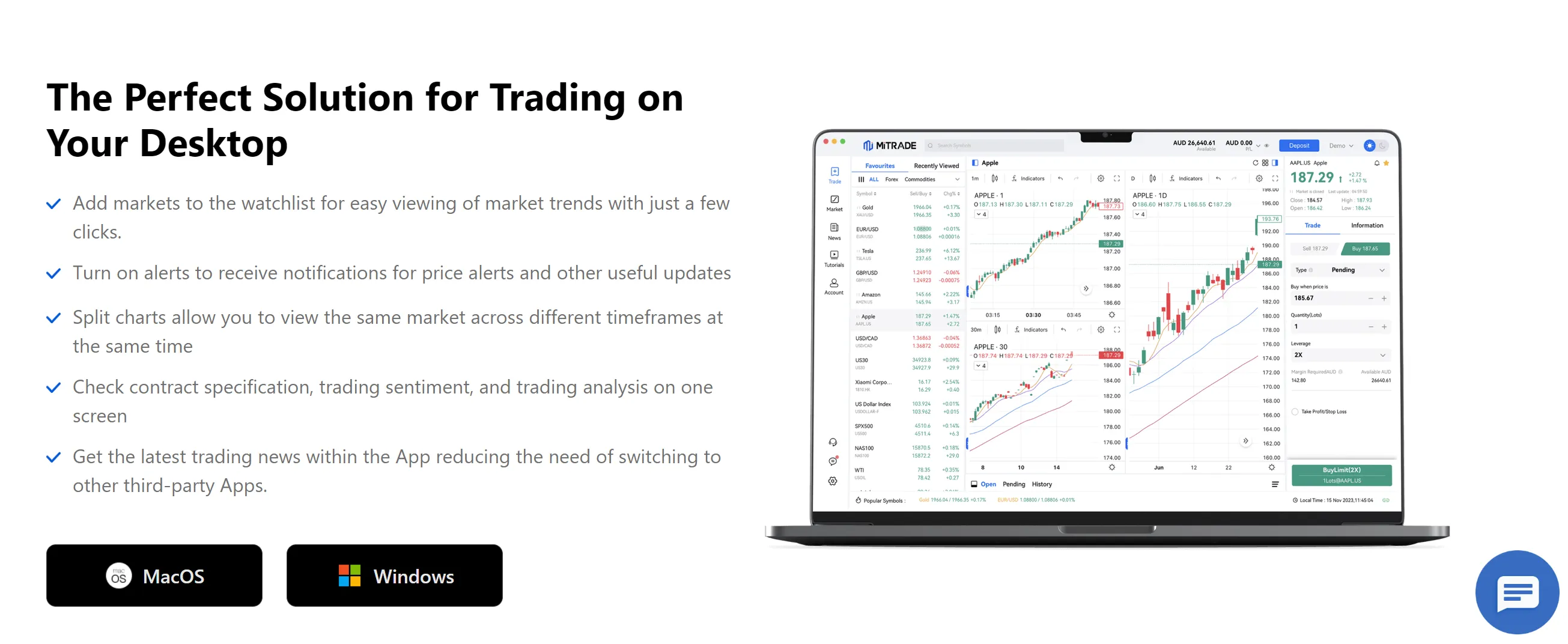
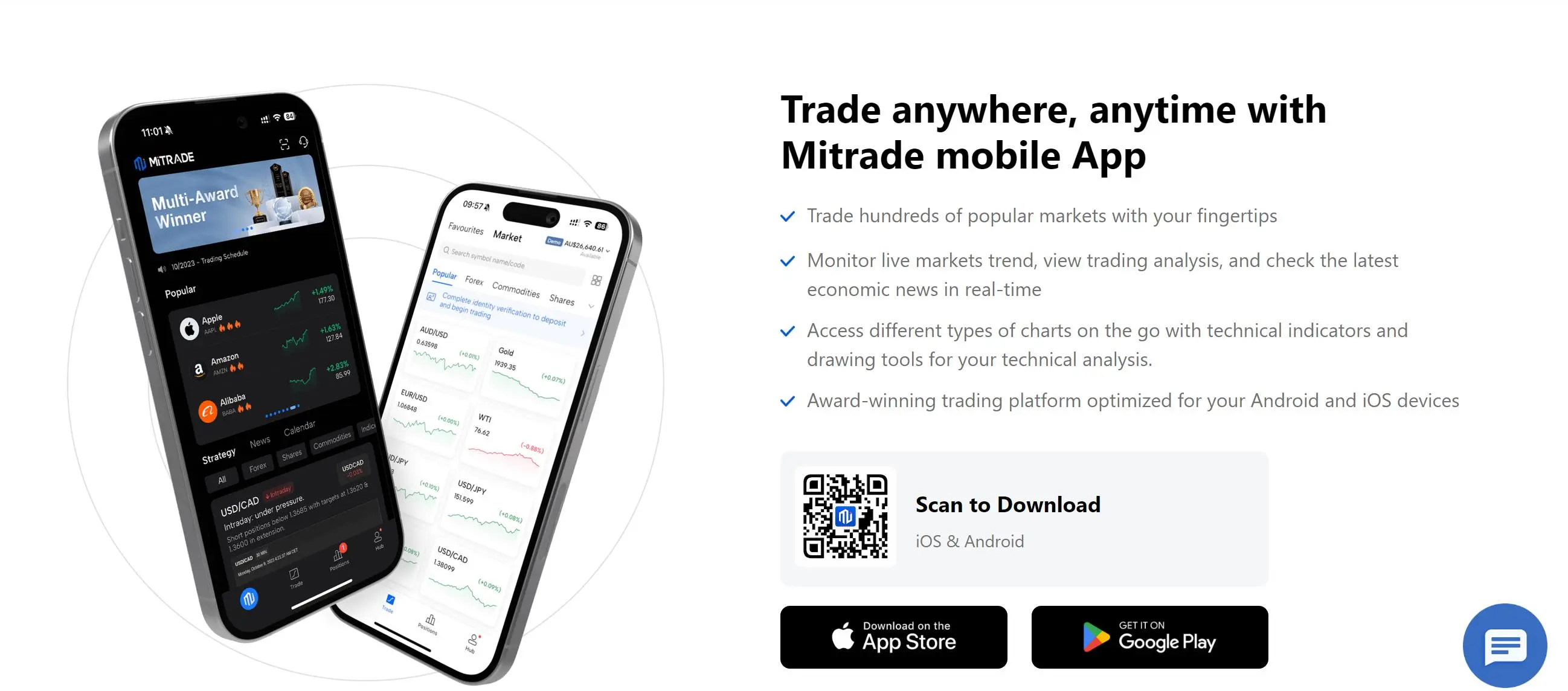
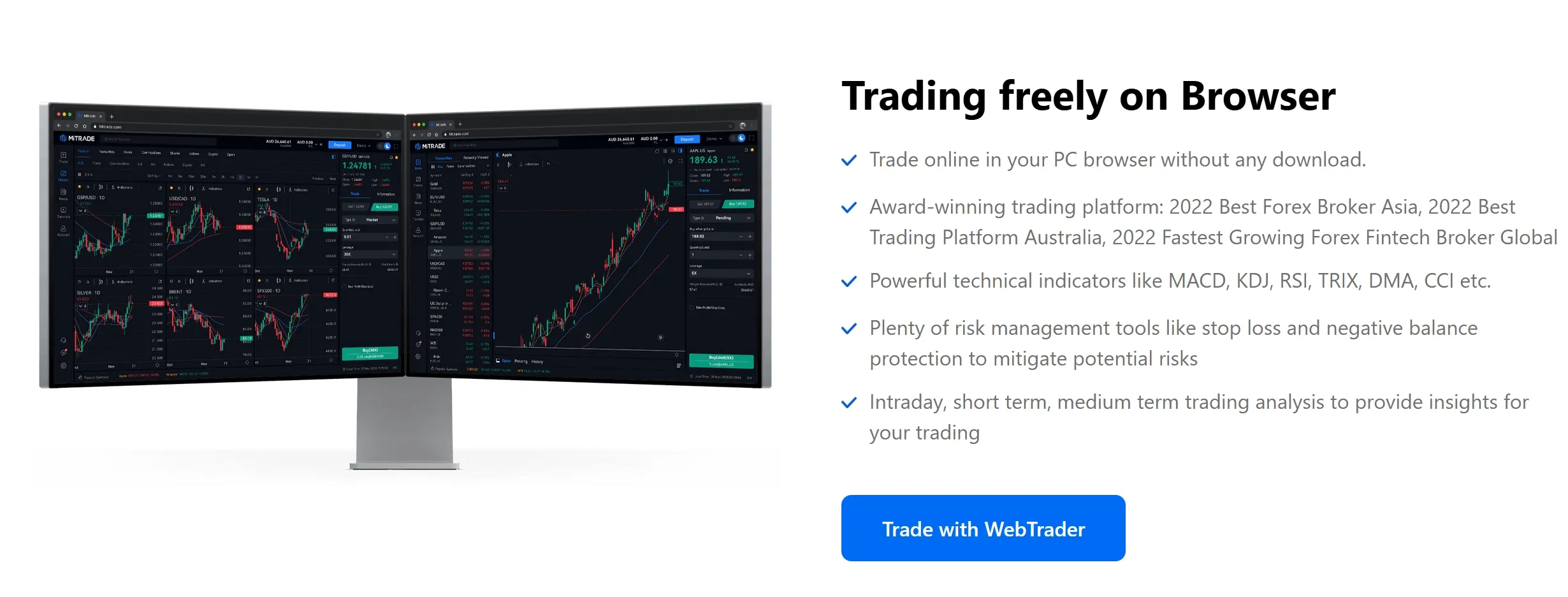
MiTRADE offers its own proprietary trading platform for clients, with desktop and app version, as well as WebTrader. The proprietary platform is designed to meet the specific needs and preferences of MiTRADE's traders. The platform offers a user-friendly interface, providing access to real-time market data, charting tools, and a range of order types.
Deposit & Withdrawal
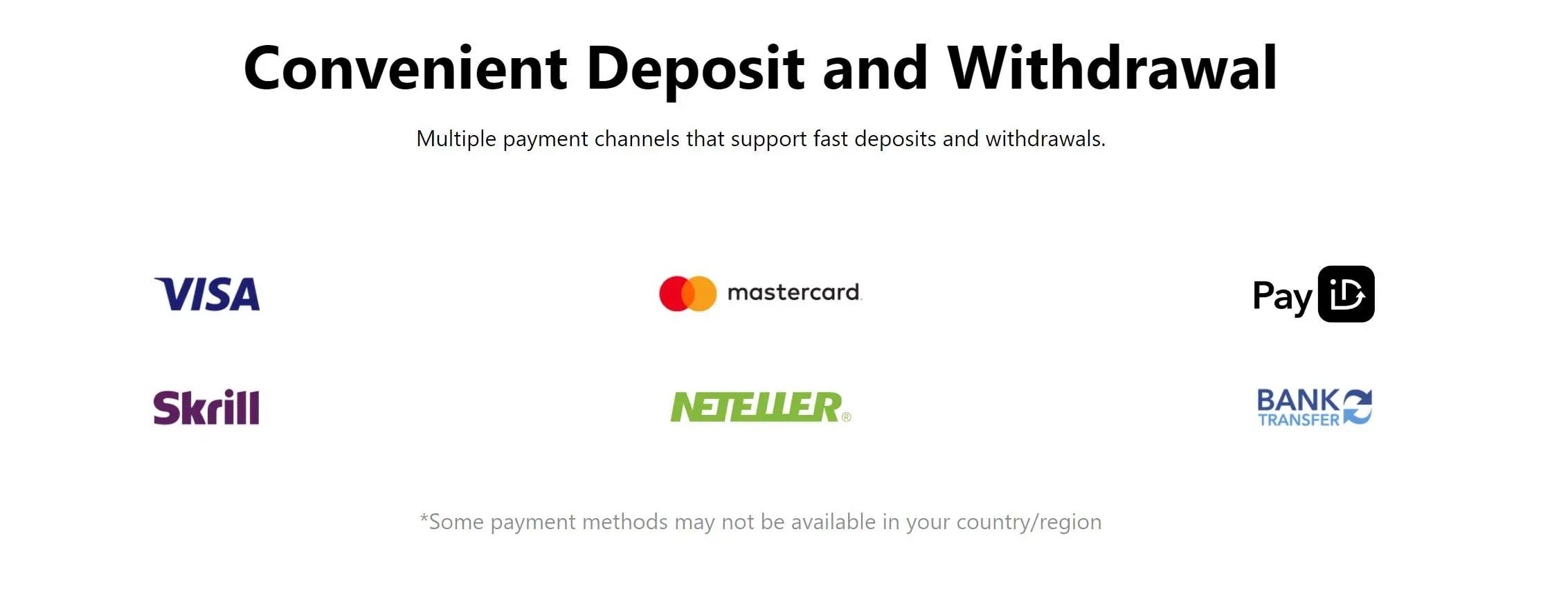
| Payment Method | Deposit Processing Time |
| Visa/Mastercard | Instant, within 3 minutes |
| Bank Transfer | |
| E-Wallet | |
| QR Code Payment |
The broker does not charge any fees for deposits and withdrawals in most cases. However, there are other third-party charges for deposit and withdrawals that are outside of Mitrades control such as intermediary bank fees, etc.
Note that not all deposit methods are available in all countries. Please log in to your Mitrade account to view what payment options are available to you.
Customer Support
MiTRADE offers 24/5 live chat service with a team of dedicated professionals. They can be reached via email: cs@mitrade.com. You can also fill out the ‘contact us’ form on the brokers website, and a customer support specialist will attend to you as soon as possible. Mitrade is also available on social media: Instagram, Facebook, Twitter, YouTube, LinkedIn, TikTok and Telegram.
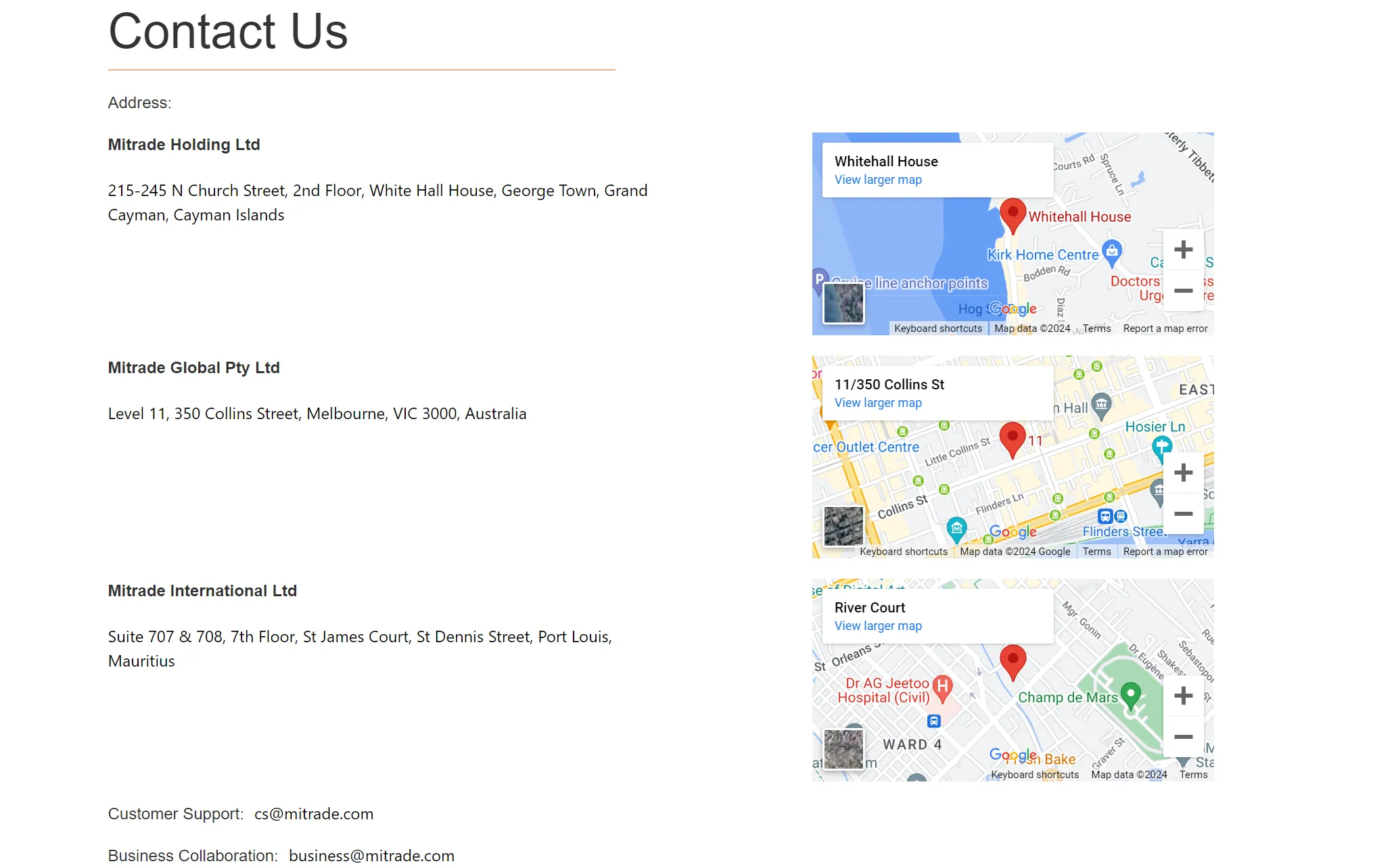
Traders can also visit the team at their offices:
• Mitrade Holding Ltd: 215-245 N Church Street, 2nd Floor, White Hall House, George Town, Grand Cayman, Cayman Islands;
• Mitrade Global Pty Ltd: Level 13, 350 Queen Street, Melbourne, VIC 3000, Australia;
• Mitrade International Ltd: Suite 707 & 708, 7th Floor, St James Court, St Dennis Street, Port Louis, Mauritius.
FAQs
Is MiTRADE regulated?
Yes. MiTRADE is regulated by ASIC under regulatory license number 398528.
At MiTRADE, are there any regional restrictions for traders?
Yes. The information on MiTRADEs site is not intended for residents of the United States, Canada, Japan, New Zealand or used by any person in any country or jurisdiction where such distribution or use would be contrary to local law or regulation.
Which live trading accounts does MiTRADE offer?
MiTRADE offers one live account and a demo account to choose from.
Are there any fees for using the trading platform?
MiTRADE is a commission-free trading platform. The main cost of trading comes from the low spreads it charges, which vary among different markets.
Risk Warning
Online trading involves significant risk, and you may lose all of your invested capital.
central-tanshi-fx
| Central Tanshi Review Summary | |
| Founded | 2002 |
| Registered Country/Region | Japan |
| Regulation | Regulated by FSA (Japan) |
| Market Instruments | Forex |
| Demo Account | ❌ |
| Leverage | 1:25 for individual customer |
| EUR/USD Spread | From 0.1 pips |
| Trading Platform | Mobile app, PC and Web platforms |
| Min Deposit | 0 |
| Customer Support | Contact form |
| YouTube: https://www.youtube.com/channel/UCGDu9m4guwZcPAIPXyyx7KQ | |
| Twitter: https://twitter.com/CTFX | |
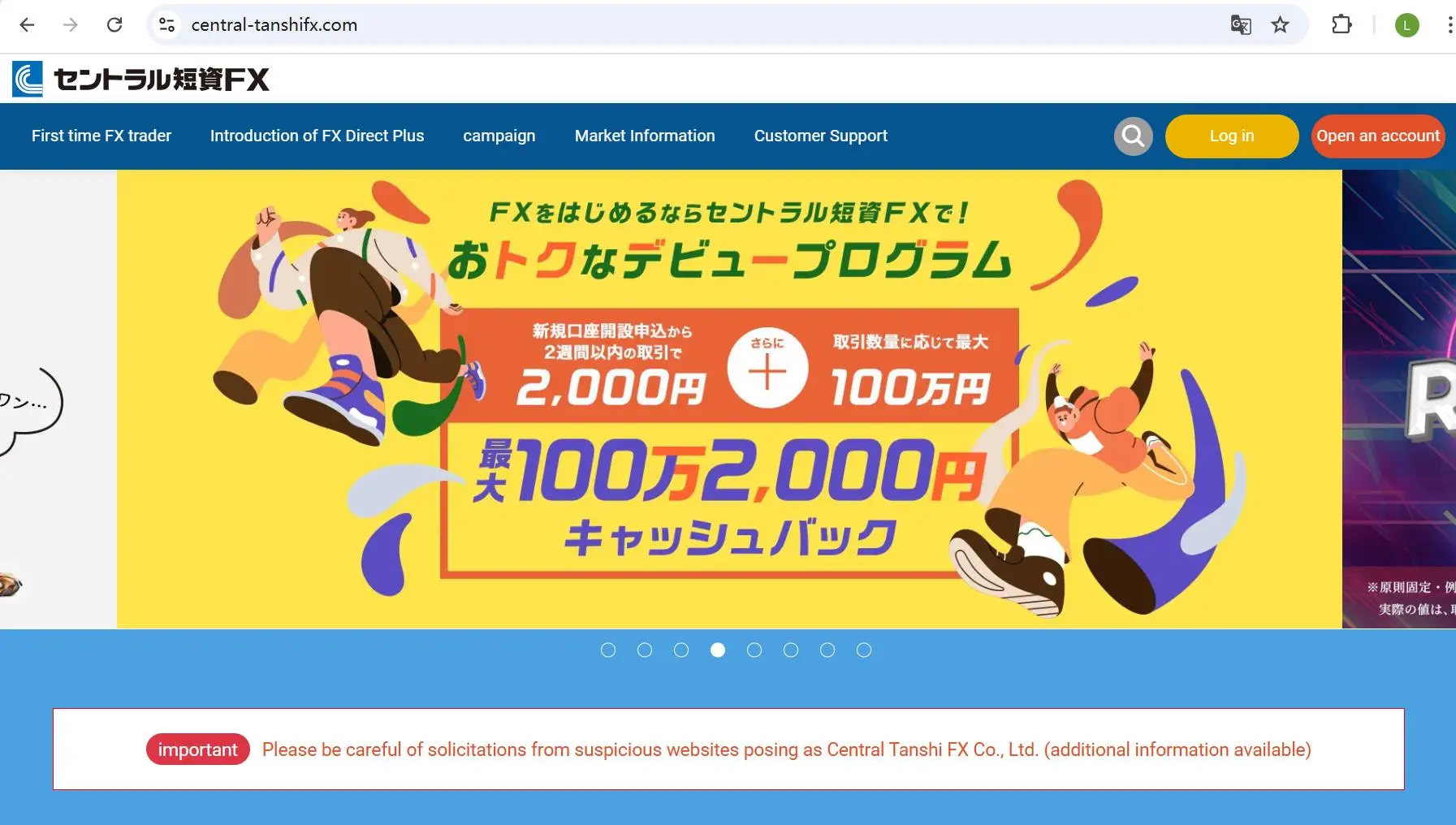
Central Tanshi is a legally regulated forex pairs provider that was registered in Japan in 2002. It offers a variety of forex pairs through versatile trading platforms, with no minimum deposit required. In addition, it provides a leverage of 1:25 for individual customers and spreads starting from 0.1 pips.
However, it does not accept inquiries by phone number. Instead, you can only submit a contact form with your questions, and they will respond to your inquiries.
Pros and Cons
| Pros | Cons |
| Long history of operation | Limited leverage |
| Regulated by Japan's FSA | No MT4/5 |
| Various forex pairs choices | Limited customer support channels |
| Commission-free | |
| Multiple trading platforms available | |
| No minimum deposit requirement |
Is Central Tanshi Legit?
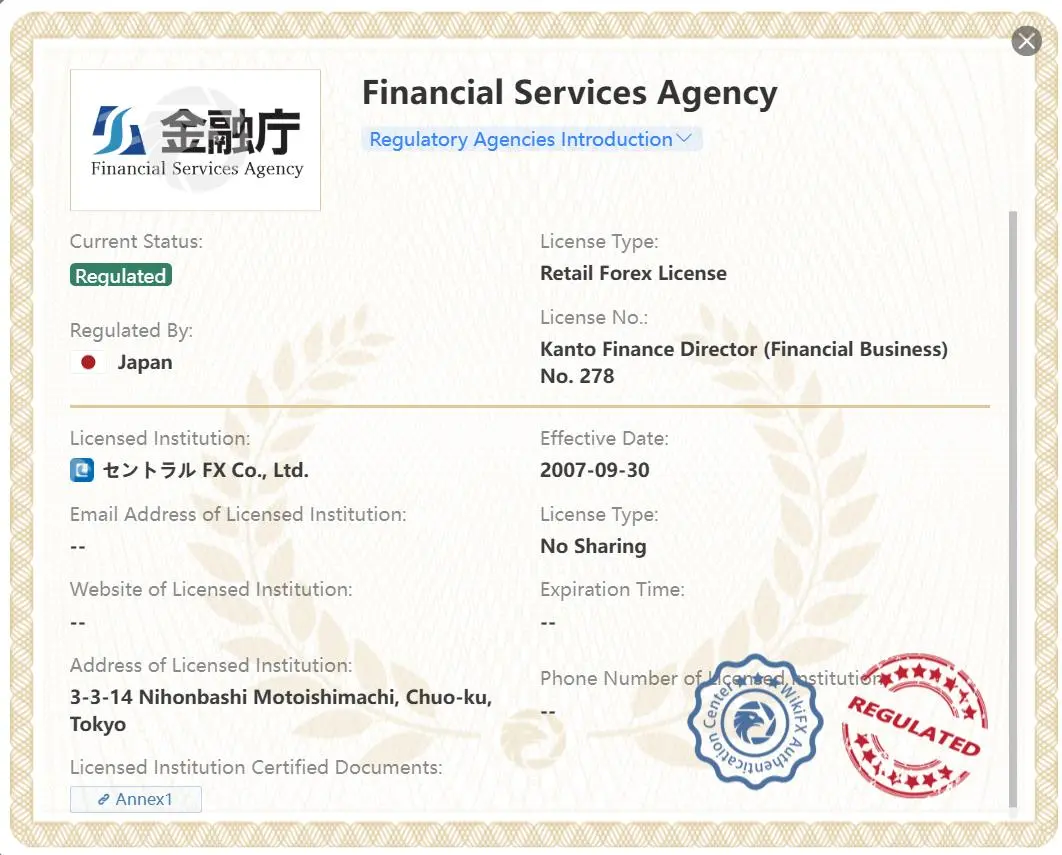
Yes, Central Tanshi is a legitimate provider of forex pairs. It holds a retail forex license issued by the Japan Financial Services Agency (FSA), bearing the license number Kanto Finance Director (Financial Business) No. 278.
In addition, it is a member of the Securities and Exchange Surveillance Commission of Japan.
In conclusion, Central Tanshi is reliable, and you can consider trading forex on its platforms.
| Regulated Country | Current Status | Regulated Authority | Regulated Entity | License Type | License Number |
 | Regulated | Japan Financial Services Agency (FCA) | セントラル FX Co., Ltd. | Retail Forex License | Kanto Finance Director (Financial Business) No. 278 |
What Can I Trade on Central Tanshi?
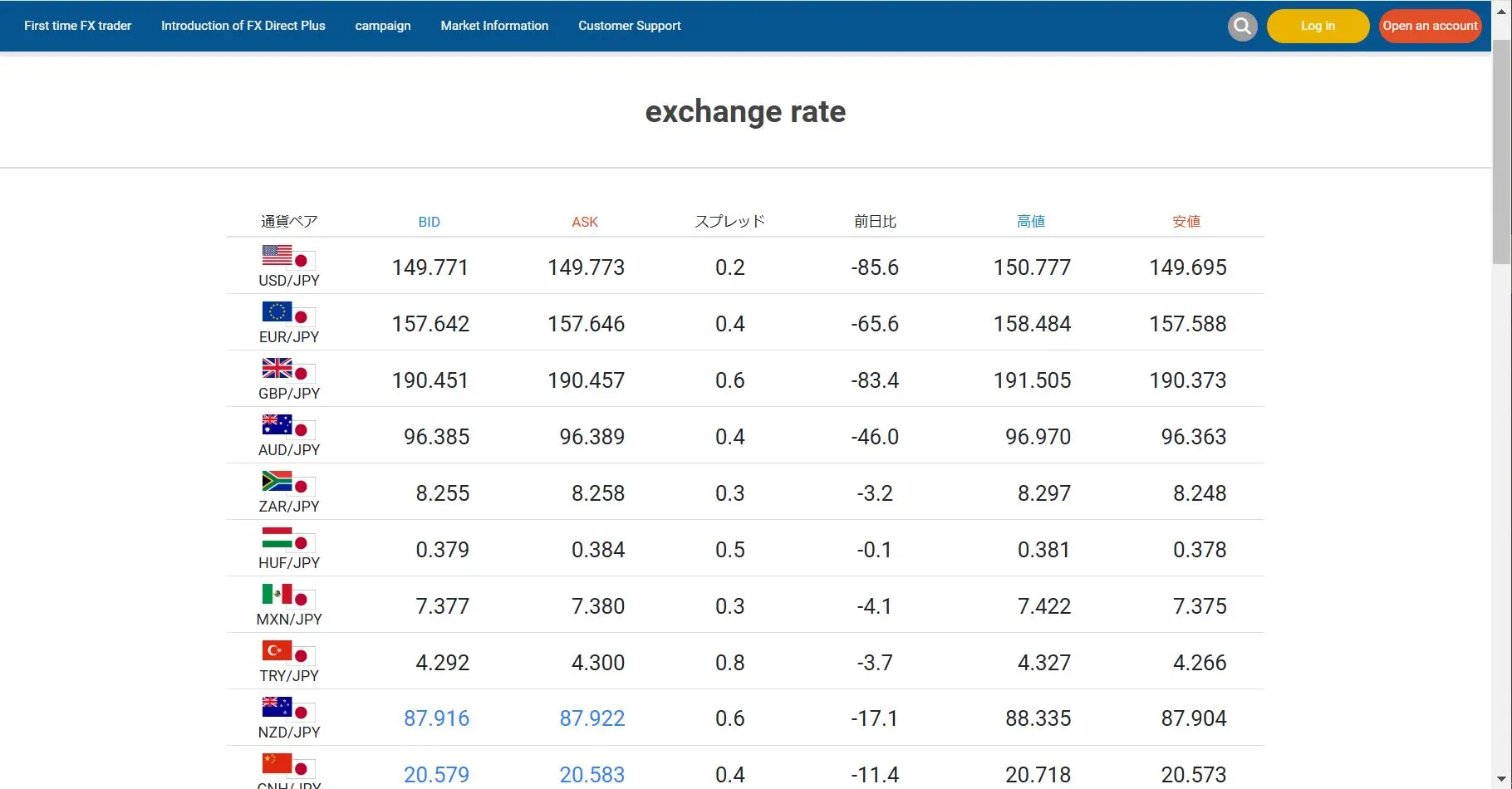
Central Tanshi focuses on forex pairs trading. It offers many common forex pairs, and you can also find exotic forex pairs on its platform. The forex pairs it provides include USD/JPY, EUR/JPY, GBP/JPY, AUD/JPY, ZAR/JPY, GBP/USD, AUD/USD...
| Tradable Instruments | Supported |
| Forex | ✔ |
| Commodities | ❌ |
| Indices | ❌ |
| Stocks | ❌ |
| Cryptocurrencies | ❌ |
| Bonds | ❌ |
| Options | ❌ |
| ETFs | ❌ |
How to Open an Account?
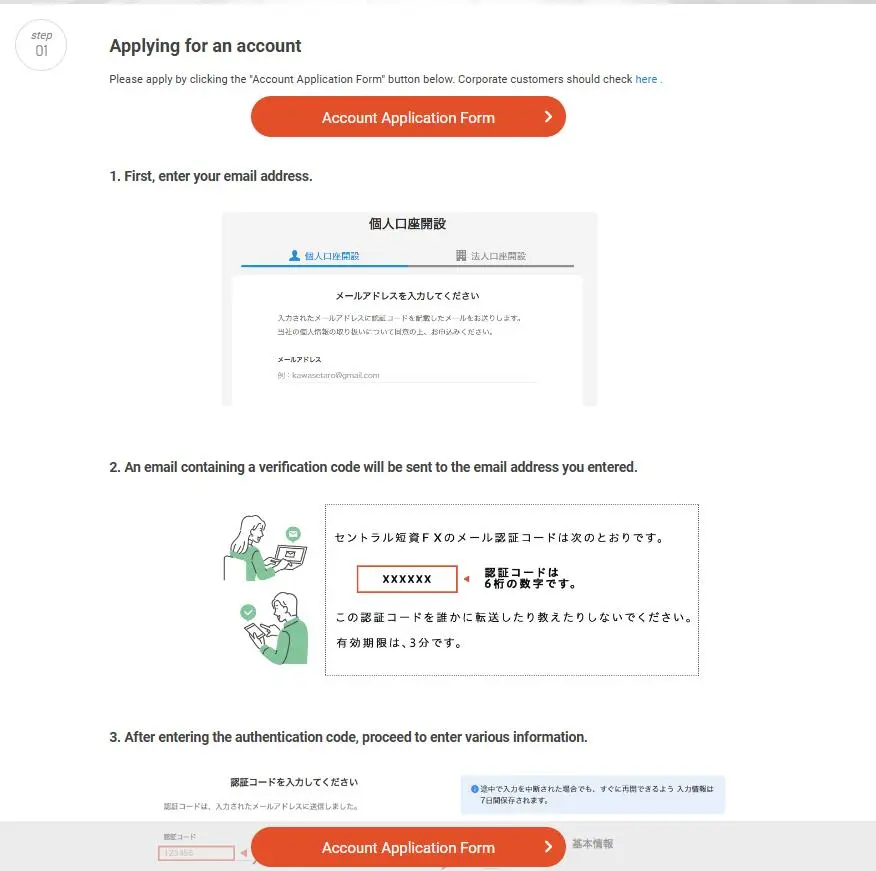
You need to follow eight steps to register an account with Central Tanshi. All of these steps are quite easy, and detailed explanations for each are provided in its website.
- Step 1: Enter your email address.
- Step 2: Enter the verification code sent to the email address you provided.
- Step 3: Fill in your personal information.
- Step 4: Verify your identity using your smartphone. First, take a photo of your ID. Second, take aphoto of your face.
- Step 5: Once the review is complete, a notification of account opening completion, along with your user ID and password, will be sent to your registered email address.
- Step 6: Log in to your My Page and change your password for security reasons.
- Step 7: Register your My Number on your My Page.
- Step 8: Register your withdrawal bank account details on your My Page.
Leverage
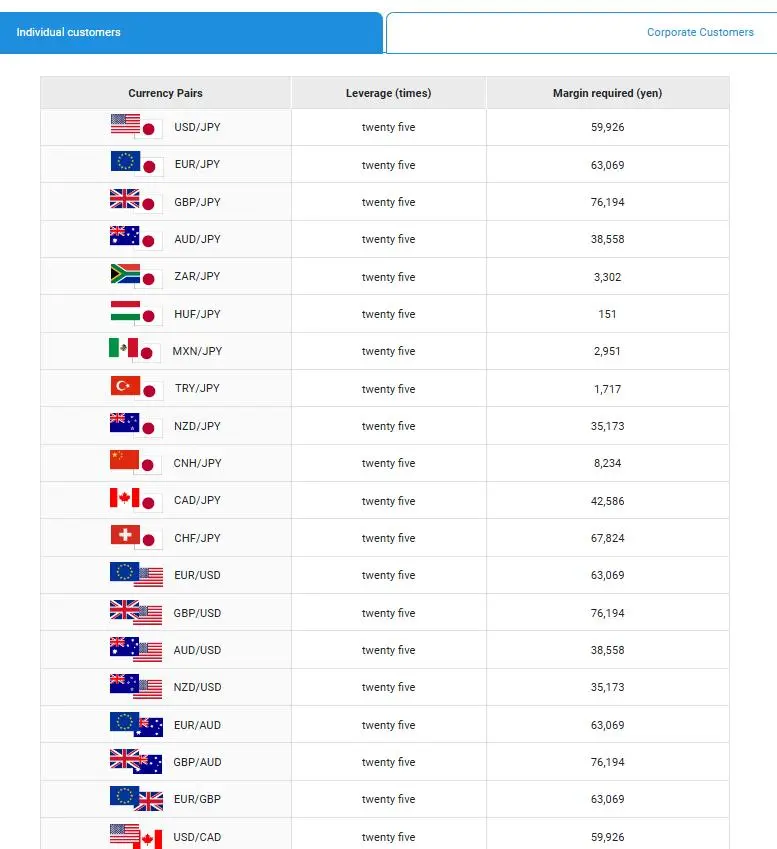
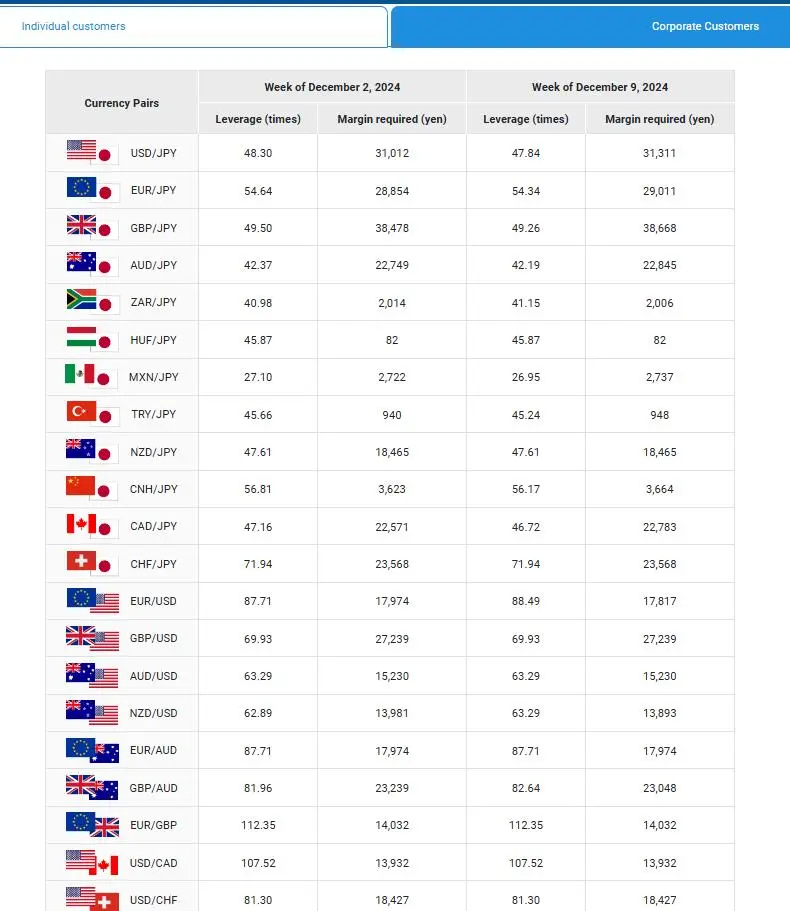
The leverage offered by Central Tanshi differs between individual and corporate customers.
For individual customers, it is set at a fixed ratio of 1:25, which is considered conservative and safe, enabling you to trade securely based on your requirements.
On the other hand, for corporate customers, the leverage varies weekly based on market fluctuations, and it also differs for each type of currency pair.
Spread
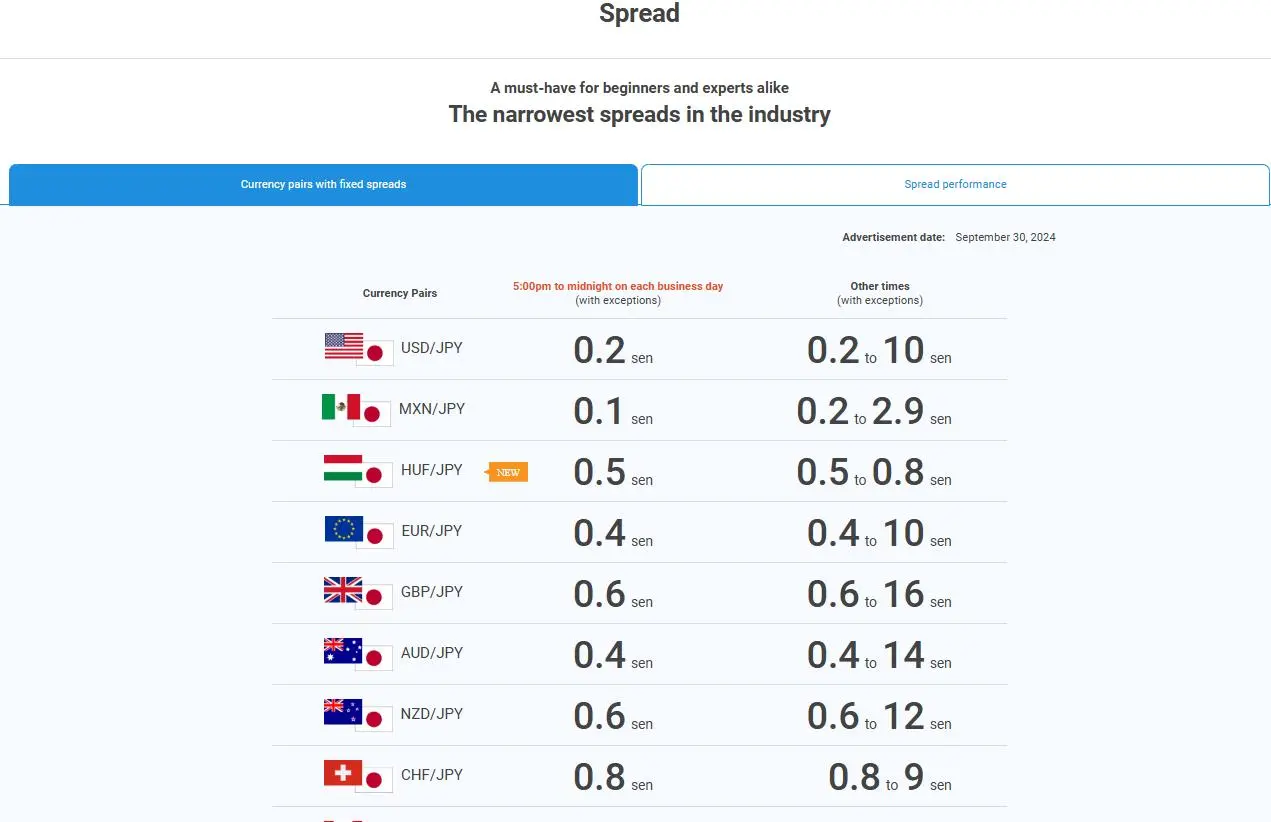
The spreads offered by Central Tanshi also vary depending on the type of currency pair.
During certain trading hours, the spread for MXN/JPY can be as low as 0.1 pips, while during other periods, the spread for GBP/JPY can reach as high as 16.0 pips.
Other Fees
Central Tanshi does not charge any account maintenance fees or transaction fees.
However, if you need to send an issuing report by mail, there is a charge of 1,100 yen per report.
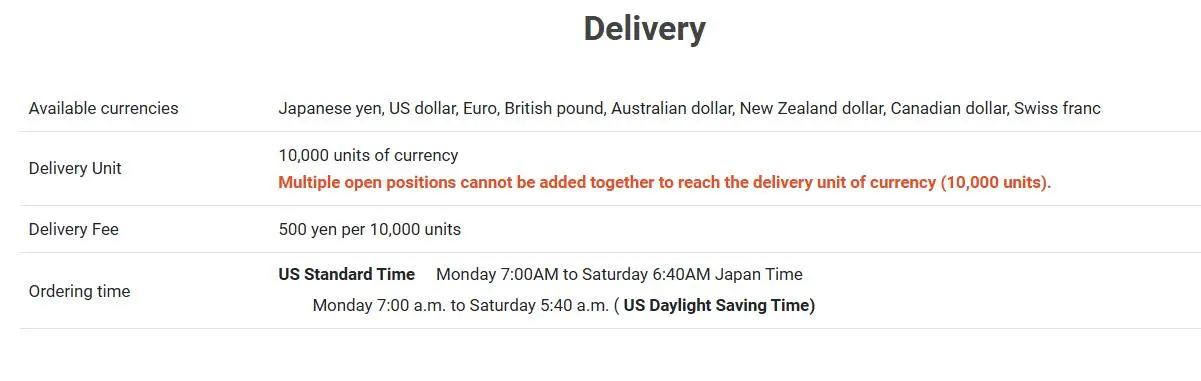
Additionally, for delivery services, there is a fee of 500 yen for every 10,000 units.

Trading Platform
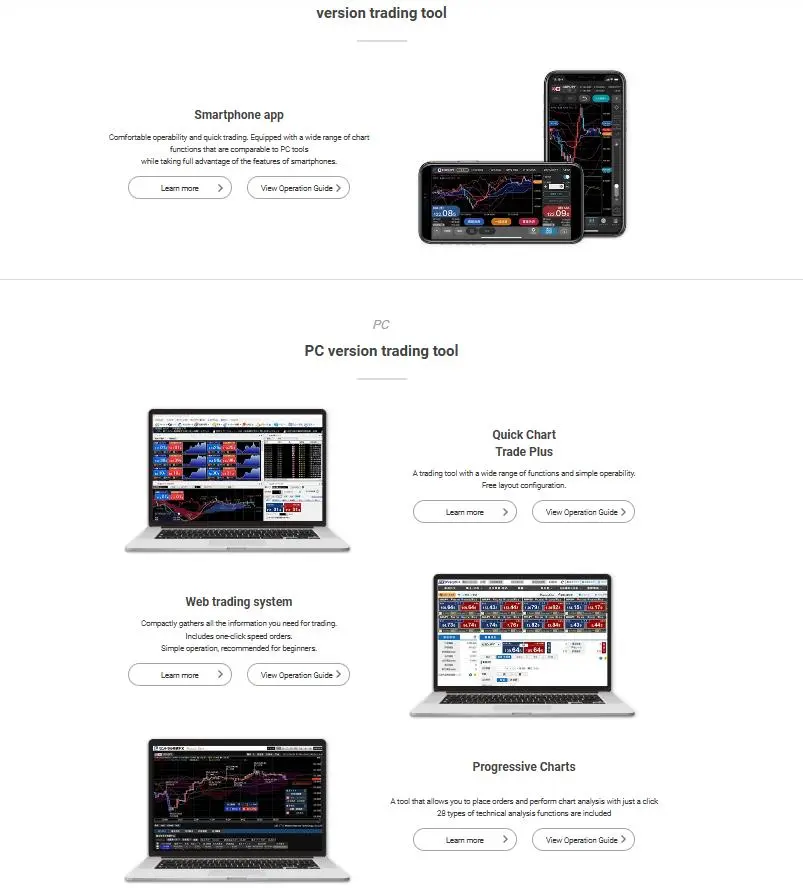
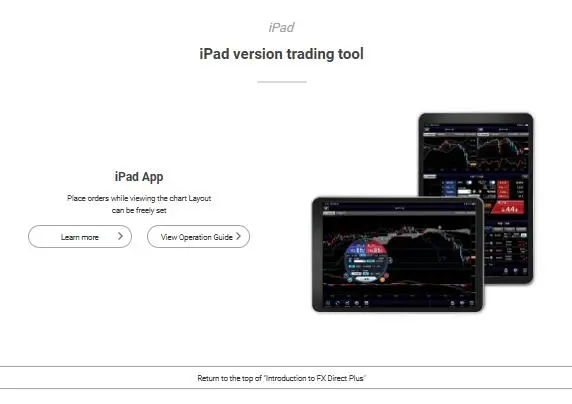
Central Tanshi offers a proprietary platform available on mobile (smartphone and iPad), PC and Web.
The PC version comes with three additional options, including fast chart, Trade Plus, and a network trading system.
| Trading Platform | Supported | Available Devices | Suitable for |
| Proprietary platform | ✔ | Web, PC and Mobile | / |
| MT4 | ❌ | / | Beginners |
| MT5 | ❌ | / | Experienced traders |
Deposit and Withdrawal
Payment Methods
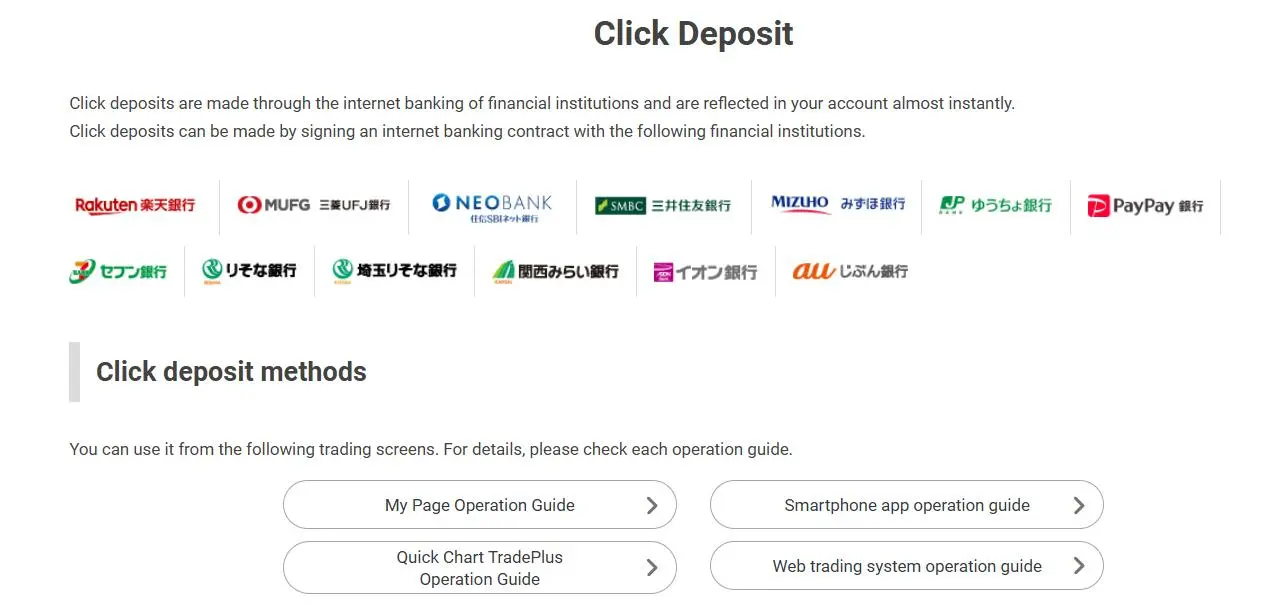
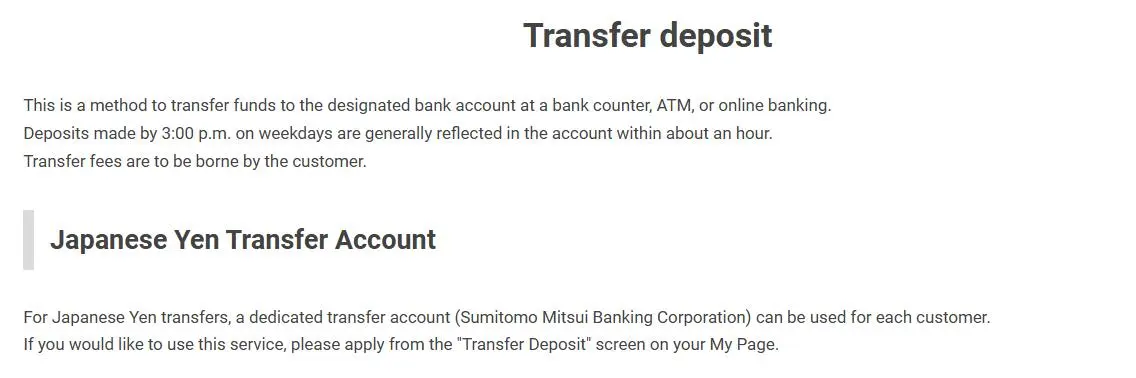
Central Tanshi offers two types of deposit methods: click deposit and bank transfer deposit.
Click deposit utilizes your financial institution's online banking service for near-instant deposits. You must have an online banking agreement with one of the following financial institutions to use this method.
Bank transfer deposit allows you to fund your account through various methods such as bank counters, ATMs, and online banking. The transfer fees will be borne by you. Supported banks include Sumitomo Mitsui Banking Corporation (Nihonbashi Branch), Mizuho Bank (Kofunecho Branch), and Mitsubishi UFJ Bank.
Fees
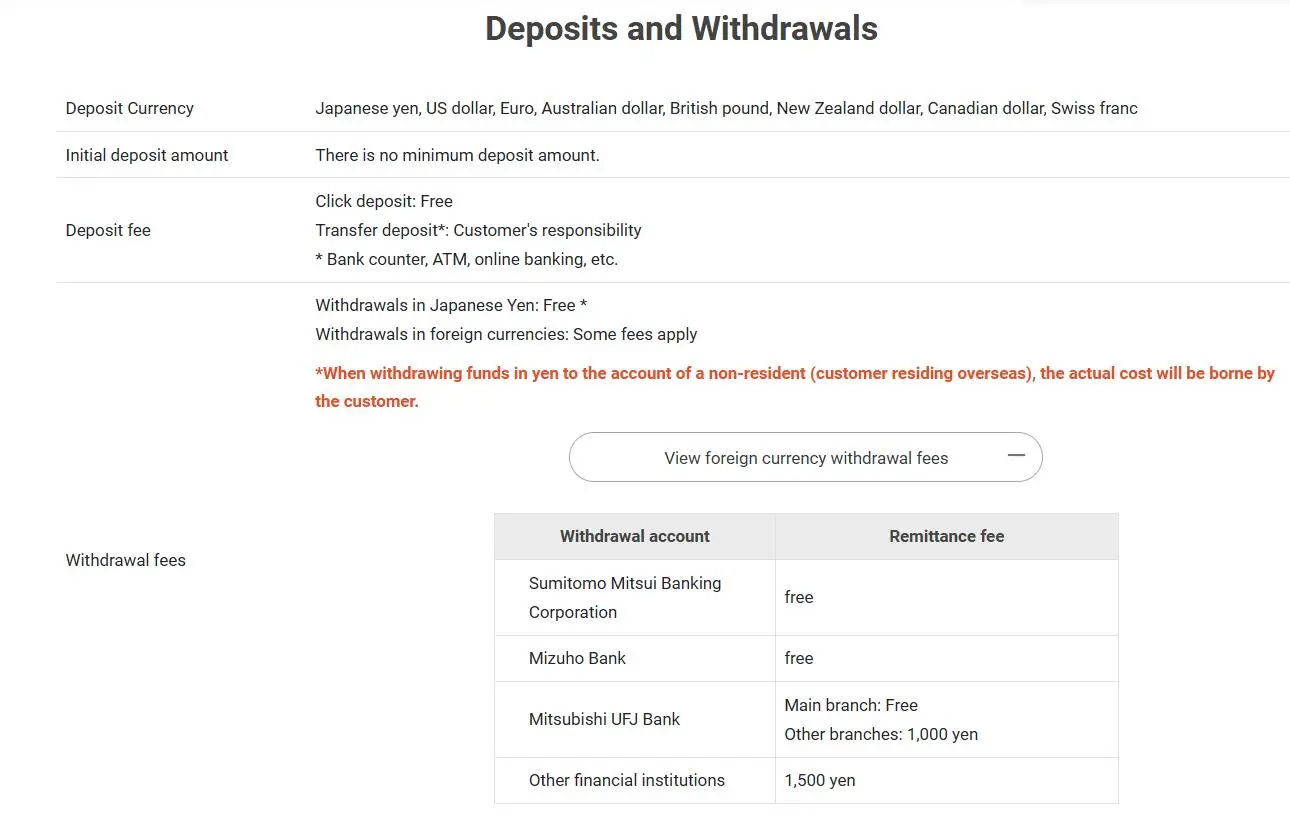
Deposit: For click deposits, it is free. For transfer deposits, certain fees may be charged.
Withdrawal: Withdrawal in Japanese Yen is free, whereas withdrawals in other foreign currencies will incur some fees.
Additionally, withdrawal fees differ based on the banking institution.
Specifically, withdrawals through Sumitomo Mitsui Banking Corporation, Mizuho Bank, and the Main Branch of Mitsubishi UFJ Bank are free.
For other branches of Mitsubishi UFJ Bank, a fee of 1,000 yen will be charged, and for other financial institutions, a fee of 1,500 yen will be imposed.
Do mitrade and central-tanshi-fx have lower transaction costs?
To compare transaction costs across different brokers, our experts analyze the transaction-specific fees (such as spreads) and non-trading fees (such as inactivity fees and payment costs).
To get a comprehensive understanding of how cheap or expensive mitrade and central-tanshi-fx are, we first considered common fees for standard accounts. On mitrade, the average spread for the EUR/USD currency pair is -- pips, while on central-tanshi-fx the spread is --.
Which broker between mitrade, central-tanshi-fx is safer?
To determine the safety of our top brokers, our experts will consider many factors. This includes which licenses the broker holds and the credibility of these licenses. We also consider the history of brokers, because long-term brokers are usually more reliable and trustworthy than new brokers.
mitrade is regulated by ASIC,CYSEC,FSCA. central-tanshi-fx is regulated by FSA.
Which broker between mitrade, central-tanshi-fx provides better trading platform?
When our experts review brokers, they will open their own accounts and trade through the broker's trading platform. This enables them to comprehensively evaluate the quality, ease of use, and function of the platform.
mitrade provides the -- platform with products like --; central-tanshi-fx offers the -- platform featuring assets including --.