

Aplikasi Global Pencarian Regulasi Broker
WikiFX
Bahasa Indonesia
简体中文
繁體中文
English
Pусский
日本語
ภาษาไทย
Tiếng Việt
Bahasa Indonesia
Español
हिन्दी
Filippiiniläinen
Français
Deutsch
Português
Türkçe
한국어
العربية
MetaTrader 4: An Overview

Ikhtisar:Congratulations! If you've arrived at this point, it shows that you're ready to open a demo or live MetaTrader 4 (MT4) trading account. And, because wikifx.com is the best, we're here to help you along the way.
Congratulations! If you've arrived at this point, it shows that you're ready to open a demo or live MetaTrader 4 (MT4) trading account.
And, because wikifx.com is the best, we're here to help you along the way.
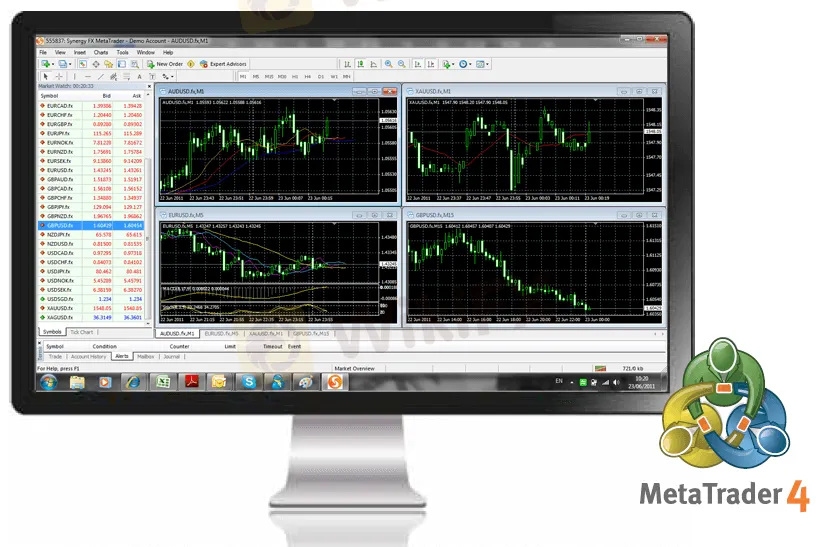
To begin, you need understand that MetaTrader 4 (MT4) is a trading platform that is used by a large number of traders and brokers.
Traders utilize it to gain technical and fundamental analysis, as well as to check real-time currency values. Brokers, on the other hand, use the MT4 platform to reach a larger audience.
The MT4 platform is advantageous in that it provides a large number of currency pairs and indicators from which to choose.
Not only that, but its user-friendly graphics are so simple to understand that even a six-year-old child can recognize breakout patterns.

Mechanical traders can also use the MT4 platform to run their EAs. This makes it simple for them to keep track of potential trade possibilities.
However, the MT4 platform cannot be accessible via a website. Before you can view your transactions and currency values, you must first install the platform on your computer or phone.
Step-by-Step Procedures:
1st step: Set up your MT4 account by doing the following:
a) Downloading and installing the MT4.exe program.
b) Fill in the account information carefully.

Step 2: Make a note of your account information.
a) Before exiting the registration process, make a note of your account login credentials and preserve a copy of it.
b) MT4 allows you to create and access several accounts without having to exit the program. Before you place trades or orders, make sure you know which account you're using.

As much as we'd like you to go out and make live pips, we strongly advise you to start with a demo account.
You'll acquire a feel for the site without risking any of your hard-earned money this way.
Furthermore, unlike actual trading, if you blow up your account or your demo account expires, you can always add to your capital or establish a new one.
Disclaimer:
Pandangan dalam artikel ini hanya mewakili pandangan pribadi penulis dan bukan merupakan saran investasi untuk platform ini. Platform ini tidak menjamin keakuratan, kelengkapan dan ketepatan waktu informasi artikel, juga tidak bertanggung jawab atas kerugian yang disebabkan oleh penggunaan atau kepercayaan informasi artikel.
WikiFX Broker
Nilai Tukar
USD

CNY
Nilai Tukar Saat Ini:0
Jumlah
USD
Jumlah yang dapat ditukar
CNY
Mulai perhitungan 